- No authentication
- Username and password
- API Key
- OAuth 2.0
- Custom Account
No Authentication
If your REST API endpoint does not require any authentication, select None.
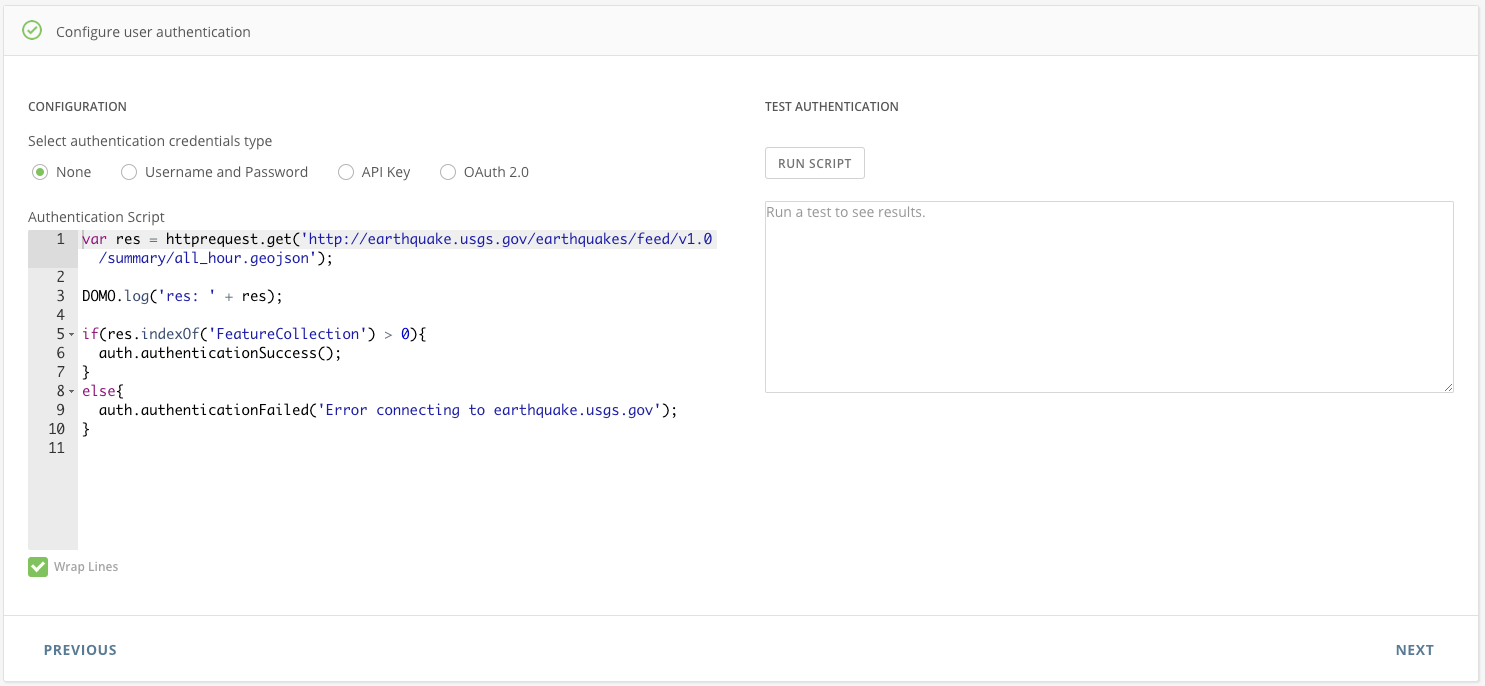
<<Insert your message>>’) appropriately.
Username and Password
- Select Username and Password.
- Enter your username and password into the Username and Password fields. These will be securely stored. You can access them in your authentication script by calling metadata.account.username and metadata.account.password.
- Write your authentication script as required by your API endpoint.
- Click Run Script to run your authentication script.
The Connector Dev Studio provides a built-in function if you need to base-64 encode a string: DOMO.b64EncodeUnicode(<string>).
Note
The code block needs to determine and set the authentication to either auth.authenticationSuccess() or auth.authenticationFailed(‘
<<Insert your message>>’).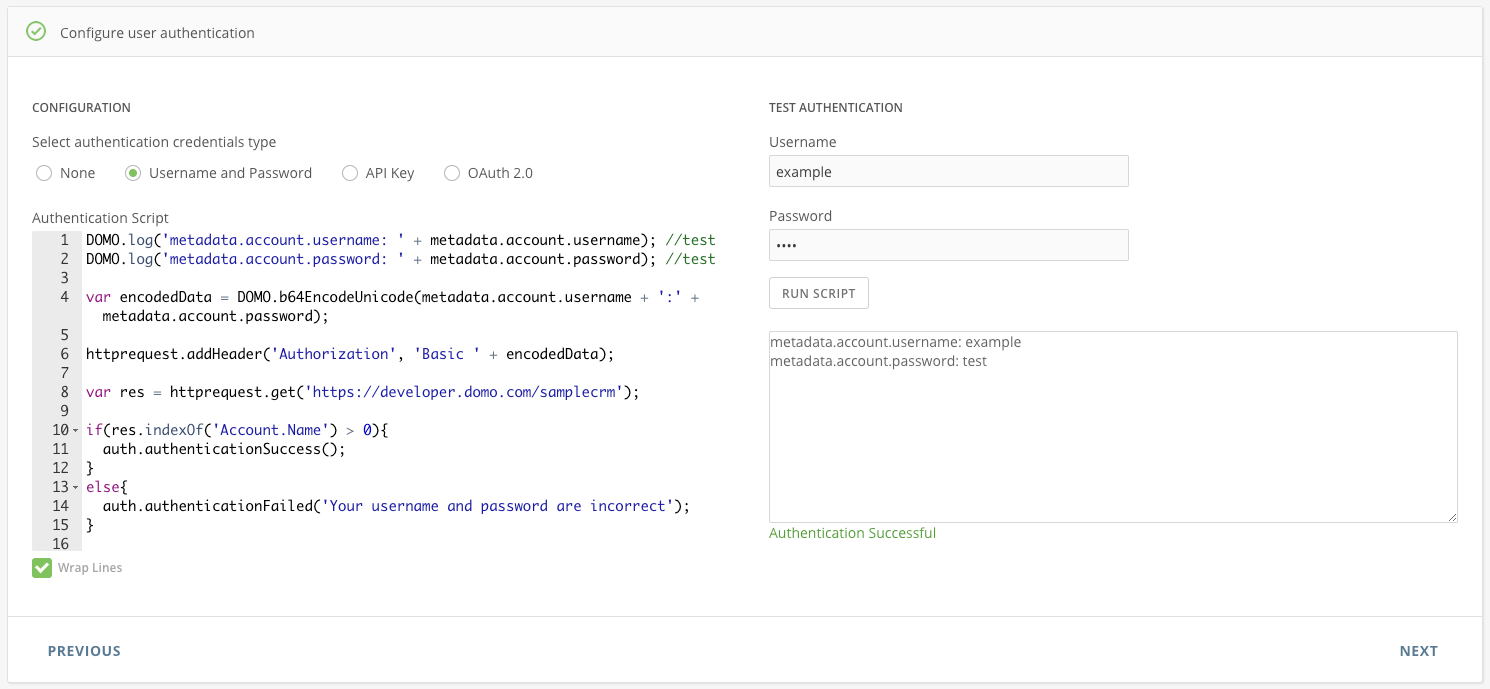
API Key
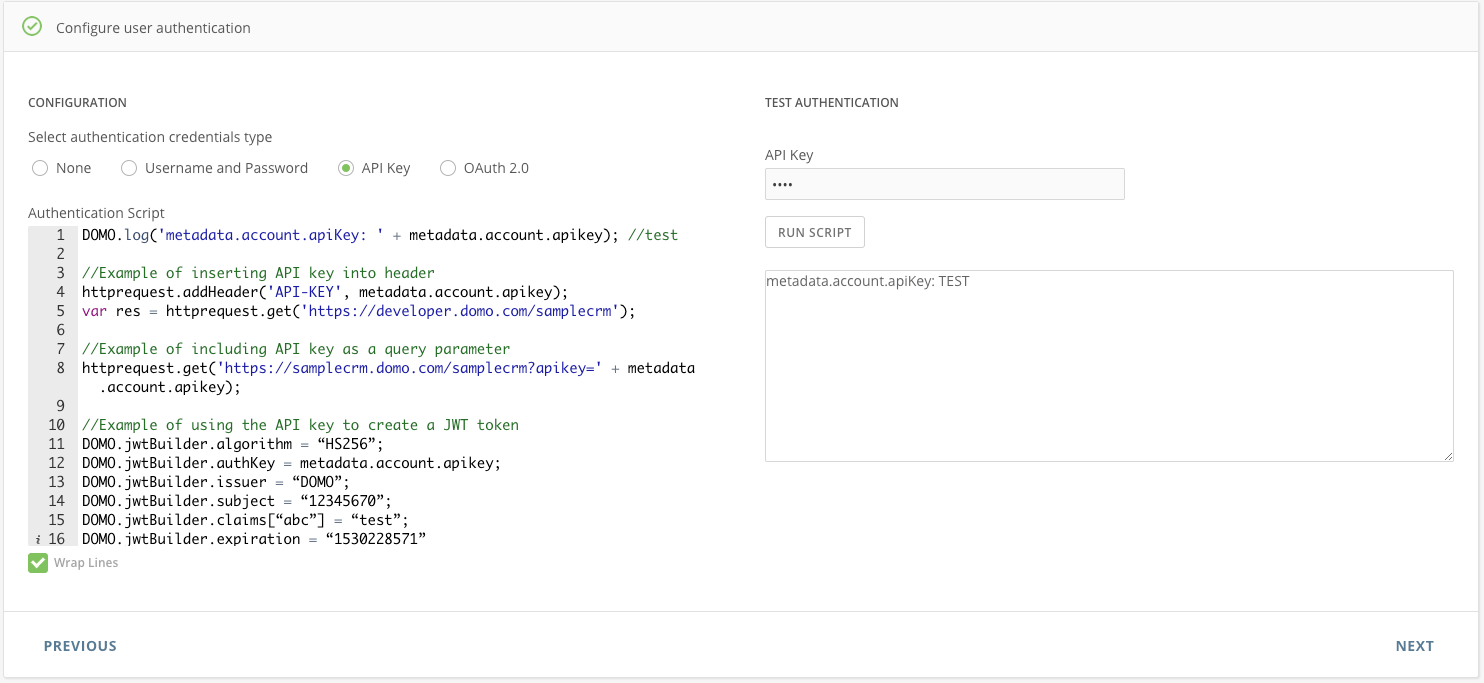
- Select API Key.
- Enter your API key into the API Key field. It will be securely stored. You can access it in your authentication script by calling metadata.account.apikey.
- Write your authentication script as required by your API endpoint.
- Click Run Script to run your authentication script.
NoteThe code block needs to determine and set the authentication to either auth.authenticationSuccess() or auth.authenticationFailed(‘
<<Insert your message>>’).OAuth 2.0
- Select OAuth 2.0.
- Enter the required data in the Authentication fields. You will need to get the necessary information from the API documentation you wish to use. All data will be securely stored. For your information:
- The redirect URI for the connector IDE is https://api.domo.com/builder/oauth.html.
- The callback URL response body needs to be JSON.
- The key defining the access token returned by your api needs to be access_token.
- Click Get Access Token. Domo will perform the authentication process and securely store your access token. You can access your token in your authentication script by calling metadata.account.accesstoken.
- Write your authentication script as required by your API endpoint.
- Click Run Script to run your authentication script.
Note
The code block needs to determine and set the authentication to either auth.authenticationSuccess() or auth.authenticationFailed(‘
<<Insert your message>>’).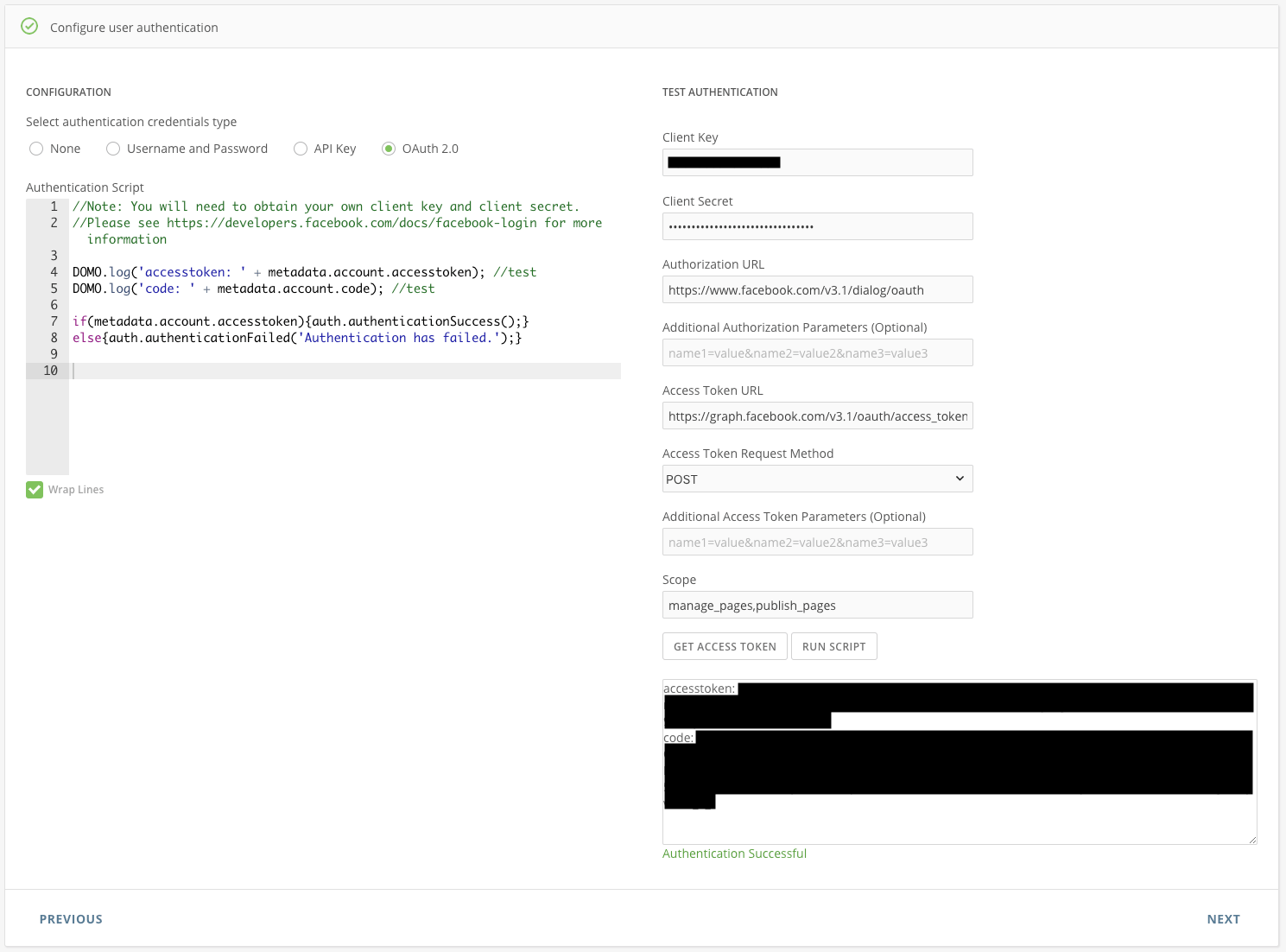
Custom Account
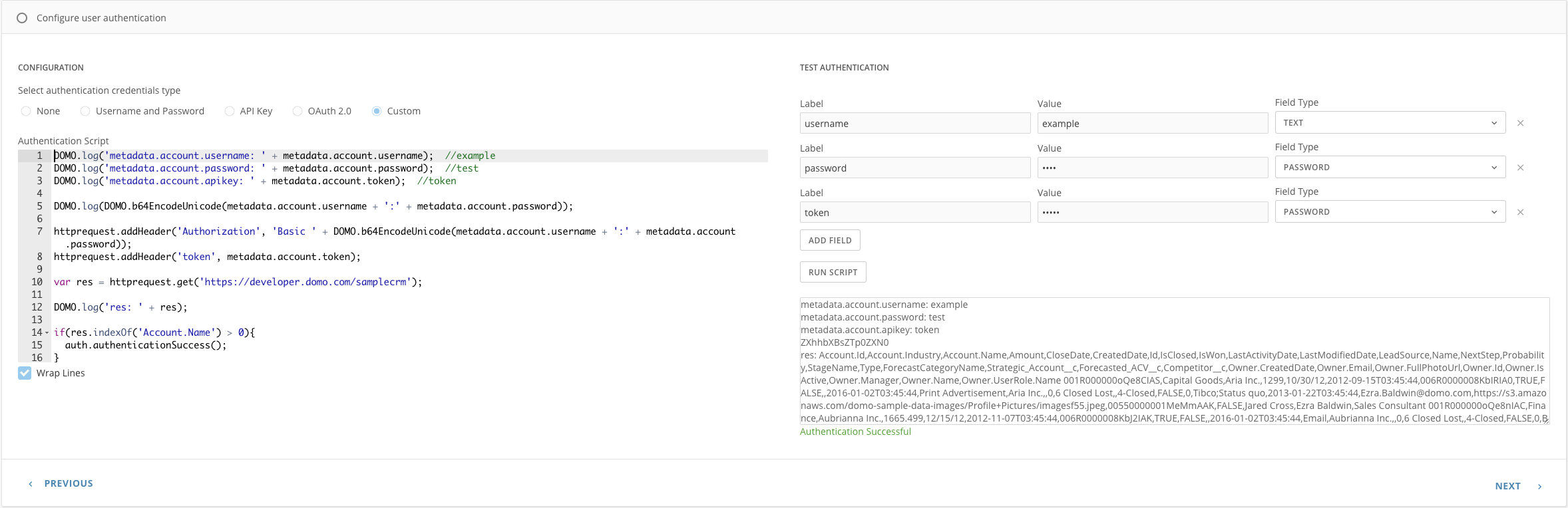
- Select Custom.
- Enter the label and value in the Label and Value fields.
- Select the Field Type as Password.
- Click ADD FIELD to add another authentication field.
- Write your authentication script as required by your API endpoint.
- Click Run Script to run your authentication script.