> ## Documentation Index
> Fetch the complete documentation index at: https://domoinc-openapi-sync-dataflows.mintlify.site/llms.txt
> Use this file to discover all available pages before exploring further.

# Bump Chart

## Intro

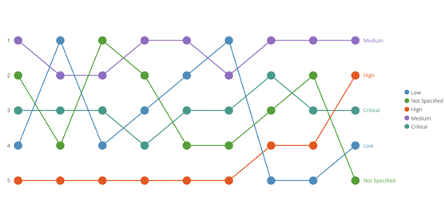
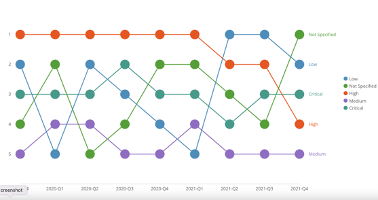
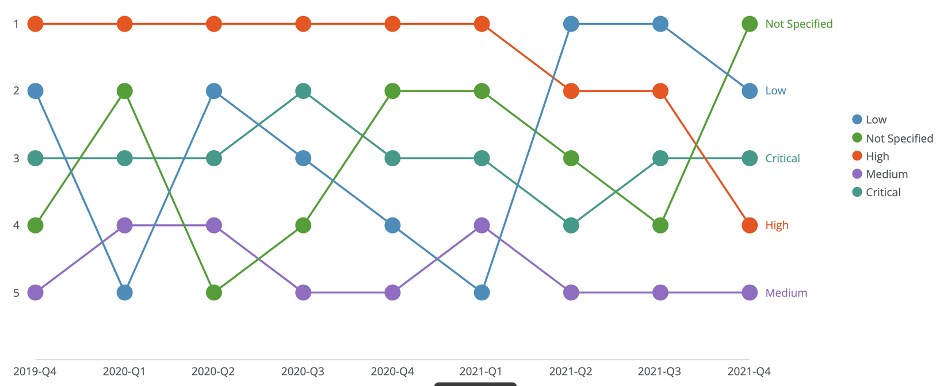
You wanted to quickly see changes in rank over time, so we created bump charts. With bump charts, you can prioritize the change in rank over the change in numeric values.

<Frame>
  <img alt="bump_chart.png" src="https://mintcdn.com/domoinc-openapi-sync-dataflows/OgxhwqPV4Aq-rsgt/images/kb/ka05w0000012BCP-00N5w00000Ri7BU-0EM5w000005vP2O.png?fit=max&auto=format&n=OgxhwqPV4Aq-rsgt&q=85&s=8c480ba50fd82d49e4ed06c109bc678c" width="936" height="386" data-path="images/kb/ka05w0000012BCP-00N5w00000Ri7BU-0EM5w000005vP2O.png" />
</Frame>

## Powering Bump Charts

The bump chart requires the x-axis dimension, the y-axis measure and the series for multiple lines.

For information about value, category, and series data, see [Understanding Chart Data](/s/article/360043428693).

In the Analyzer, you choose the columns containing the data for your bump chart. For more information about choosing data columns, see [Applying DataSet Columns to Your Chart](/s/article/360043428713).

For more information about formatting charts in the Analyzer, see [Visualization Card Building Part 2: The Analyzer](/s/topic/0TO5w000000ZaoUGAS).

## Customizing Bump Charts

You can customize the appearance of a bump chart by editing its **Chart Properties**. For information about all chart properties, see [Chart Properties](/s/topic/0TO5w000000ZaodGAC "Chart Properties").

Unique properties of a bump chart include the following:

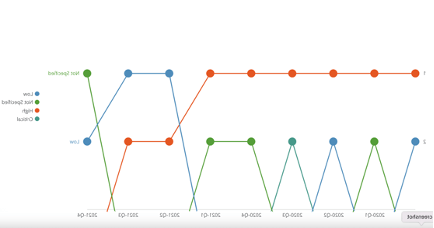
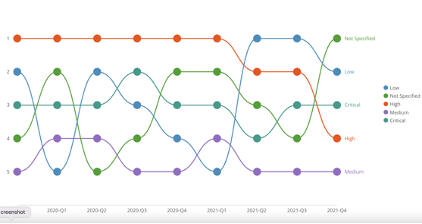
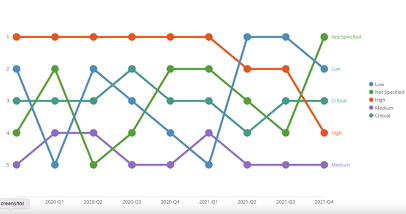
<table border="1" cellpadding="1" cellspacing="1" data-aura-rendered-by="33:209;a"><thead><tr><th colspan="1" rowspan="1"><p> Property </p></th><th colspan="1" rowspan="1"><p> Description </p></th><th colspan="1" rowspan="1"><p> Example </p></th></tr></thead><tbody><tr><td colspan="1" rowspan="1"><p> General > Reverse Ranking </p></td><td colspan="1" rowspan="1"><p> Determines order high to low or low to high. </p></td><td colspan="1" rowspan="1"><p class="wysiwyg-text-align-center"><img alt="reverse_ranking.png" src="https://mintcdn.com/domoinc-openapi-sync-dataflows/OgxhwqPV4Aq-rsgt/images/kb/ka05w0000012BCP-00N5w00000Ri7BU-0EM5w000005vP2G.png?fit=max&auto=format&n=OgxhwqPV4Aq-rsgt&q=85&s=bbb3468c0260818fa6fbf77f6d3c41f4" width="446" height="200" data-path="images/kb/ka05w0000012BCP-00N5w00000Ri7BU-0EM5w000005vP2G.png" /></p></td></tr><tr><td colspan="1" rowspan="1"><p> General > Maximum Items </p></td><td colspan="1" rowspan="1"><p> Determines how many lines are compared. </p></td><td colspan="1" rowspan="1"><p><img alt="max_items.png" src="https://mintcdn.com/domoinc-openapi-sync-dataflows/OgxhwqPV4Aq-rsgt/images/kb/ka05w0000012BCP-00N5w00000Ri7BU-0EM5w000005vP2R.png?fit=max&auto=format&n=OgxhwqPV4Aq-rsgt&q=85&s=3ae00e31ff34a5f9c1c267ee0816183e" width="434" height="228" data-path="images/kb/ka05w0000012BCP-00N5w00000Ri7BU-0EM5w000005vP2R.png" /></p></td></tr><tr><td colspan="1" rowspan="1"><p> General > Line Style </p></td><td colspan="1" rowspan="1"><p> Displays as plain (straight) or curved. </p></td><td colspan="1" rowspan="1"><p class="wysiwyg-text-align-center"><img alt="line_style.png" src="https://mintcdn.com/domoinc-openapi-sync-dataflows/OgxhwqPV4Aq-rsgt/images/kb/ka05w0000012BCP-00N5w00000Ri7BU-0EM5w000005vP2Q.png?fit=max&auto=format&n=OgxhwqPV4Aq-rsgt&q=85&s=85eb8299d7d62d1bbf76a778d9ed08c3" width="422" height="224" data-path="images/kb/ka05w0000012BCP-00N5w00000Ri7BU-0EM5w000005vP2Q.png" /></p></td></tr><tr><td colspan="1" rowspan="1"><p> General > Line Thickness </p></td><td colspan="1" rowspan="1"><p> Display width of line — thin to thick. </p></td><td colspan="1" rowspan="1"><p /><p><img alt="line_thickness.png" src="https://mintcdn.com/domoinc-openapi-sync-dataflows/OgxhwqPV4Aq-rsgt/images/kb/ka05w0000012BCP-00N5w00000Ri7BU-0EM5w000005vP2U.png?fit=max&auto=format&n=OgxhwqPV4Aq-rsgt&q=85&s=2cda44c579e1efdf26494a809672b48b" width="406" height="214" data-path="images/kb/ka05w0000012BCP-00N5w00000Ri7BU-0EM5w000005vP2U.png" /></p><p /></td></tr><tr><td colspan="1" rowspan="1"><p> General > Symbol Size </p></td><td colspan="1" rowspan="1"><p> Size of the symbol — small to large. </p></td><td colspan="1" rowspan="1"><p><img alt="symbol_size.png" src="https://mintcdn.com/domoinc-openapi-sync-dataflows/OgxhwqPV4Aq-rsgt/images/kb/ka05w0000012BCP-00N5w00000Ri7BU-0EM5w000005vP2P.png?fit=max&auto=format&n=OgxhwqPV4Aq-rsgt&q=85&s=6b06712631772021713d19479caaa08f" width="378" height="200" data-path="images/kb/ka05w0000012BCP-00N5w00000Ri7BU-0EM5w000005vP2P.png" /></p><p /></td></tr><tr><td colspan="1" rowspan="1"><p> General > Fill Symbols </p></td><td colspan="1" rowspan="1"><p> Determines if symbols are filled or hollow. </p></td><td colspan="1" rowspan="1"><p><img alt="fill_symbols.png" src="https://mintcdn.com/domoinc-openapi-sync-dataflows/OgxhwqPV4Aq-rsgt/images/kb/ka05w0000012BCP-00N5w00000Ri7BU-0EM5w000005vP2F.png?fit=max&auto=format&n=OgxhwqPV4Aq-rsgt&q=85&s=e43d65be3da250808affc5d23a53bc70" width="350" height="184" data-path="images/kb/ka05w0000012BCP-00N5w00000Ri7BU-0EM5w000005vP2F.png" /></p></td></tr></tbody></table>