> ## Documentation Index
> Fetch the complete documentation index at: https://domoinc-openapi-sync-dataflows.mintlify.site/llms.txt
> Use this file to discover all available pages before exploring further.
# Emailing a Visualization Card
export const InlineImage = ({src, alt = '', height = '1.6em'}) => {
return  ;
};
You can email a Visualization Card from either the Dashboard or the Details view. If you email a Card from the Details view when filters are applied, those filters are applied in the email version of the Card. For more information about applying filters, see [Adding Filters to Your Chart](/s/article/360042924074). This option is available *only* for Visualization Cards (that is, you cannot email Notebook Cards, Sumo Cards, Document Cards, etc.). However, all chart types are supported, including tables.
If data in a Card is filtered due to PDP policies, those filters are applied in the emailed version.
**To email a Visualization Card,**
1. Do either of the following:
* (Conditional) If you are on the Dashboard, mouse over the Card that you want to email, click
> **Send / Export**.
The **Export** dialog opens.
* (Conditional) If you are in the Details view, click
> **Send / Export**.
The **Export** dialog opens.
2. Select **Email**.
3. Enter one of the following in the **Send to people and groups** field:
* The recipient's email address (if they are not a user in the Domo instance.)
* The name of a user.
* The name of a Group that contains the desired users.
4. Click **Add**.
**Note:** Only one Email, User, or Group can be added at a time. Repeat steps 3 and 4 until you have added all the people you would like to receive the Card.
;
};
You can email a Visualization Card from either the Dashboard or the Details view. If you email a Card from the Details view when filters are applied, those filters are applied in the email version of the Card. For more information about applying filters, see [Adding Filters to Your Chart](/s/article/360042924074). This option is available *only* for Visualization Cards (that is, you cannot email Notebook Cards, Sumo Cards, Document Cards, etc.). However, all chart types are supported, including tables.
If data in a Card is filtered due to PDP policies, those filters are applied in the emailed version.
**To email a Visualization Card,**
1. Do either of the following:
* (Conditional) If you are on the Dashboard, mouse over the Card that you want to email, click
> **Send / Export**.
The **Export** dialog opens.
* (Conditional) If you are in the Details view, click
> **Send / Export**.
The **Export** dialog opens.
2. Select **Email**.
3. Enter one of the following in the **Send to people and groups** field:
* The recipient's email address (if they are not a user in the Domo instance.)
* The name of a user.
* The name of a Group that contains the desired users.
4. Click **Add**.
**Note:** Only one Email, User, or Group can be added at a time. Repeat steps 3 and 4 until you have added all the people you would like to receive the Card.
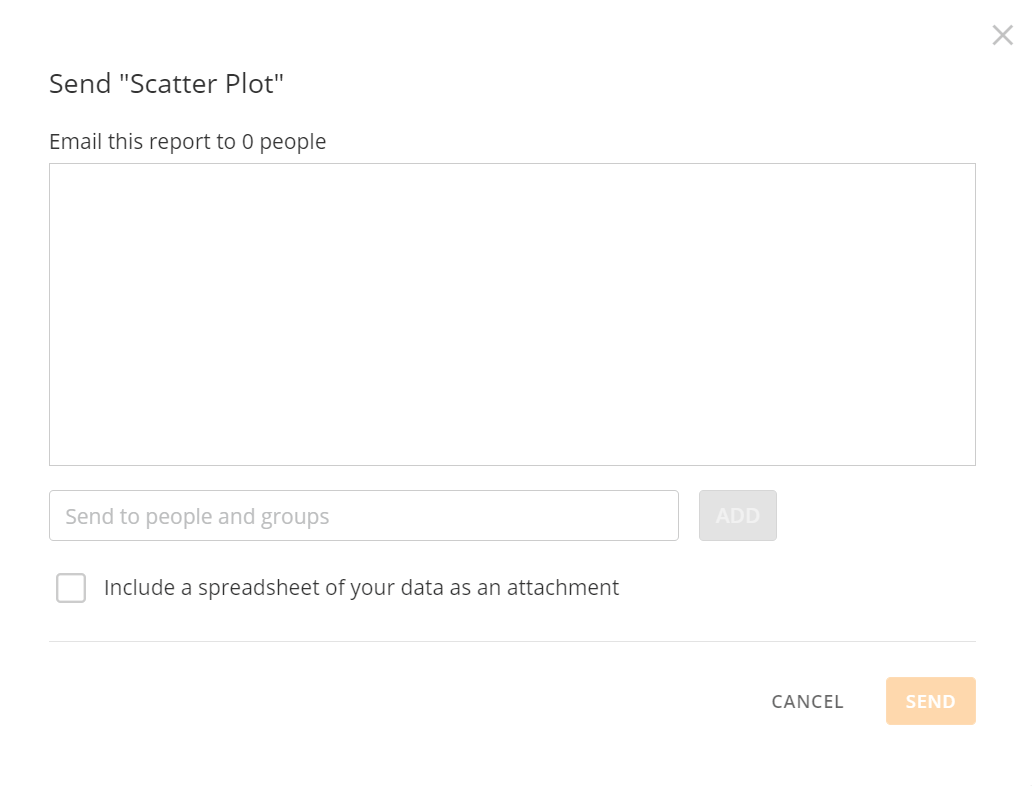 5. (Optional) Check the box: **Include a spreadsheet of your data as an attachment**, if desired.
6. Click **Send**.
5. (Optional) Check the box: **Include a spreadsheet of your data as an attachment**, if desired.
6. Click **Send**.