> ## Documentation Index
> Fetch the complete documentation index at: https://domoinc-openapi-sync-dataflows.mintlify.site/llms.txt
> Use this file to discover all available pages before exploring further.
# Installing Salesforce's Domo Connector Package
export const InlineImage = ({src, alt = '', height = '1.6em'}) => {
return  ;
};
The "Domo Connector Package" found in Salesforce AppExchange allows Salesforce users to import their data into Domo. Follow the instructions in this article to download and install the Connector Package from the AppExchange.
**Note:**
If the Managed Package is installed successfully, both old and new Salesforce DataSets will work without changes.
## Production Environment
**To install Domo's Salesforce Managed Package in the Production Environment:**
1. Log in to Salesforce.
2. Navigate to the Salesforce AppExchange at [https://appexchange.salesforce.com](https://appexchange.salesforce.com "https://appexchange.salesforce.com"), search for "Domo Connector Package," then click the package.
;
};
The "Domo Connector Package" found in Salesforce AppExchange allows Salesforce users to import their data into Domo. Follow the instructions in this article to download and install the Connector Package from the AppExchange.
**Note:**
If the Managed Package is installed successfully, both old and new Salesforce DataSets will work without changes.
## Production Environment
**To install Domo's Salesforce Managed Package in the Production Environment:**
1. Log in to Salesforce.
2. Navigate to the Salesforce AppExchange at [https://appexchange.salesforce.com](https://appexchange.salesforce.com "https://appexchange.salesforce.com"), search for "Domo Connector Package," then click the package.
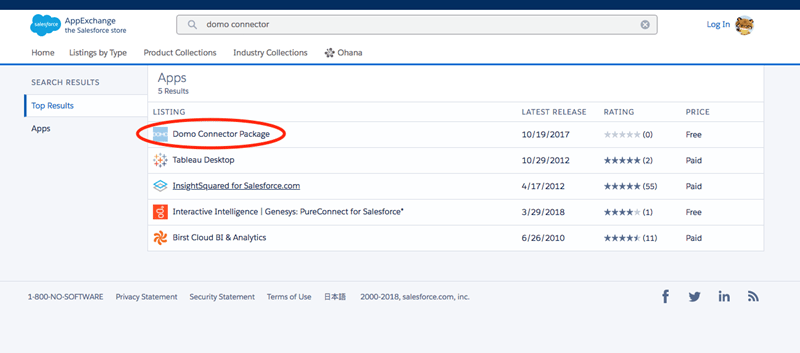 Alternatively, you can go directly to [https://appexchange.salesforce.com/a...A00000EcrsyUAB](https://appexchange.salesforce.com/appxListingDetail?listingId=a0N3A00000EcrsyUAB "https://appexchange.salesforce.com/appxListingDetail?listingId=a0N3A00000EcrsyUAB").
3. Click **Get It Now**.
Alternatively, you can go directly to [https://appexchange.salesforce.com/a...A00000EcrsyUAB](https://appexchange.salesforce.com/appxListingDetail?listingId=a0N3A00000EcrsyUAB "https://appexchange.salesforce.com/appxListingDetail?listingId=a0N3A00000EcrsyUAB").
3. Click **Get It Now**.
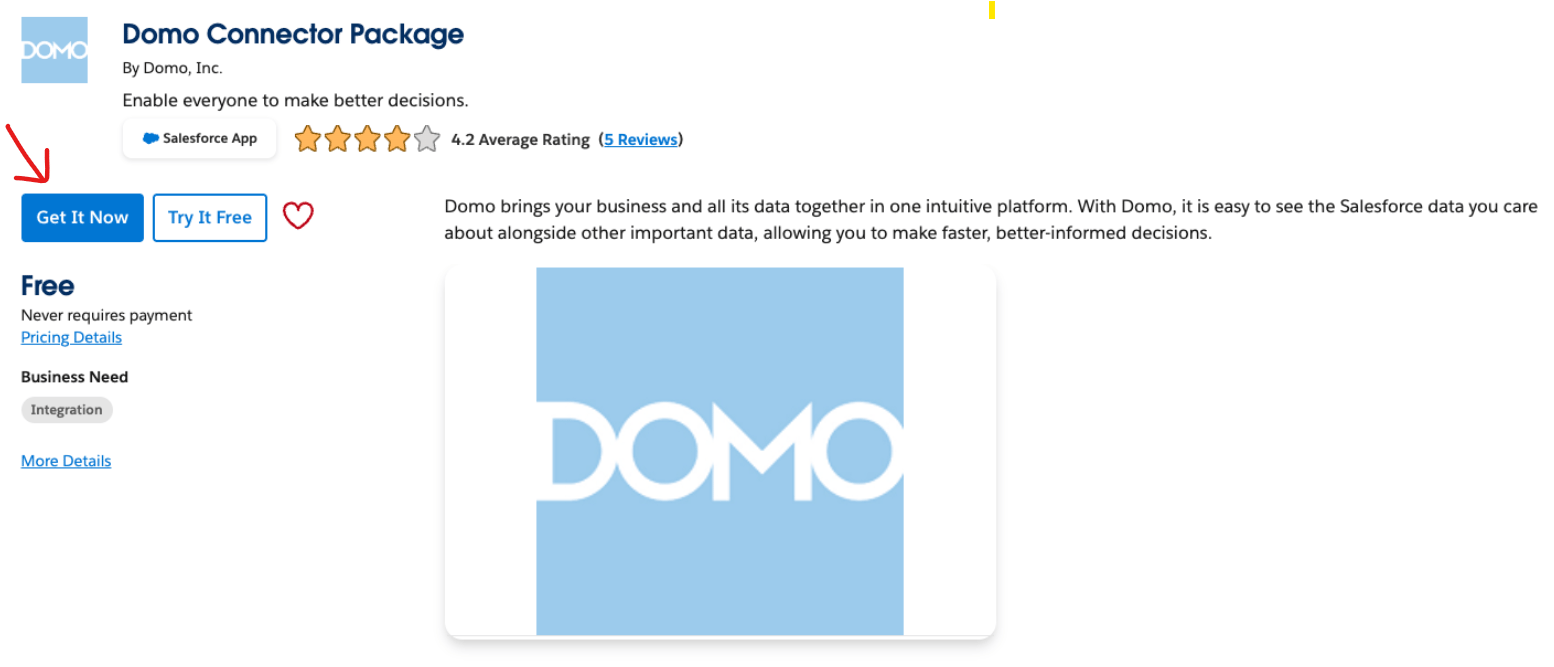 4. Click **Install in Production.** ****
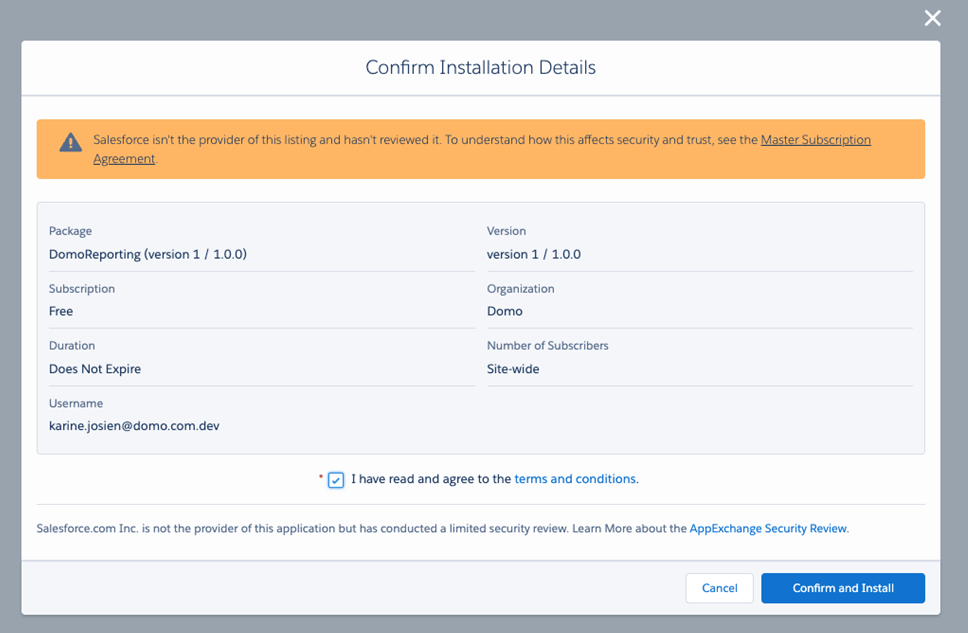
5. Select the **I have read and agree to the terms and conditions** checkbox, and click **Confirm and Install**.
4. Click **Install in Production.** ****
5. Select the **I have read and agree to the terms and conditions** checkbox, and click **Confirm and Install**.
 For more details, see Salesforce's documentation at [https://help.salesforce.com/articleV...ges.htm\&type=5](https://help.salesforce.com/articleView?id=distribution_installing_packages.htm\&type=5 "https://help.salesforce.com/articleView?id=distribution_installing_packages.htm\&type=5").
## Sandbox Environment
**To install Domo's Salesforce Managed Package in the Sandbox Environment:**
1. Log in to Salesforce.
2. Navigate to the Salesforce AppExchange at [https://appexchange.salesforce.com](https://appexchange.salesforce.com "https://appexchange.salesforce.com"), search for "Domo Connector Package," then click the package.
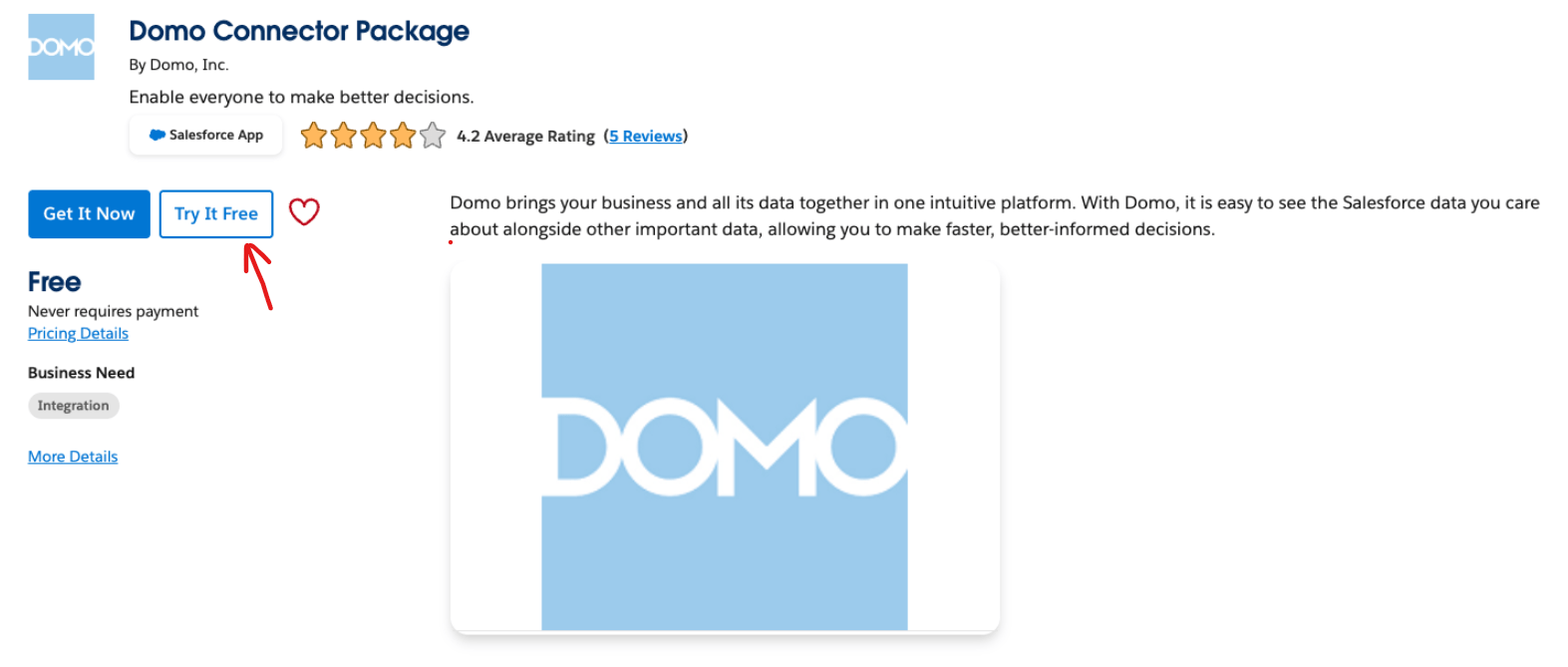
3. Click **Try It Free**.
For more details, see Salesforce's documentation at [https://help.salesforce.com/articleV...ges.htm\&type=5](https://help.salesforce.com/articleView?id=distribution_installing_packages.htm\&type=5 "https://help.salesforce.com/articleView?id=distribution_installing_packages.htm\&type=5").
## Sandbox Environment
**To install Domo's Salesforce Managed Package in the Sandbox Environment:**
1. Log in to Salesforce.
2. Navigate to the Salesforce AppExchange at [https://appexchange.salesforce.com](https://appexchange.salesforce.com "https://appexchange.salesforce.com"), search for "Domo Connector Package," then click the package.
3. Click **Try It Free**.
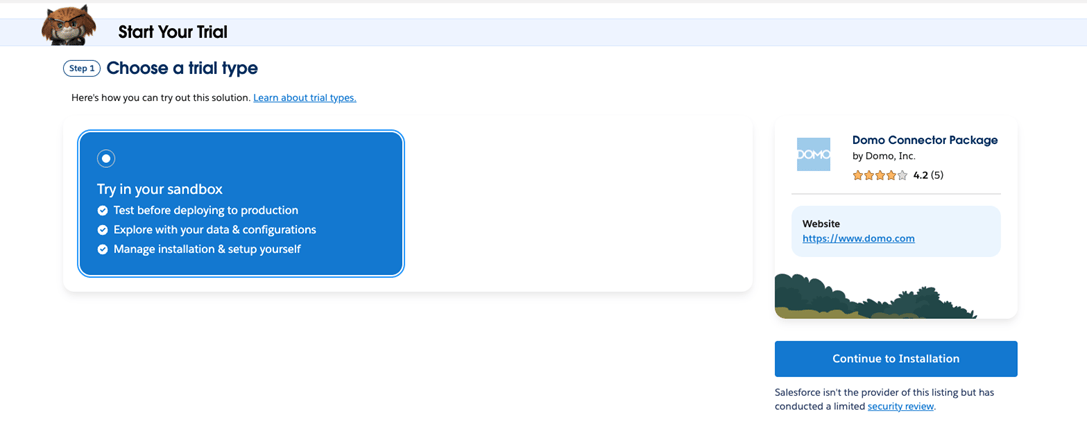
 4. Click **Continue to Installation**.
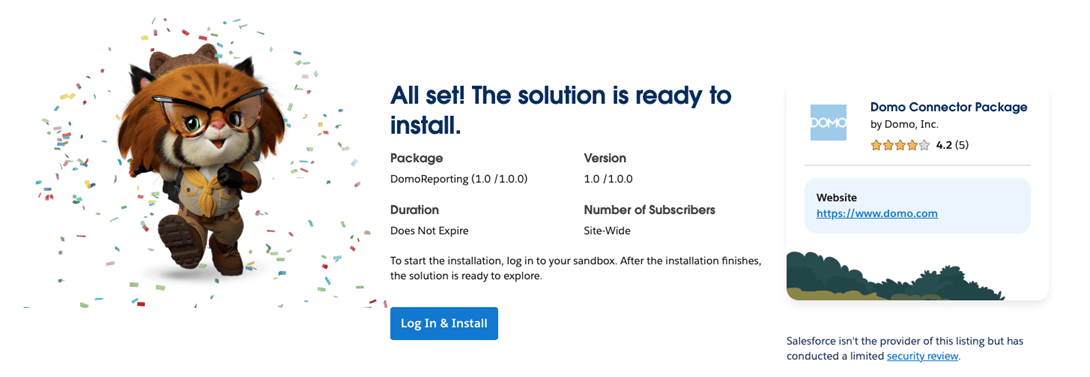
 5. Click **Log In & Install**.
 For more details, see Salesforce's documentation at [https://help.salesforce.com/s/articleView?language=en\_US\&id=distribution\_installing\_packages.htm\&type=5](https://help.salesforce.com/s/articleView?language=en_US\&id=distribution_installing_packages.htm\&type=5).
### Verifying your Installation
Use Domo's Salesforce Managed Package Validator to verify that your Salesforce Managed Package has been installed correctly.
**To verify your installation,**
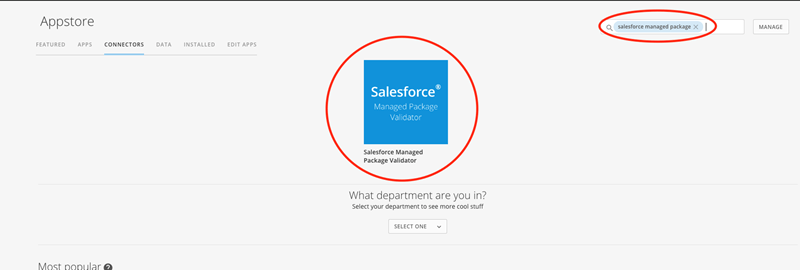
1. In the Connectors page in either the Data Center or Appstore in Domo, search for "Salesforce Managed Package" and double-click on on the icon.
For more details, see Salesforce's documentation at [https://help.salesforce.com/s/articleView?language=en\_US\&id=distribution\_installing\_packages.htm\&type=5](https://help.salesforce.com/s/articleView?language=en_US\&id=distribution_installing_packages.htm\&type=5).
### Verifying your Installation
Use Domo's Salesforce Managed Package Validator to verify that your Salesforce Managed Package has been installed correctly.
**To verify your installation,**
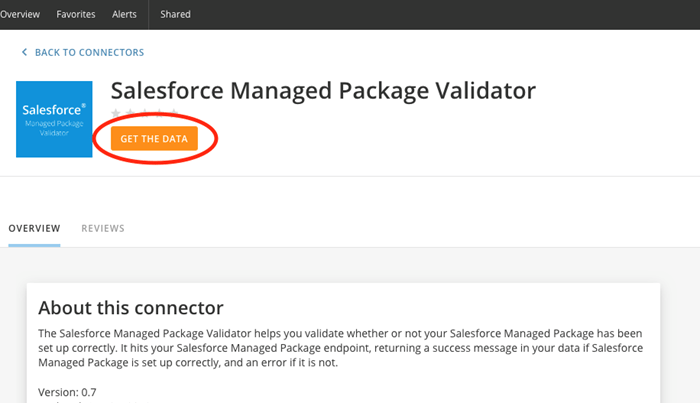
1. In the Connectors page in either the Data Center or Appstore in Domo, search for "Salesforce Managed Package" and double-click on on the icon.
 2. Click
**Get the Data**.
2. Click
**Get the Data**.
 3. Under
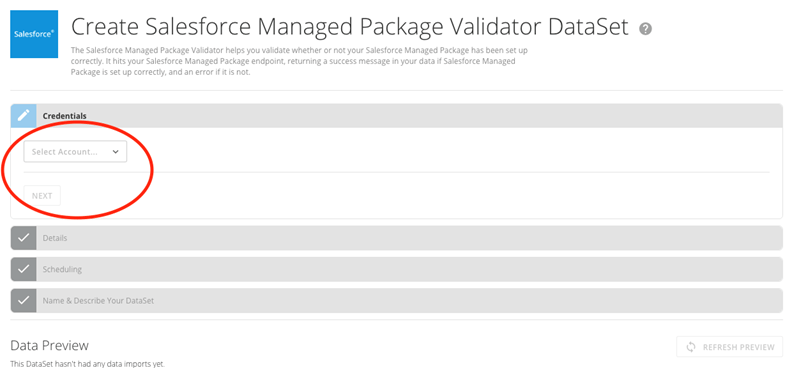
**Credentials**, select your Salesforce account name, then click **Next**.
3. Under
**Credentials**, select your Salesforce account name, then click **Next**.
 4. Under
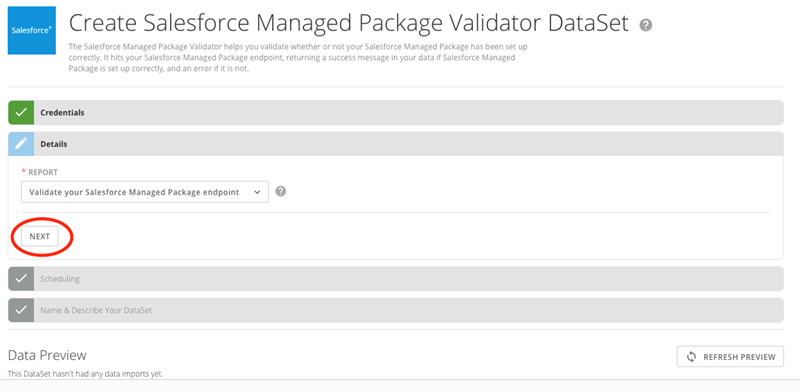
**Details**, click **Next**.
4. Under
**Details**, click **Next**.
 5. In the
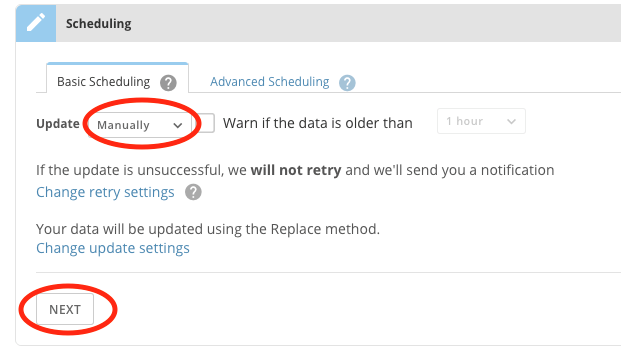
**Update** menu, select **Manually**, then click **Next**.
5. In the
**Update** menu, select **Manually**, then click **Next**.
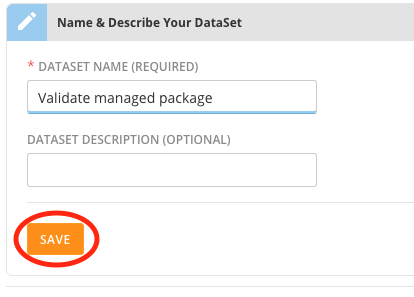
 6. Give your DataSet a name, then click
**Save**.
6. Give your DataSet a name, then click
**Save**.
 The DataSet now runs. If everything has been set up correctly, the run will be successful, and a message will appear reading, "Validation Success: You have set up your Salesforce Managed Package correctly."
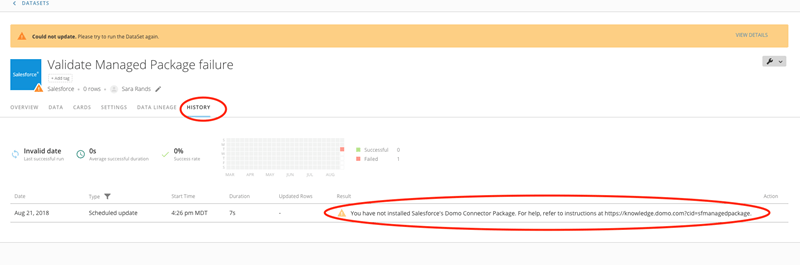
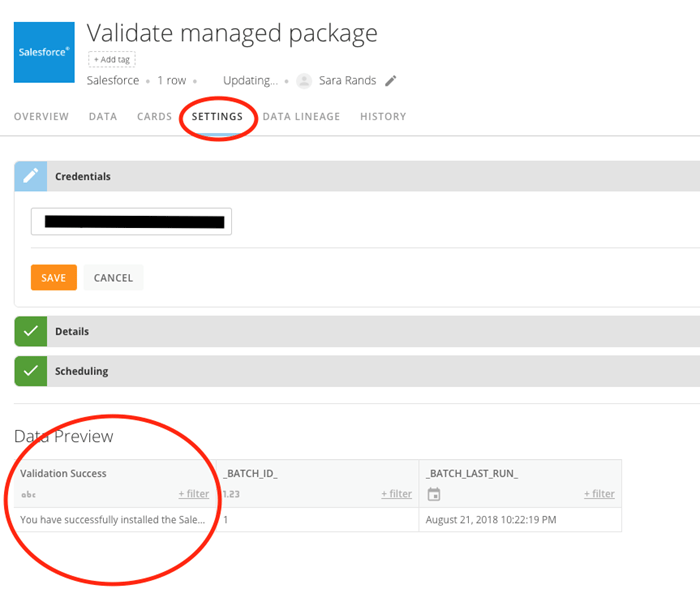 If everything has *not* been set up correctly, the DataSet fails, and a message appears reading, "You have not installed Salesforce's Domo Connector Package," with a help link to this article.