> ## Documentation Index
> Fetch the complete documentation index at: https://domoinc-openapi-sync-dataflows.mintlify.site/llms.txt
> Use this file to discover all available pages before exploring further.
# Adding Dashboards as Favorites
export const InlineImage = ({src, alt = '', height = '1.6em'}) => {
return  ;
};
**Note:** **Dashboard** is the term for the section of the Domo interface where you can organize and view your cards. It replaces the term **Page**.
## Intro
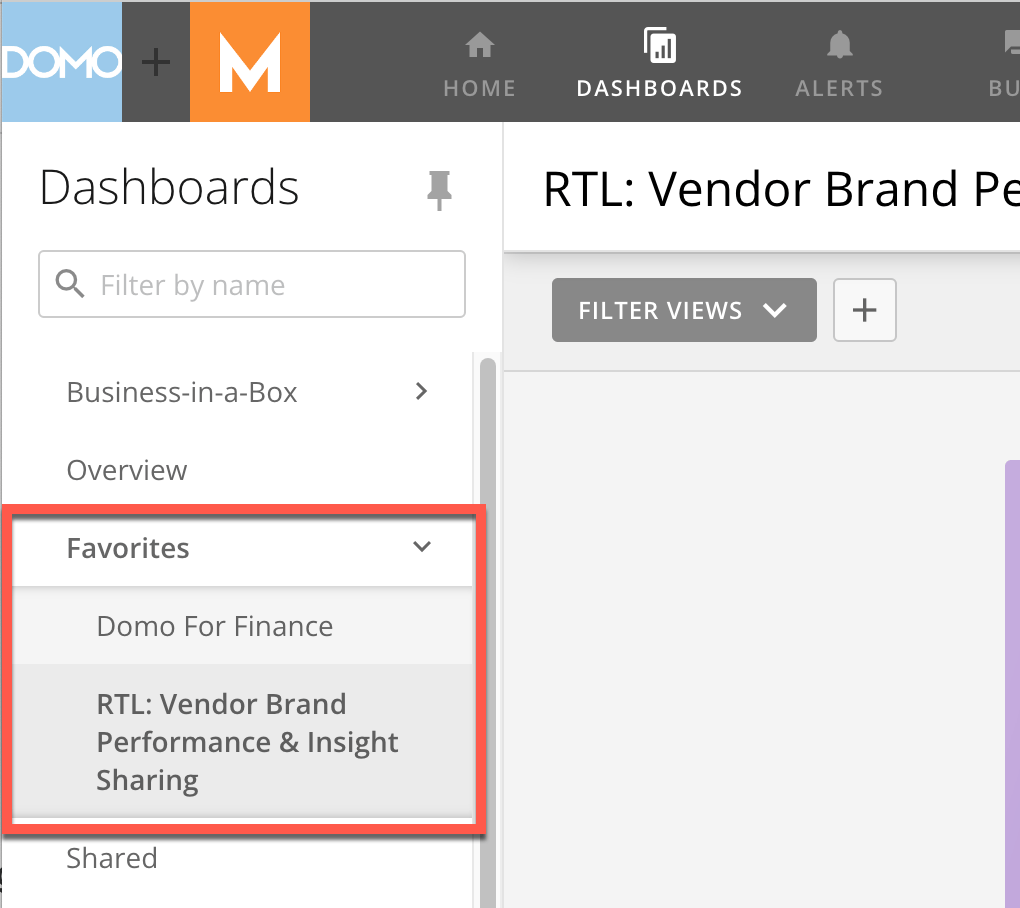
When you add dashboards as favorites, you can access them by going to the **Favorites** menu in the left side rail.
## Adding a Dashboard as a Favorite
1. Open the dashboard you want to add as a favorite.
2. Select
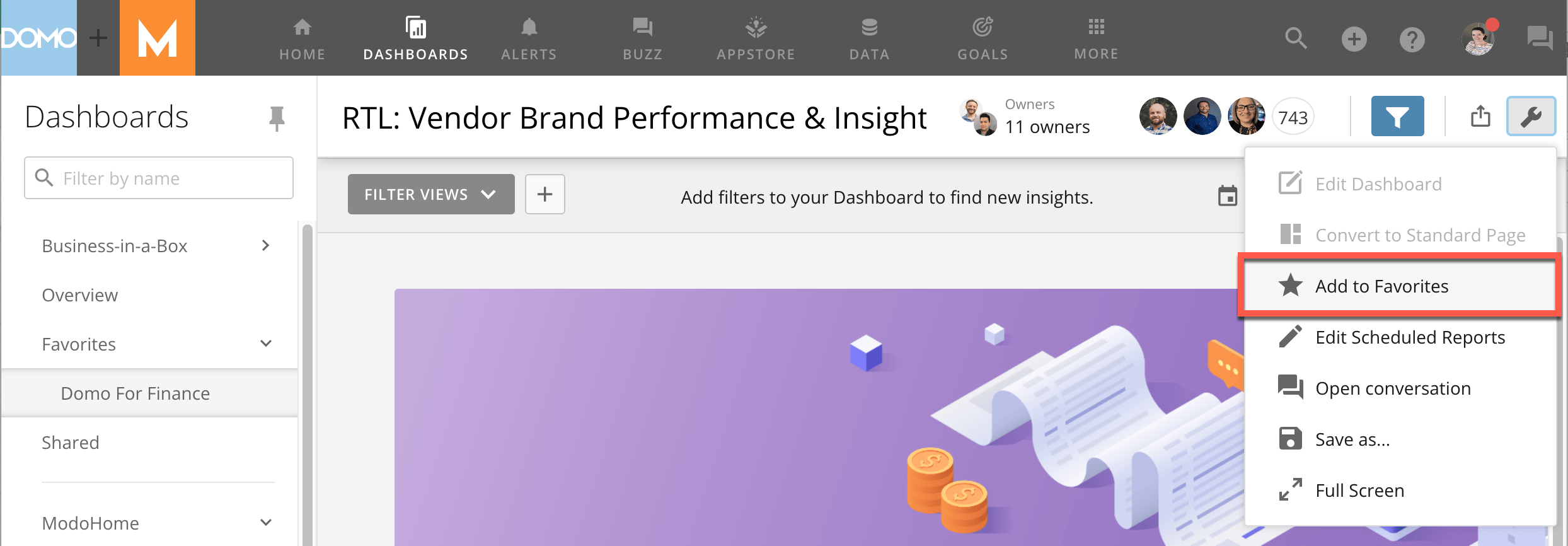
**Dashboard Options**.
The dashboard options menu displays.
3. Select
**Add to Favorites**.
;
};
**Note:** **Dashboard** is the term for the section of the Domo interface where you can organize and view your cards. It replaces the term **Page**.
## Intro
When you add dashboards as favorites, you can access them by going to the **Favorites** menu in the left side rail.
## Adding a Dashboard as a Favorite
1. Open the dashboard you want to add as a favorite.
2. Select
**Dashboard Options**.
The dashboard options menu displays.
3. Select
**Add to Favorites**.
 Your dashboard now displays in the **Favorites** menu in the left side rail.
 To remove a dashboard from your **Favorites**, open the **Dashboard Options** menu and select **Remove from favorites**.