> ## Documentation Index
> Fetch the complete documentation index at: https://domoinc-openapi-sync-dataflows.mintlify.site/llms.txt
> Use this file to discover all available pages before exploring further.

# Join DataSets by Adding a Unique Key Column

### Intro

Sometimes you want to join DataSets together but there is no unique key column to join on. In this case, you can create a unique key column.

### Create a Unique Key Column

Follow these steps to create a unique key column:

1. Open an existing DataFlow in Magic ETL or begin creating a new DataFlow.
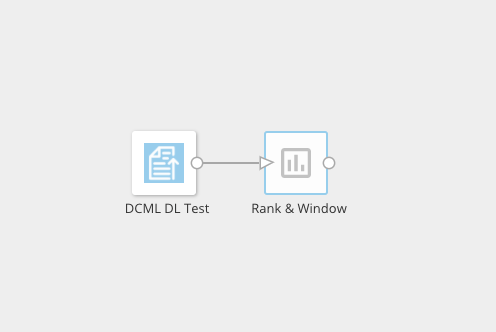
2. Add the
   [Rank and Window](/s/article/360042922814 "ETL Actions: Rank and Window") tile to the canvas and connect it to your Input DataSet.
   <Frame>
     <img alt="" src="https://mintcdn.com/domoinc-openapi-sync-dataflows/2k2HWlcjOFv0edU2/images/kb/ka0Vq0000000l8b-00N5w00000Ri7BU-0EM5w000005vOxE.png?fit=max&auto=format&n=2k2HWlcjOFv0edU2&q=85&s=464c51489560a614aa24cb48565da085" style={{width: 350, height: 234}} width="496" height="332" data-path="images/kb/ka0Vq0000000l8b-00N5w00000Ri7BU-0EM5w000005vOxE.png" />
   </Frame>
3. Select the **Rank & Window** tile.
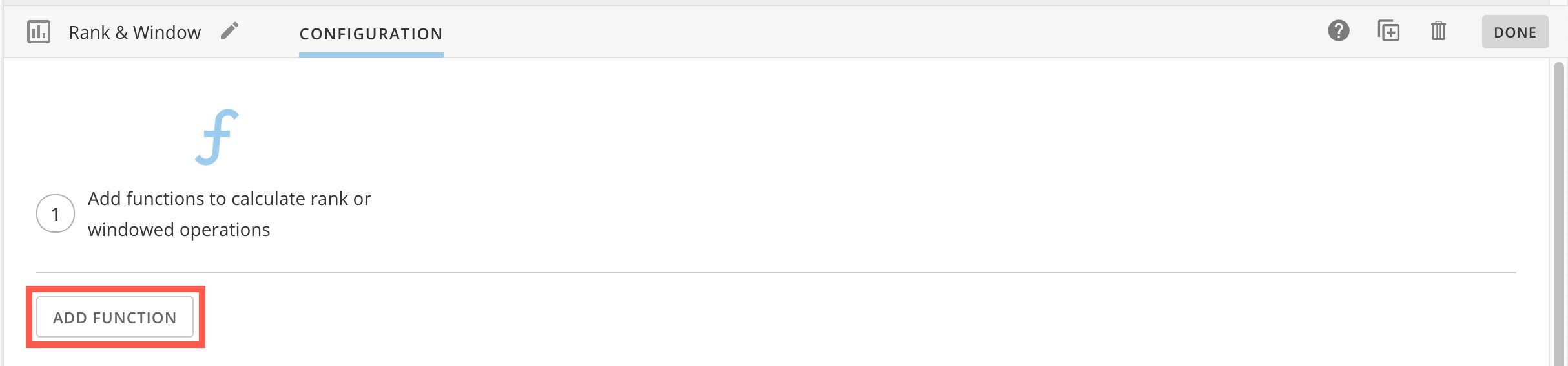
4. In the configuration pane below the canvas, select **Add Function**.
   <Frame>
     <img alt="add function.jpg" src="https://mintcdn.com/domoinc-openapi-sync-dataflows/2k2HWlcjOFv0edU2/images/kb/ka0Vq0000000l8b-00N5w00000Ri7BU-0EMVq000000nTda.jpg?fit=max&auto=format&n=2k2HWlcjOFv0edU2&q=85&s=bb45e5e29122a1e7c405e2fc78dae37c" style={{width: 755, height: 176}} width="2428" height="566" data-path="images/kb/ka0Vq0000000l8b-00N5w00000Ri7BU-0EMVq000000nTda.jpg" />
   </Frame>
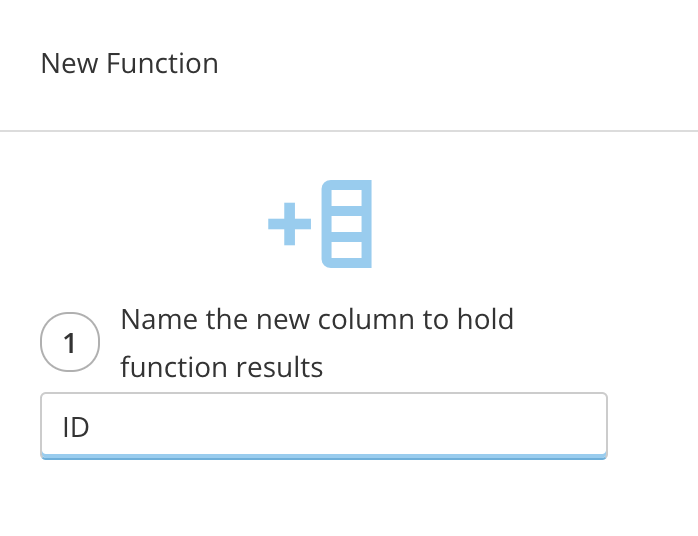
5. In step 1, name the new column.

   <Frame>
     <img alt="Screenshot 2024-04-22 at 11.58.45 AM.png" src="https://mintcdn.com/domoinc-openapi-sync-dataflows/2k2HWlcjOFv0edU2/images/kb/ka0Vq0000000l8b-00N5w00000Ri7BU-0EMVq000000nUHt.jpg?fit=max&auto=format&n=2k2HWlcjOFv0edU2&q=85&s=8bc8c094b2b3f1c0a004b98446ab6357" style={{width: 303, height: 233}} width="698" height="536" data-path="images/kb/ka0Vq0000000l8b-00N5w00000Ri7BU-0EMVq000000nUHt.jpg" />
   </Frame>
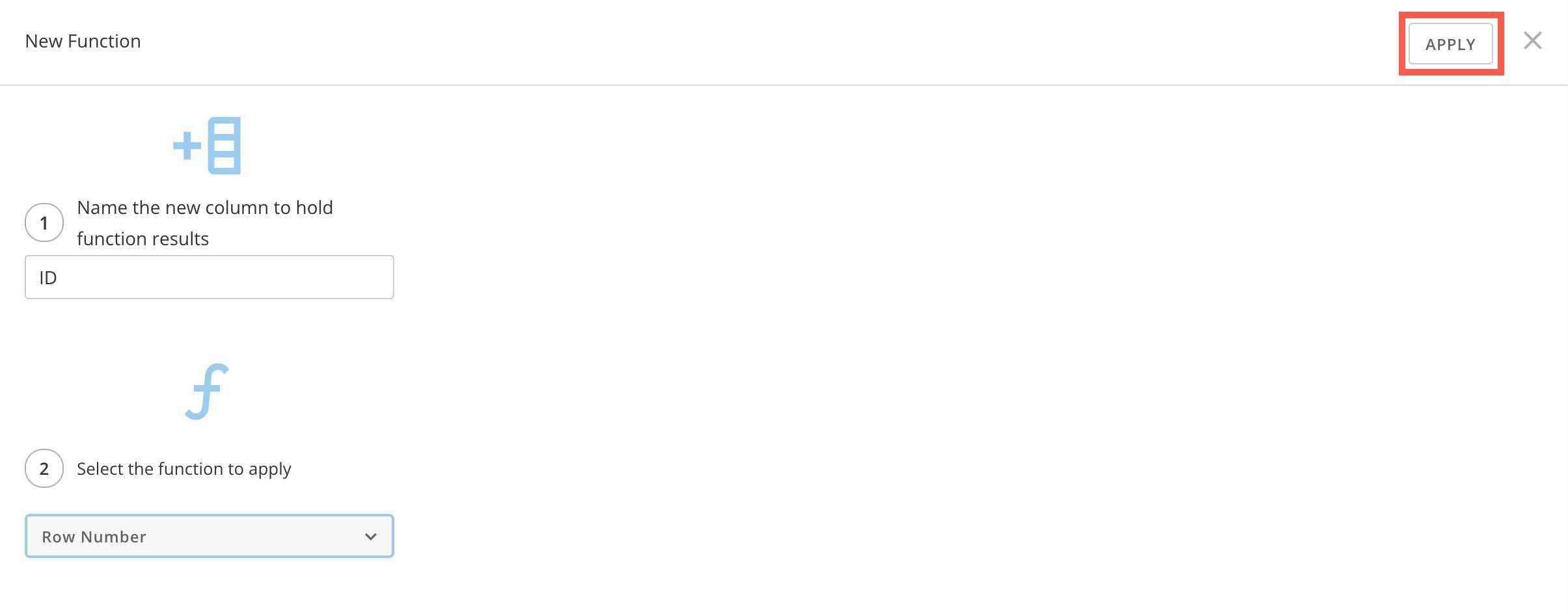
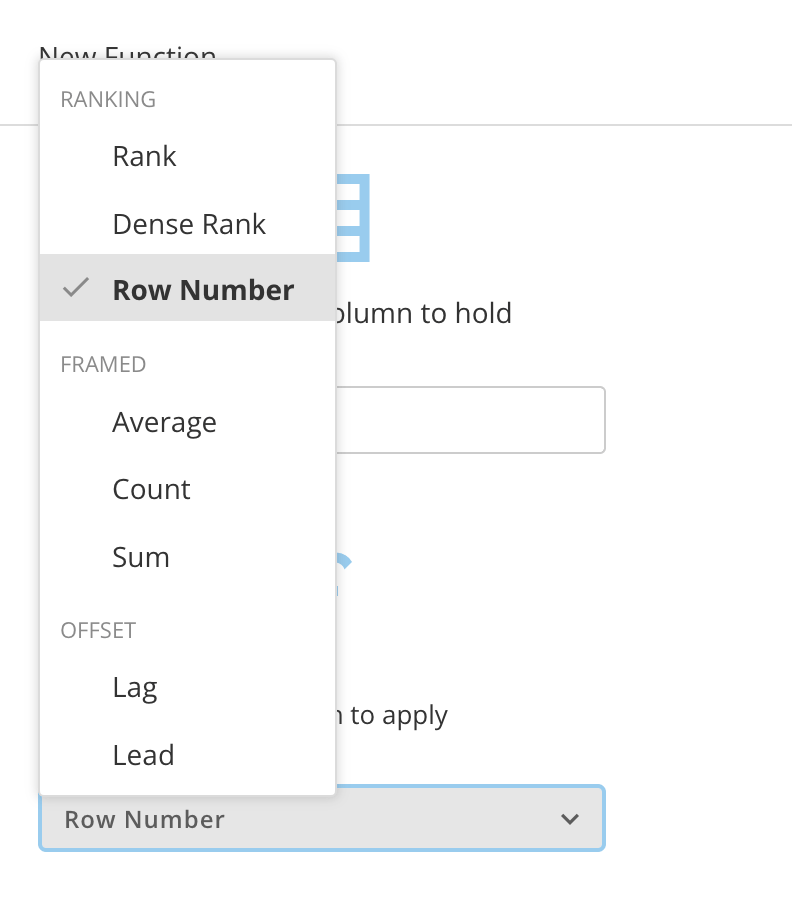
6. In step 2, expand the **Select the function to apply** dropdown and select **Row Number**.
   <Frame>
     <img alt="Screenshot 2024-04-22 at 11.58.57 AM.png" src="https://mintcdn.com/domoinc-openapi-sync-dataflows/2k2HWlcjOFv0edU2/images/kb/ka0Vq0000000l8b-00N5w00000Ri7BU-0EMVq000000nUJW.jpg?fit=max&auto=format&n=2k2HWlcjOFv0edU2&q=85&s=719cf4c7a70e410a6014686a848596c5" style={{width: 301, height: 350}} width="792" height="922" data-path="images/kb/ka0Vq0000000l8b-00N5w00000Ri7BU-0EMVq000000nUJW.jpg" />
   </Frame>
7. Select **Apply**.

   <Frame>
     <img alt="apply function.jpg" src="https://mintcdn.com/domoinc-openapi-sync-dataflows/2k2HWlcjOFv0edU2/images/kb/ka0Vq0000000l8b-00N5w00000Ri7BU-0EMVq000000nUUn.jpg?fit=max&auto=format&n=2k2HWlcjOFv0edU2&q=85&s=b18a82a48e5172af69f54303ebb88904" style={{width: 750, height: 294}} width="2410" height="944" data-path="images/kb/ka0Vq0000000l8b-00N5w00000Ri7BU-0EMVq000000nUUn.jpg" />
   </Frame>
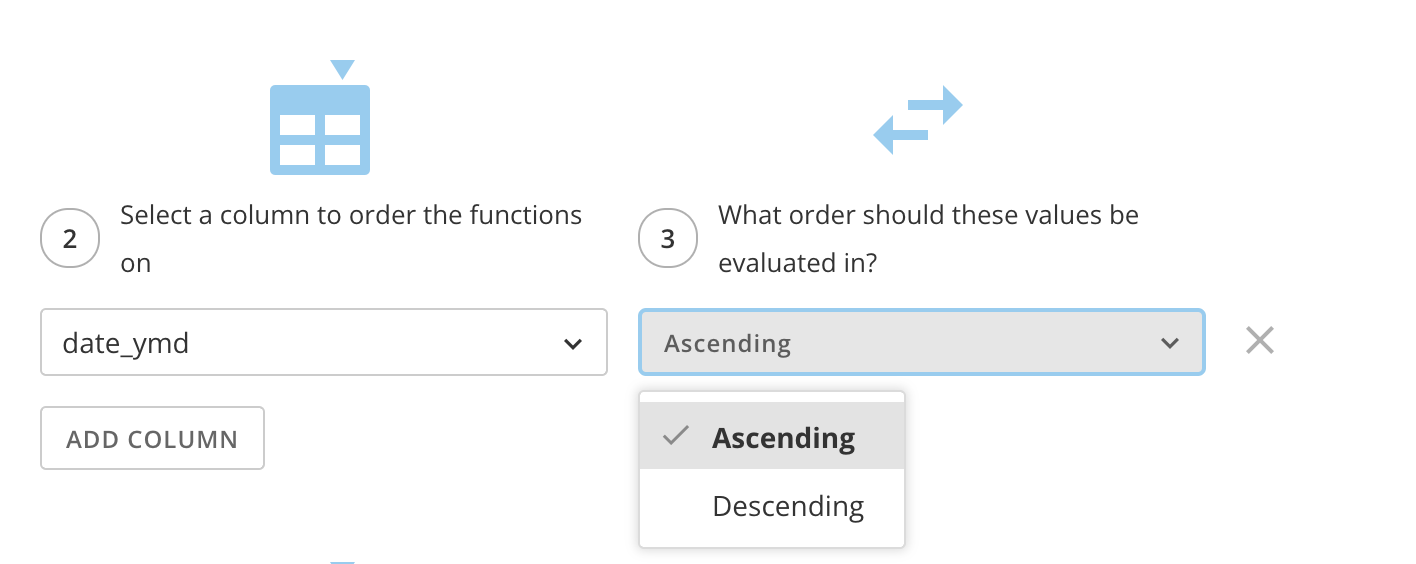
8. In step 2, choose a column to order the functions on to determine how to apply the row numbers.
9. In step 3, choose to order your column by either ascending or descending values.
   <Frame>
     <img alt="Screenshot 2024-04-22 at 12.03.20 PM.png" src="https://mintcdn.com/domoinc-openapi-sync-dataflows/2k2HWlcjOFv0edU2/images/kb/ka0Vq0000000l8b-00N5w00000Ri7BU-0EMVq000000nUjJ.jpg?fit=max&auto=format&n=2k2HWlcjOFv0edU2&q=85&s=2253fa9e6cda8fb603bca6d2351425bb" style={{width: 751, height: 299}} width="1416" height="564" data-path="images/kb/ka0Vq0000000l8b-00N5w00000Ri7BU-0EMVq000000nUjJ.jpg" />
   </Frame>
10. To have a unique key value for every row of your data, leave the optional **What columns make up the partition** option blank.
11. Complete your DataFlow and run it.

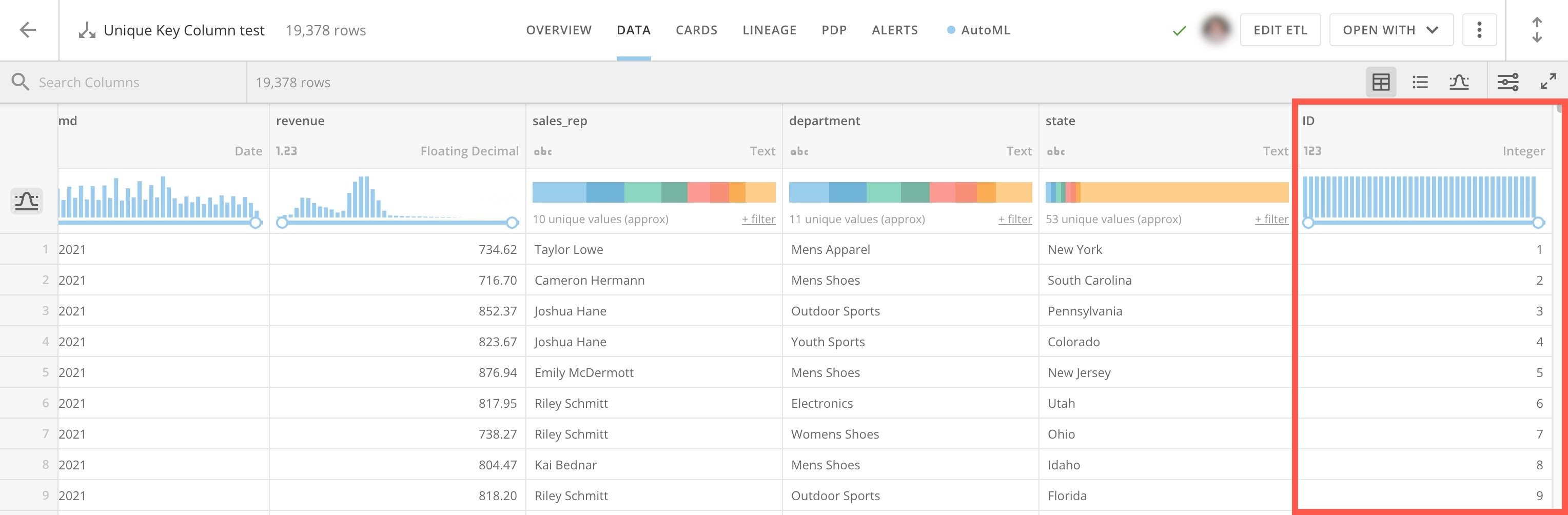
After running your DataFlow, the output DataSet has a new column with a unique value for each row.
<Frame>
  <img alt="unique key column.jpg" src="https://mintcdn.com/domoinc-openapi-sync-dataflows/2k2HWlcjOFv0edU2/images/kb/ka0Vq0000000l8b-00N5w00000Ri7BU-0EMVq000000nRLe.jpg?fit=max&auto=format&n=2k2HWlcjOFv0edU2&q=85&s=a2124961743dc037c4d435ac026c975b" style={{width: 901, height: 296}} width="3056" height="1004" data-path="images/kb/ka0Vq0000000l8b-00N5w00000Ri7BU-0EMVq000000nRLe.jpg" />
</Frame>