> ## Documentation Index
> Fetch the complete documentation index at: https://domoinc-openapi-sync-dataflows.mintlify.site/llms.txt
> Use this file to discover all available pages before exploring further.
# Add and Design App Pages in CourseBuilder
export const InlineImage = ({src, alt = '', height = '1.6em'}) => {
return  ;
};
### Intro
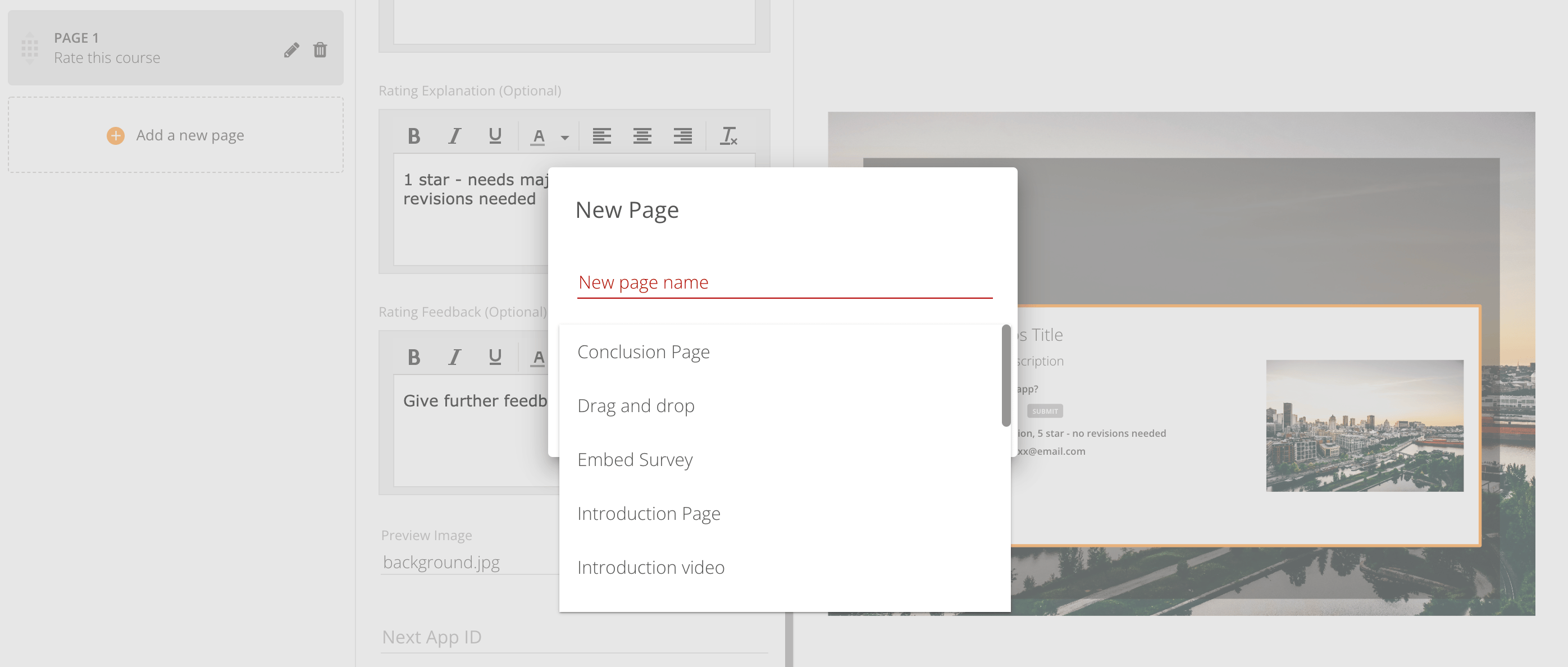
You have many page types to choose from when building your CourseBuilder app. Each page type has a different purpose and different capabilities. Domo University provides several page templates to help you get started. Learn more about each template below.
;
};
### Intro
You have many page types to choose from when building your CourseBuilder app. Each page type has a different purpose and different capabilities. Domo University provides several page templates to help you get started. Learn more about each template below.
 ***
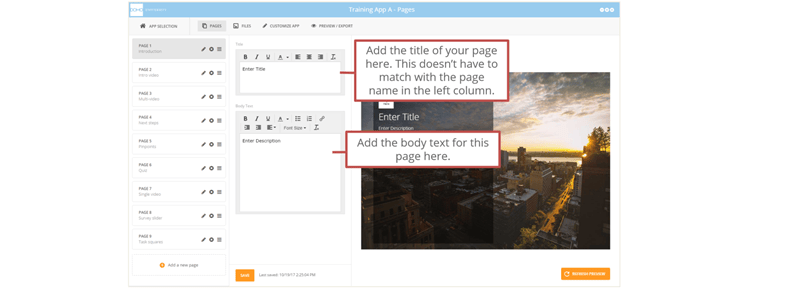
# Introduction
*Media/activity Type:* Text
Use this page type at the beginning of a training module to introduce it.
***
# Introduction
*Media/activity Type:* Text
Use this page type at the beginning of a training module to introduce it.
 ***
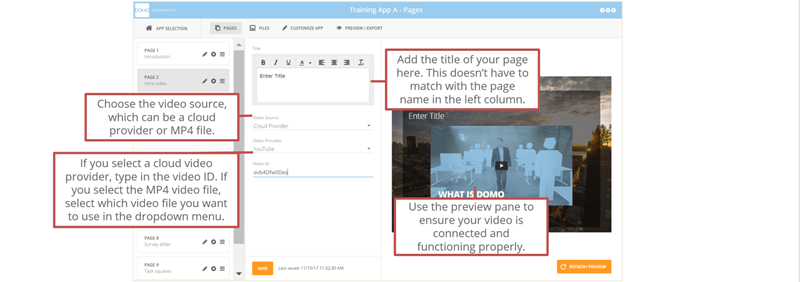
# Introduction Video
*Media/activity Type:* Video
Use this page type near the beginning of a training module—it allows the learner to watch a single introductory training video.
***
# Introduction Video
*Media/activity Type:* Video
Use this page type near the beginning of a training module—it allows the learner to watch a single introductory training video.
 ***
# Conclusion
*Media/activity Type:* Text
Use this page type at the end of a training module to provide a summary, thank learners, or otherwise end the module.
***
# Drag and Drop
*Media/activity Type:* Images, Text, Feedback for responses
Use this page type to allow learners to demonstrate knowledge of concepts by dragging items onto matching items.
***
# Conclusion
*Media/activity Type:* Text
Use this page type at the end of a training module to provide a summary, thank learners, or otherwise end the module.
***
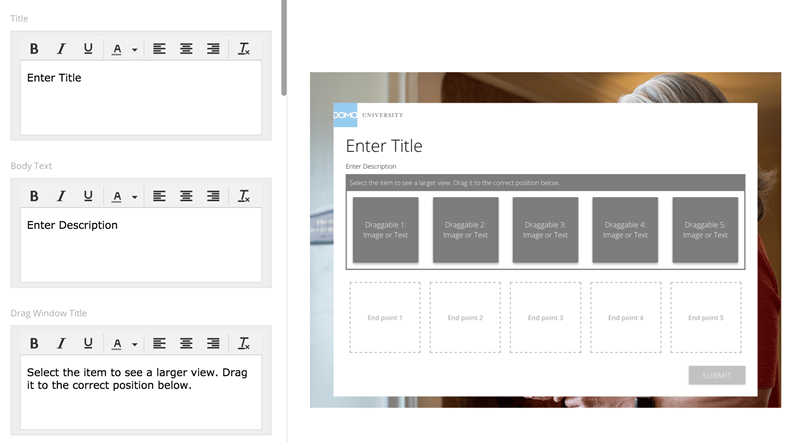
# Drag and Drop
*Media/activity Type:* Images, Text, Feedback for responses
Use this page type to allow learners to demonstrate knowledge of concepts by dragging items onto matching items.
 ***
# Embed Survey
*Media/activity Type:* Qualtrics survey
Use this page type to include a Qualtrics survey with questions or learners to answer.
***
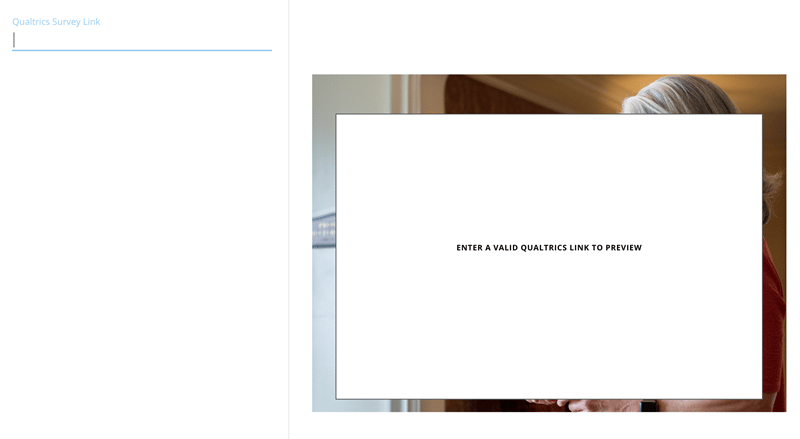
# Embed Survey
*Media/activity Type:* Qualtrics survey
Use this page type to include a Qualtrics survey with questions or learners to answer.
 ***
# Media Question
*Media/activity Type:* Image, Video, Feedback for response
Use this page type to pose a question to learners related to a specific image or video displayed on the page.
***
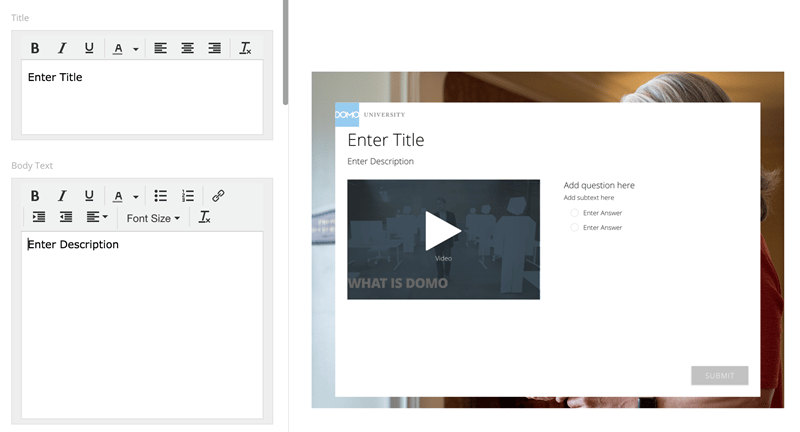
# Media Question
*Media/activity Type:* Image, Video, Feedback for response
Use this page type to pose a question to learners related to a specific image or video displayed on the page.
 ***
# Multi-video
*Media/activity Type:* Images, Text, Videos
Use this page type to add descriptive text, up to six videos, video descriptions above the video thumbnails, and custom thumbnail images.
***
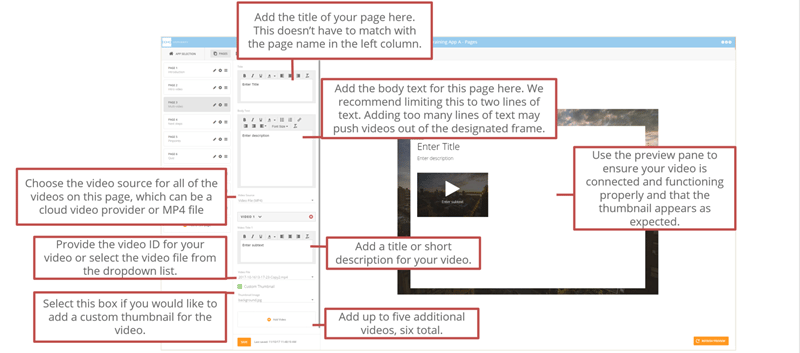
# Multi-video
*Media/activity Type:* Images, Text, Videos
Use this page type to add descriptive text, up to six videos, video descriptions above the video thumbnails, and custom thumbnail images.
 ***
# Next Steps
*Media/activity Type:* Linked images, Text
Use this page type at the end of a training module to direct the learner to supporting materials or to another app in the [Appstore .](https://www.domo.com/appstore/)
***
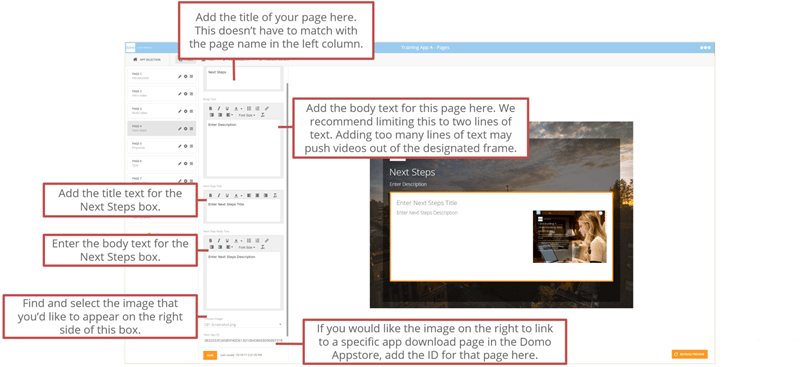
# Next Steps
*Media/activity Type:* Linked images, Text
Use this page type at the end of a training module to direct the learner to supporting materials or to another app in the [Appstore .](https://www.domo.com/appstore/)
 ***
# Pinpoints
*Media/activity Type:* Images, Text, Videos
Use this page type to help learners explore or dig deeper into a specific image or infographic on the page. This is an interactive way to convey content.
**Pinpoints Page Part 1**
***
# Pinpoints
*Media/activity Type:* Images, Text, Videos
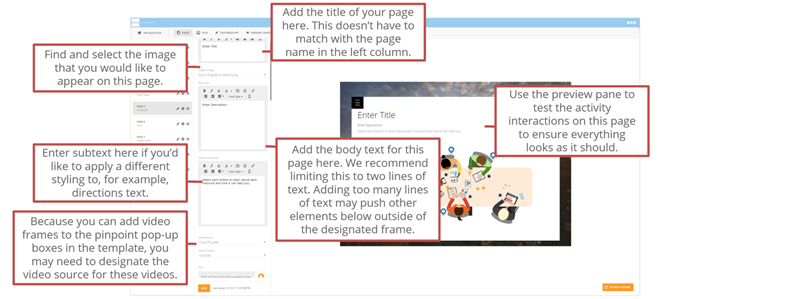
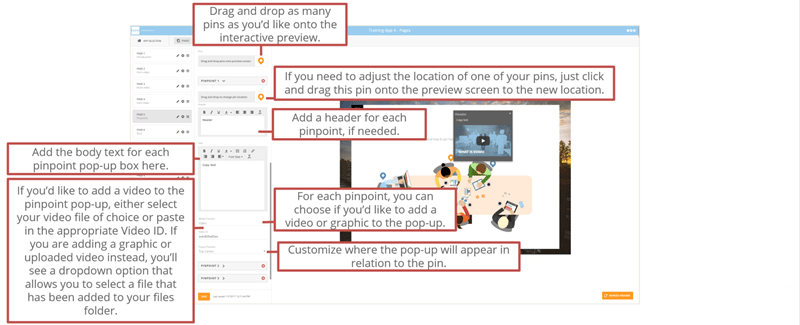
Use this page type to help learners explore or dig deeper into a specific image or infographic on the page. This is an interactive way to convey content.
**Pinpoints Page Part 1**
 **Pinpoints Page Part 2**
 ***
# Quiz
*Media/activity Type:* Images, Text
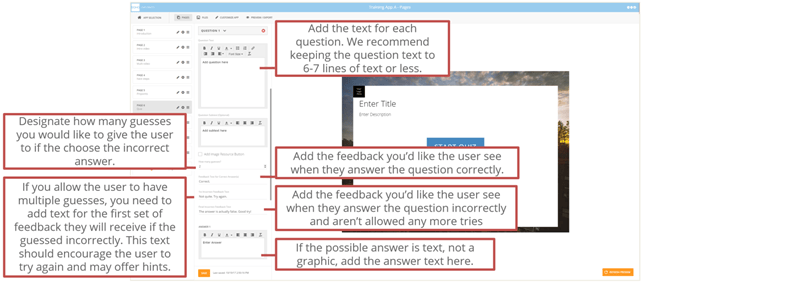
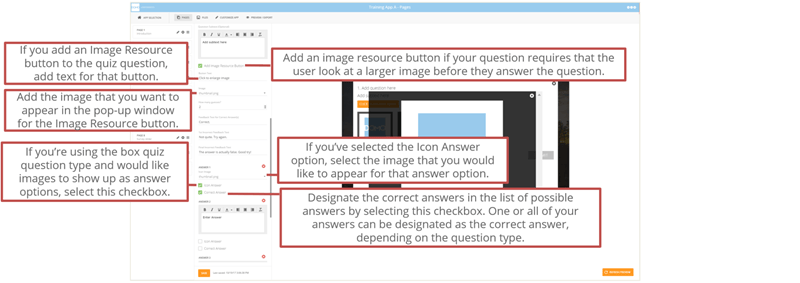
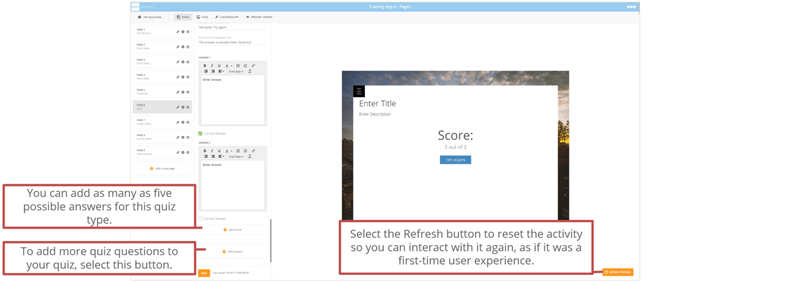
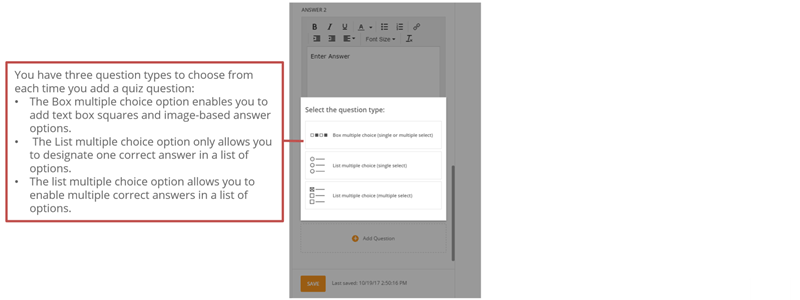
Use this page type to allow learners to check their knowledge after consuming the preceding content. There are four types of quiz questions, feedback for responses, and opportunities to retry individual questions and the entire quiz.
**Quiz Page Part 1**
***
# Quiz
*Media/activity Type:* Images, Text
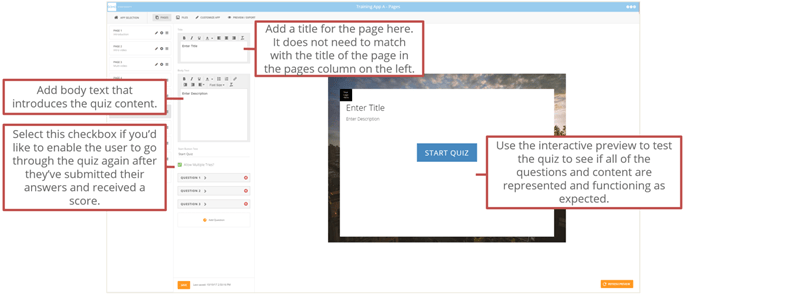
Use this page type to allow learners to check their knowledge after consuming the preceding content. There are four types of quiz questions, feedback for responses, and opportunities to retry individual questions and the entire quiz.
**Quiz Page Part 1**
 **Quiz Page Part 2**
 **Quiz Page Part 3**
 **Quiz Page Part 4**
 **Quiz Page Part 5**
 ***
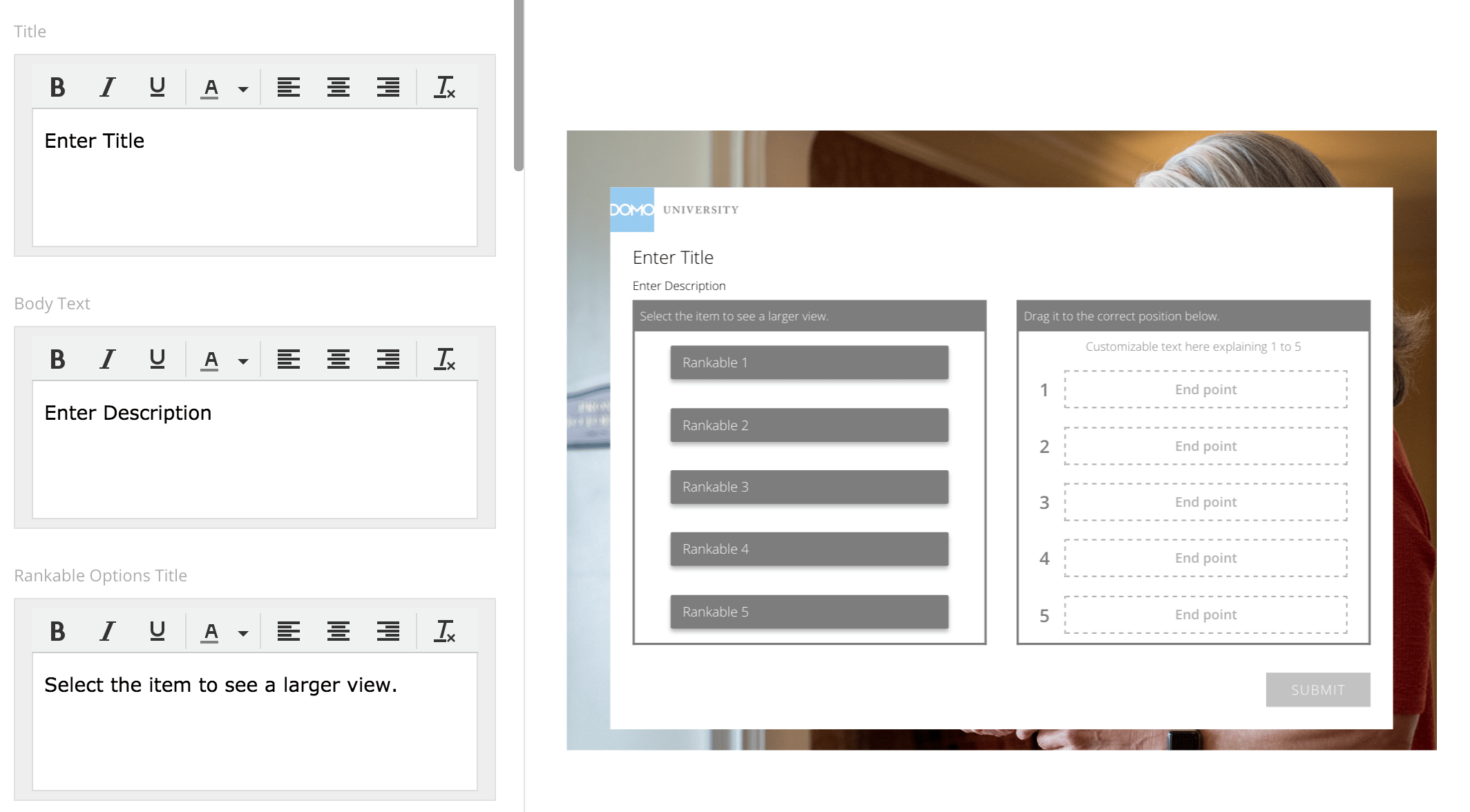
# Rankable
*Media/activity Type:* Expandable image, Text
With this page type, learners can rank different concepts and receive feedback.
***
# Rankable
*Media/activity Type:* Expandable image, Text
With this page type, learners can rank different concepts and receive feedback.
 ***
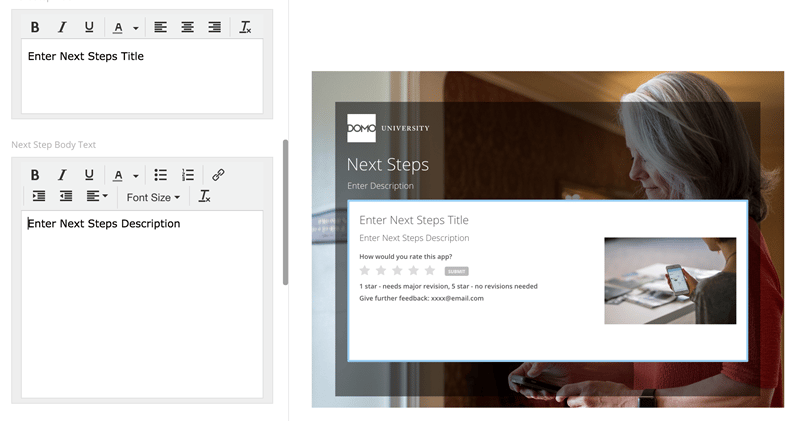
# Rating Next Steps
*Media/activity Type:* Title, Description, Star rating
Use this page to allow learners to rate the course from 1–5 stars and give other feedback.
***
# Rating Next Steps
*Media/activity Type:* Title, Description, Star rating
Use this page to allow learners to rate the course from 1–5 stars and give other feedback.
 ***
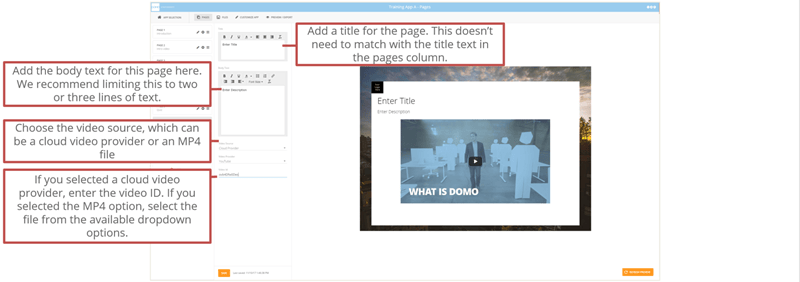
# Single Video
*Media/activity Type:* Text, Video
Use this page type to allow learners to watch a single video. You can also add descriptive text about the video.
***
# Single Video
*Media/activity Type:* Text, Video
Use this page type to allow learners to watch a single video. You can also add descriptive text about the video.
 ***
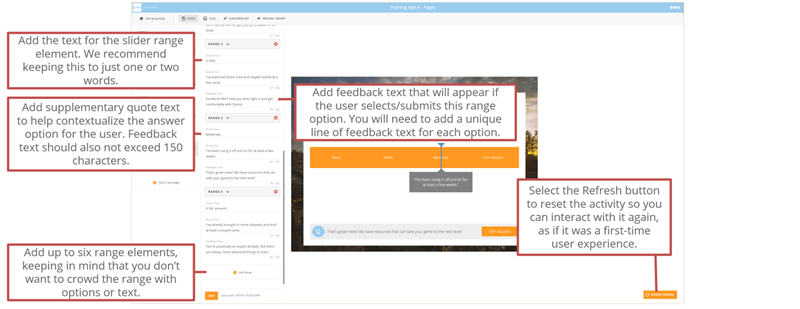
# Slider Survey
*Media/activity Type:* Image, Text
Use this page type to allow learners to select an answer to a question along a spectrum. Tooltips can provide more context for each available answer.
**Slider Survey Page Part 1**
***
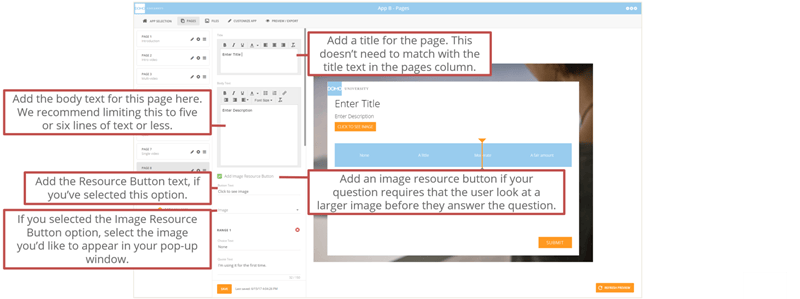
# Slider Survey
*Media/activity Type:* Image, Text
Use this page type to allow learners to select an answer to a question along a spectrum. Tooltips can provide more context for each available answer.
**Slider Survey Page Part 1**
 **Slider Survey Page Part 2**
 ***
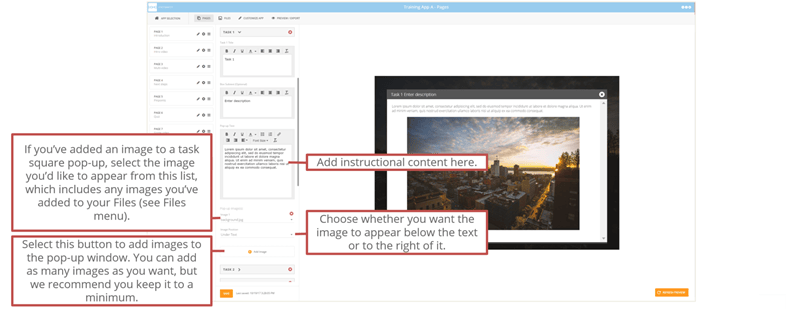
# Task Squares
*Media/activity Type:* Images, Text
Use this page type to help learners access tasks or content chunks related to a process or principle. You can use task squares accompanied by graphics for step-by-step instructions with context.
**Task Squares Page Part 1**
***
# Task Squares
*Media/activity Type:* Images, Text
Use this page type to help learners access tasks or content chunks related to a process or principle. You can use task squares accompanied by graphics for step-by-step instructions with context.
**Task Squares Page Part 1**
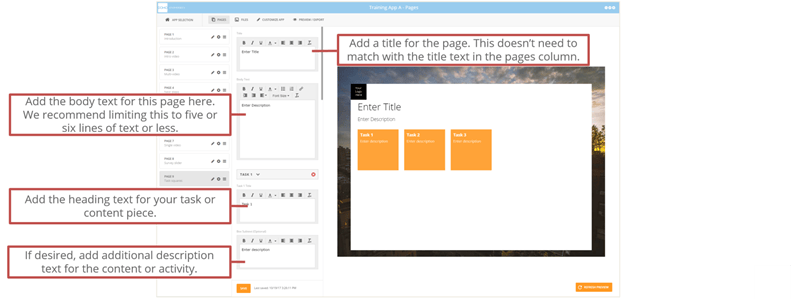 **Task Squares Page Part 2**