 ## Requirements and Notes
You must have user credentials and the URL you use to login to JIRA.
Default date range: set to upload issues that have been updated within the last 3 months.
## Usage
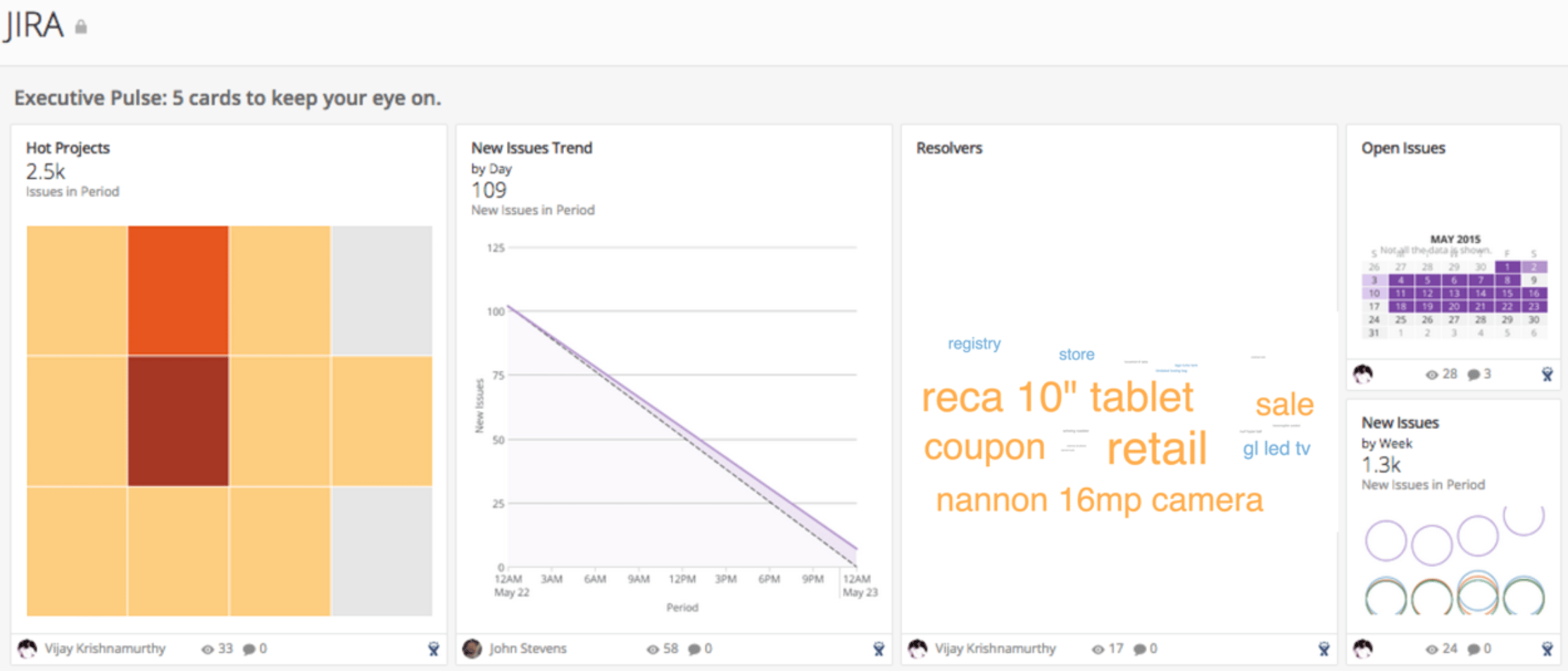
* Executive Pulse: 5 cards to keep your eye on.
* Open Issues
* Resolvers
* Hot Projects
* New Issues Trend
* New Issues
* Issues: What can you do today to hit your closure goals?
* New Issues Trend
* Status Trend
* Issues Keys
* Issue Status
* Project: Identify project status and recognize top performers.
* Project Issue Status
* Work In Progress
* Top Resolvers
* Top Reporters
* Top Assignees
## Authentication
## Requirements and Notes
You must have user credentials and the URL you use to login to JIRA.
Default date range: set to upload issues that have been updated within the last 3 months.
## Usage
* Executive Pulse: 5 cards to keep your eye on.
* Open Issues
* Resolvers
* Hot Projects
* New Issues Trend
* New Issues
* Issues: What can you do today to hit your closure goals?
* New Issues Trend
* Status Trend
* Issues Keys
* Issue Status
* Project: Identify project status and recognize top performers.
* Project Issue Status
* Work In Progress
* Top Resolvers
* Top Reporters
* Top Assignees
## Authentication
Credential | Description |
|---|---|
Username | This is your username used to log in to JIRA |
Password | This is your password associated with your username used to log in to JIRa |
Server URL | This is the URL for your JIRA instance (for example, mycompany.onjira.com ). |
Report | Schedule Update Setting | Parameters | Selection |
|---|---|---|---|
Recent Visitors | Replace | Query Type | JQL Issue query |
Search Query | Custom | ||
JQL Entry | created >= STARTOFMONTH(-3) ORDER BY updatedDate DESC | ||
Data Option | Standard Ticket report |