> ## Documentation Index
> Fetch the complete documentation index at: https://domoinc-openapi-sync-dataflows.mintlify.site/llms.txt
> Use this file to discover all available pages before exploring further.
# Opening Analyzer
export const InlineImage = ({src, alt = '', height = '1.6em'}) => {
return  ;
};
In the Analyzer for a Visualization card, you can change the visual characteristics of the chart.
The Analyzer is only available for users with a default security role of Editor or higher (or a custom role with the Edit Cards grant enabled). Also, if the "Only the owner and administrators" checkbox in the bottom left corner of the Details view has been selected, you can only display Analyzer if you have an Admin security role (or a custom role with the Manage All Cards, Pages and Apps (App Studio) grant enabled) or you have been assigned as the card owner. For more information, see [Managing Roles](/s/article/360043438973 "Restricting Edit Capability for a Card").
For more information about the Analyzer, see [Analyzer Overview](/s/article/360043428673 "Analyzer Overview").
**To display Analyzer for a Visualization Card,**
1. Do one of the following:
* From the card page, mouse over the card in the page view, click
, then select **Edit in Analyzer**.
* From the Details page, click
in the icon bar in the top right corner of the page.
;
};
In the Analyzer for a Visualization card, you can change the visual characteristics of the chart.
The Analyzer is only available for users with a default security role of Editor or higher (or a custom role with the Edit Cards grant enabled). Also, if the "Only the owner and administrators" checkbox in the bottom left corner of the Details view has been selected, you can only display Analyzer if you have an Admin security role (or a custom role with the Manage All Cards, Pages and Apps (App Studio) grant enabled) or you have been assigned as the card owner. For more information, see [Managing Roles](/s/article/360043438973 "Restricting Edit Capability for a Card").
For more information about the Analyzer, see [Analyzer Overview](/s/article/360043428673 "Analyzer Overview").
**To display Analyzer for a Visualization Card,**
1. Do one of the following:
* From the card page, mouse over the card in the page view, click
, then select **Edit in Analyzer**.
* From the Details page, click
in the icon bar in the top right corner of the page.
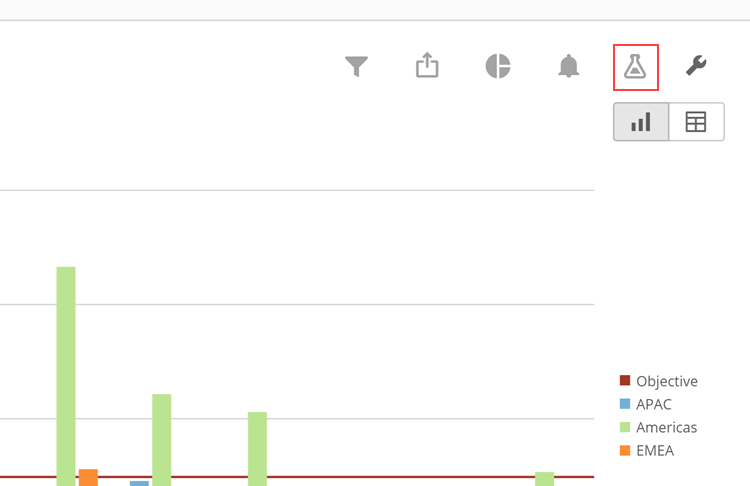 * From the Details page, click
then select **Edit in Analyzer**.
* From the Details page, click
then select **Edit in Analyzer**.