> ## Documentation Index
> Fetch the complete documentation index at: https://domoinc-openapi-sync-dataflows.mintlify.site/llms.txt
> Use this file to discover all available pages before exploring further.
# Creating a Rank or Row Count
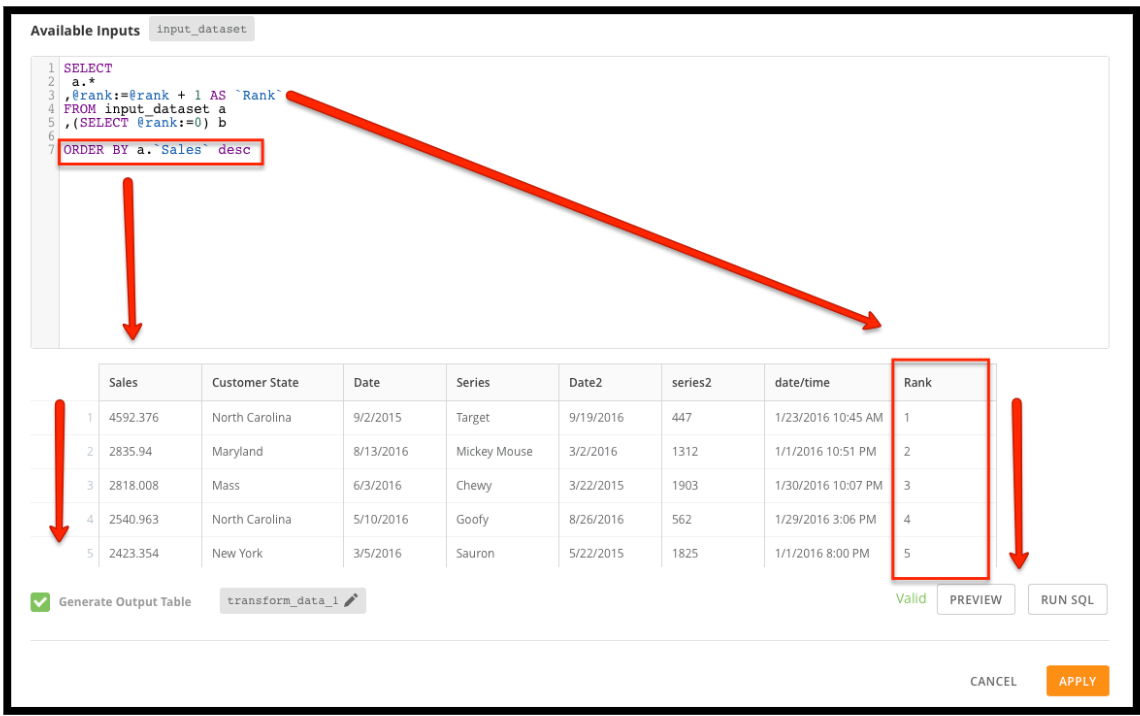
To create a rank or row count for a DataSet, you can use a MySQL or RedShift DataFlow.
## In MySQL
Type the following code in your DataFlow:
`Select`
`a.*`
``,@rank:= @rank + 1 AS `Rank` ``
`FROM your_dataset a`
`,(SELECT @rank:=0) b`
`ORDER BY ___`
 ## In MySQL Windowed
You can also create a windowed row count using variables. MySQL evaluates the FROM and ORDER BY portions of the query before evaluating the SELECT portion. Each column in the SELECT is then evaluated in order. You can take advantage of this order of evaluation to replicate the ROW\_NUMBER and other windowing functions.
Type the following code in your DataFlow:
`SELECT`
``a.`Name`,``
``a.`Amount`,``
``CASE WHEN a.`Name` = @PriorRecordName then @RowNumber:= @RowNumber + 1``
``WHEN a.`Name` <> @PriorRecordName then @RowNumber:= 1``
`END AS 'Windowed Row Number',`
`` @PriorRecordName:= a.`Name` ``
``FROM `mydatatable` a, (SELECT @PriorRecordName:= '', @RowNumber:= 0) AS b``
``ORDER BY a.`Name, a.`Amount``
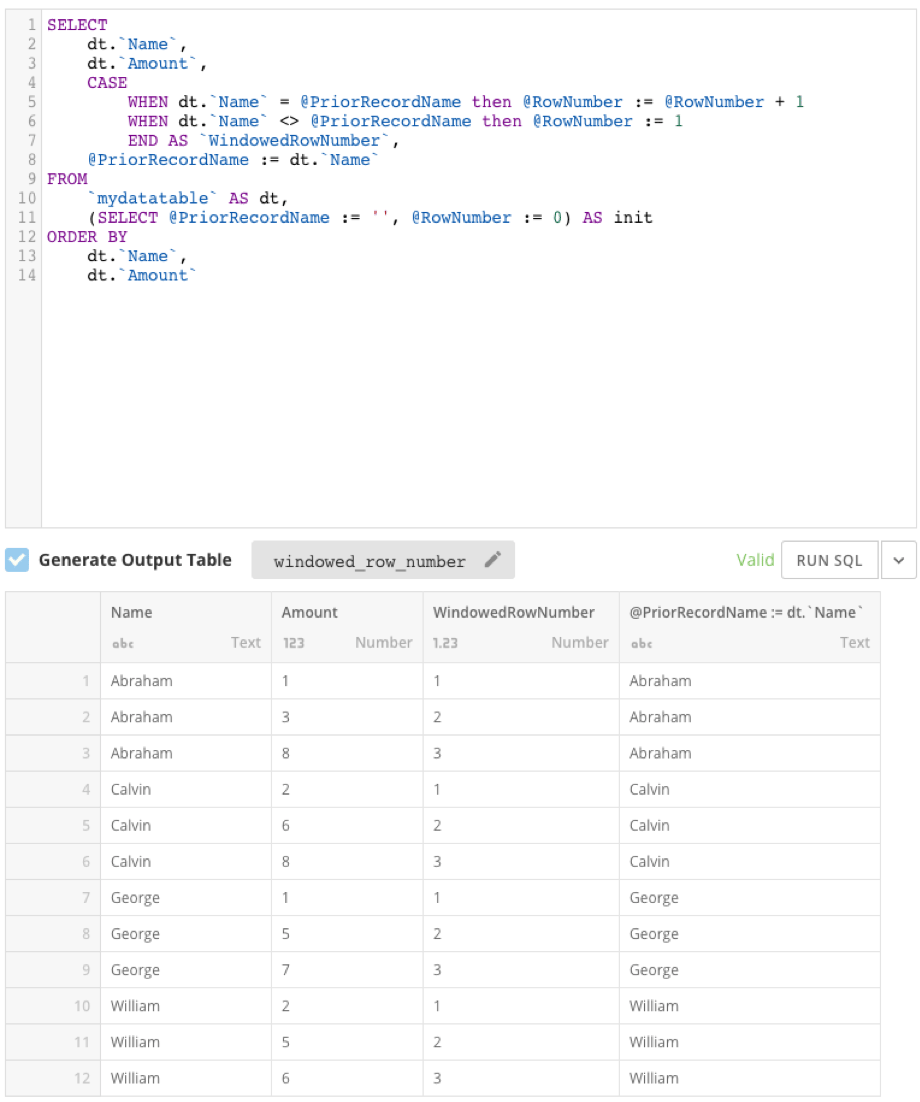
In this query, the variables @PriorRecordName and @RowNumber are initialized before the SELECT portion of the query. The variables are initialized with the empty string and 0, respectively. Then, each column in the SELECT statement is evaluated in order. This method relies on the data being sorted correctly, so it is essential to include the `Name` and `Amount` columns in the ORDER BY of the query.
The CASE statement determines how the `Windowed Row Number` is set. If the value of `Name` matches the value of the @PriorRecordName, then @RowNumber is incremented by one and that value is returned as the `Windowed Row Number` column. However, if `Name` does not match @PriorRecordName, then @RowNumber receives the value 1 and that value is returned as the `Windowed Row Number`. Finally, the @PriorRecordName variable is set to the `Name` field value.
In its entirety, the query is returning rows in order, checking to see if the value of `Name` in the current row is the same as that in the prior row, and assigning a `Windowed Row Number` value accordingly.
By performing the query above, your output should look like this:
## In MySQL Windowed
You can also create a windowed row count using variables. MySQL evaluates the FROM and ORDER BY portions of the query before evaluating the SELECT portion. Each column in the SELECT is then evaluated in order. You can take advantage of this order of evaluation to replicate the ROW\_NUMBER and other windowing functions.
Type the following code in your DataFlow:
`SELECT`
``a.`Name`,``
``a.`Amount`,``
``CASE WHEN a.`Name` = @PriorRecordName then @RowNumber:= @RowNumber + 1``
``WHEN a.`Name` <> @PriorRecordName then @RowNumber:= 1``
`END AS 'Windowed Row Number',`
`` @PriorRecordName:= a.`Name` ``
``FROM `mydatatable` a, (SELECT @PriorRecordName:= '', @RowNumber:= 0) AS b``
``ORDER BY a.`Name, a.`Amount``
In this query, the variables @PriorRecordName and @RowNumber are initialized before the SELECT portion of the query. The variables are initialized with the empty string and 0, respectively. Then, each column in the SELECT statement is evaluated in order. This method relies on the data being sorted correctly, so it is essential to include the `Name` and `Amount` columns in the ORDER BY of the query.
The CASE statement determines how the `Windowed Row Number` is set. If the value of `Name` matches the value of the @PriorRecordName, then @RowNumber is incremented by one and that value is returned as the `Windowed Row Number` column. However, if `Name` does not match @PriorRecordName, then @RowNumber receives the value 1 and that value is returned as the `Windowed Row Number`. Finally, the @PriorRecordName variable is set to the `Name` field value.
In its entirety, the query is returning rows in order, checking to see if the value of `Name` in the current row is the same as that in the prior row, and assigning a `Windowed Row Number` value accordingly.
By performing the query above, your output should look like this:
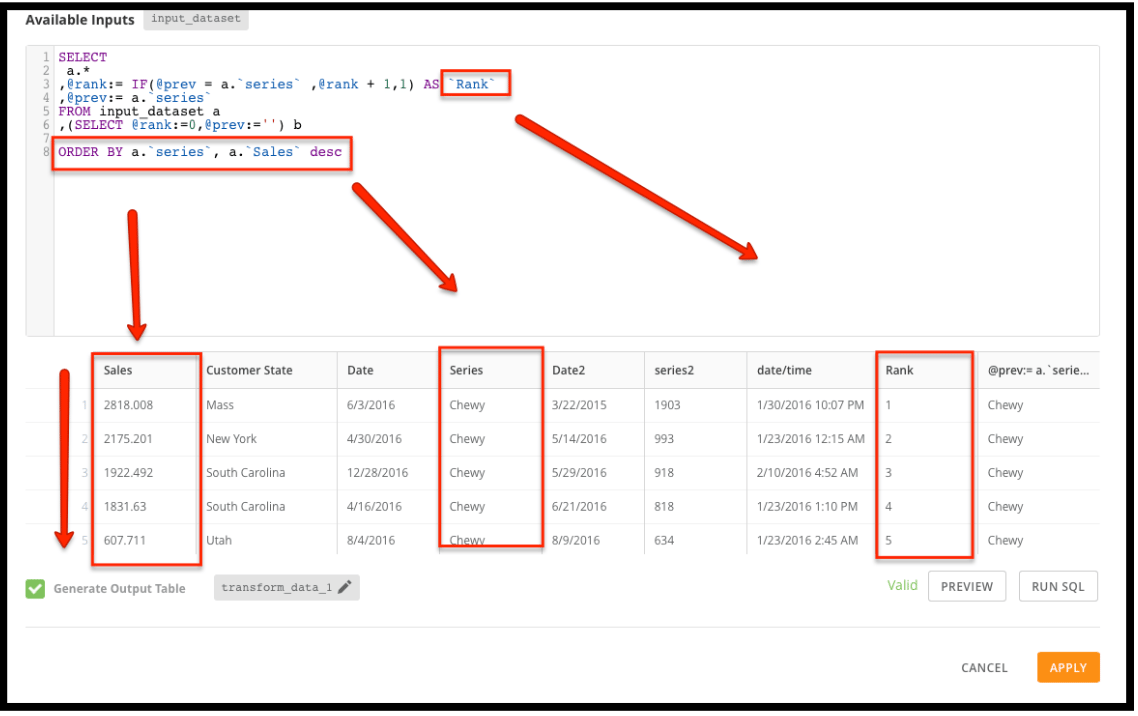
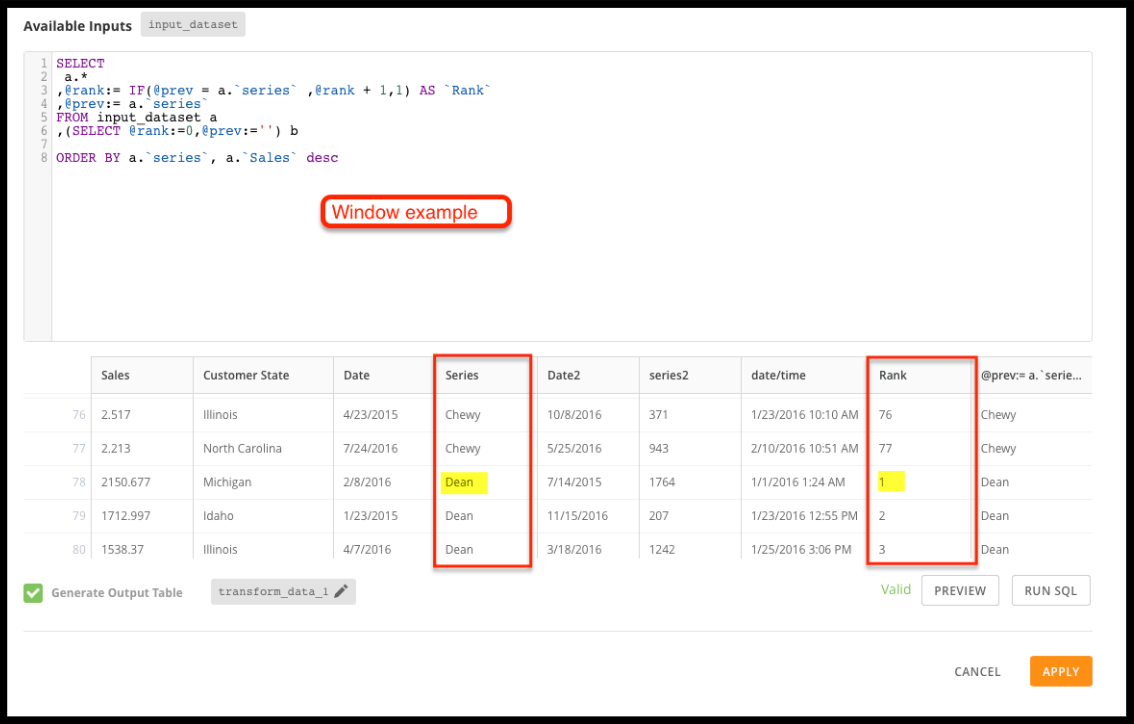
 You can create a windowed row count using variables without a CASE statement by typing the following code in your DataFlow:
`Select`
`a.*`
``,@rank:= IF(@prev = a.`column`,@rank + 1,1) AS `Rank` ``
``,@prev:= a.`column` ``
`FROM your_dataset a`
`,(SELECT @rank:=0, @prev:=’’) b`
You can create a windowed row count using variables without a CASE statement by typing the following code in your DataFlow:
`Select`
`a.*`
``,@rank:= IF(@prev = a.`column`,@rank + 1,1) AS `Rank` ``
``,@prev:= a.`column` ``
`FROM your_dataset a`
`,(SELECT @rank:=0, @prev:=’’) b`
 ## In RedShift
Enter the following input code:
`ROW_NUMBER () OVER`
`(`
`[ PARTITION BY expr_list ]`
`[ ORDER BY order_list ]`
`)`
## In RedShift
Enter the following input code:
`ROW_NUMBER () OVER`
`(`
`[ PARTITION BY expr_list ]`
`[ ORDER BY order_list ]`
`)`