> ## Documentation Index
> Fetch the complete documentation index at: https://domoinc-openapi-sync-dataflows.mintlify.site/llms.txt
> Use this file to discover all available pages before exploring further.
# Connector Permissioning in Domo
### Intro
Connector Permissioning allows you to decide which connectors people can use to bring data into Domo, making it easier to securely control which data comes into Domo and which data you leave outside.
***
### Access Connector Permissioning
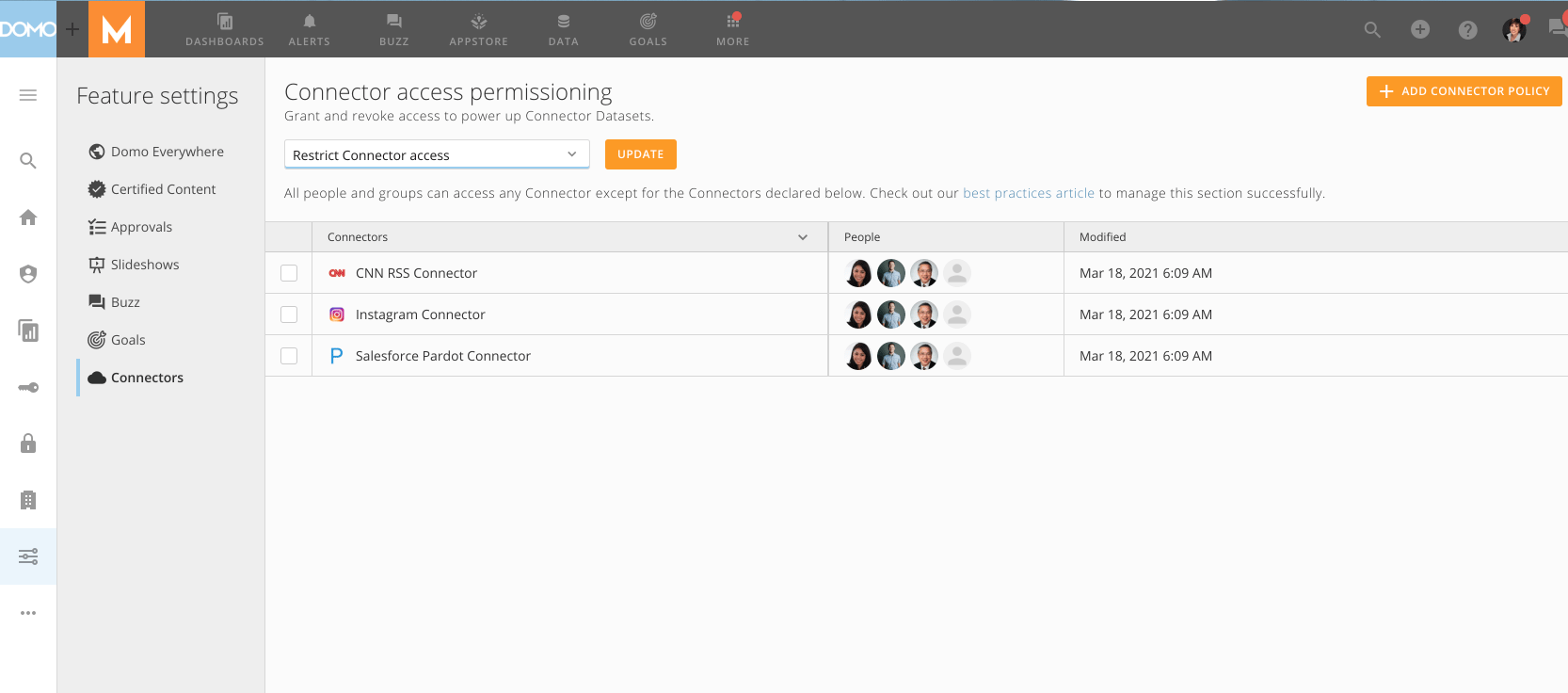
Connector Permissioning is available to Domo admins. To access Connector Permissioning, select the slider icon from the left panel, and then **Connectors**.
 ### Connector Permissioning Options
There are three different options available for Connector Permissioning.
### Connector Permissioning Options
There are three different options available for Connector Permissioning.
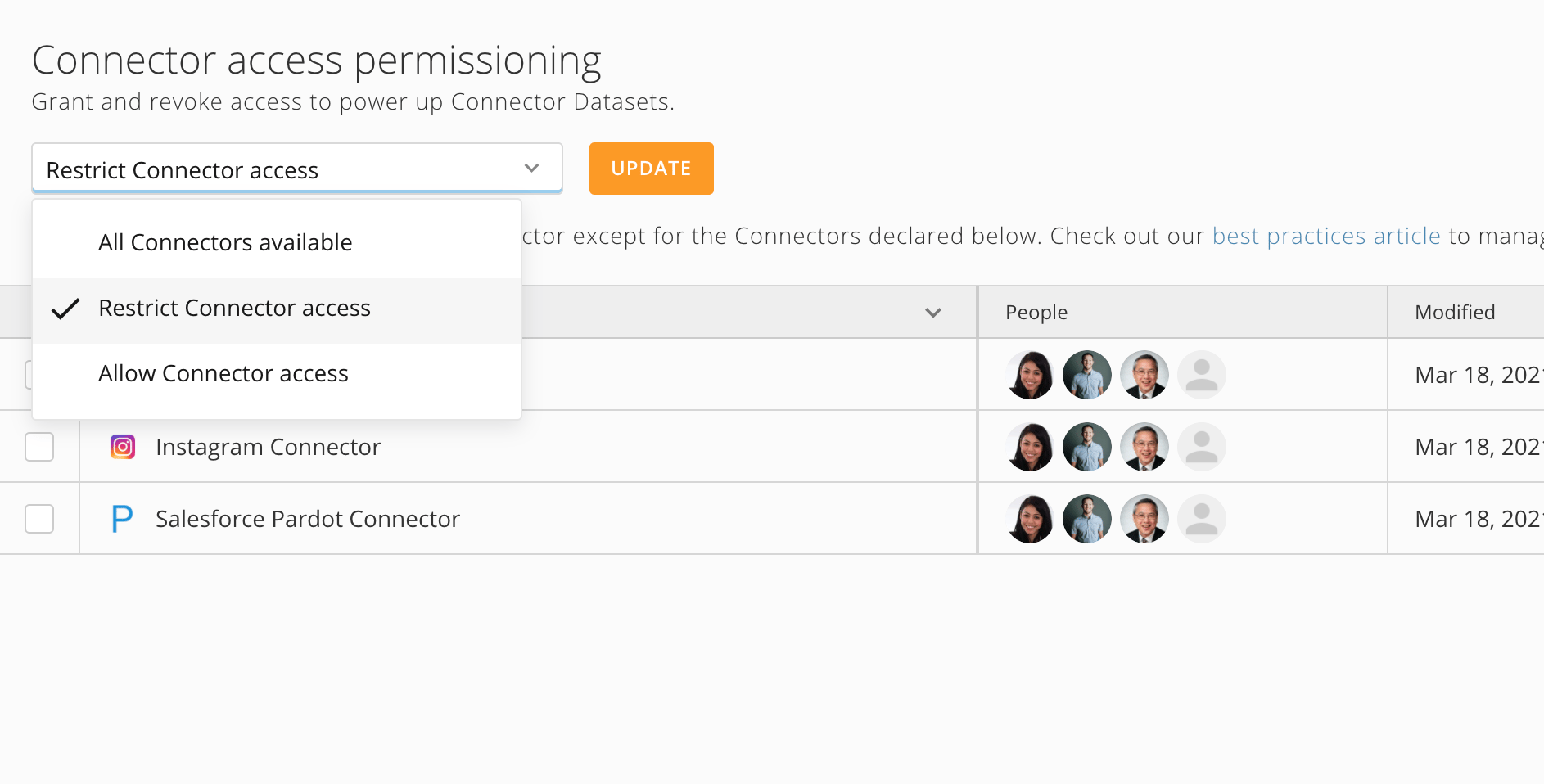 #### All Connectors available
This means all the Connectors in an instance are available to anyone granted permission to connect to data in Domo. This is the most lenient policy.
#### Restrict Connector access
Restrict Connector access means Connectors will be available to anyone granted permission to connect to data in Domo if they are not in the policy. Anyone included in a policy will be restricted from using the Connectors in the policy.
#### Allow Connector access
This means any Connectors or people not in a policy will be restricted from being used or using Connectors. Anyone included in a policy will be granted permission to the Connectors in the policy.
To change options in your instance, select the option you would like and save it by choosing **Update**.
### Add Connectors to your Policy
To add Connectors to your policy, select **+** **Add Connector**.
#### All Connectors available
This means all the Connectors in an instance are available to anyone granted permission to connect to data in Domo. This is the most lenient policy.
#### Restrict Connector access
Restrict Connector access means Connectors will be available to anyone granted permission to connect to data in Domo if they are not in the policy. Anyone included in a policy will be restricted from using the Connectors in the policy.
#### Allow Connector access
This means any Connectors or people not in a policy will be restricted from being used or using Connectors. Anyone included in a policy will be granted permission to the Connectors in the policy.
To change options in your instance, select the option you would like and save it by choosing **Update**.
### Add Connectors to your Policy
To add Connectors to your policy, select **+** **Add Connector**.
 This will open a modal where you can choose the connectors you want to create policies for.
**Note:** It takes a few minutes for the connectors list to fully populate.
This will open a modal where you can choose the connectors you want to create policies for.
**Note:** It takes a few minutes for the connectors list to fully populate.
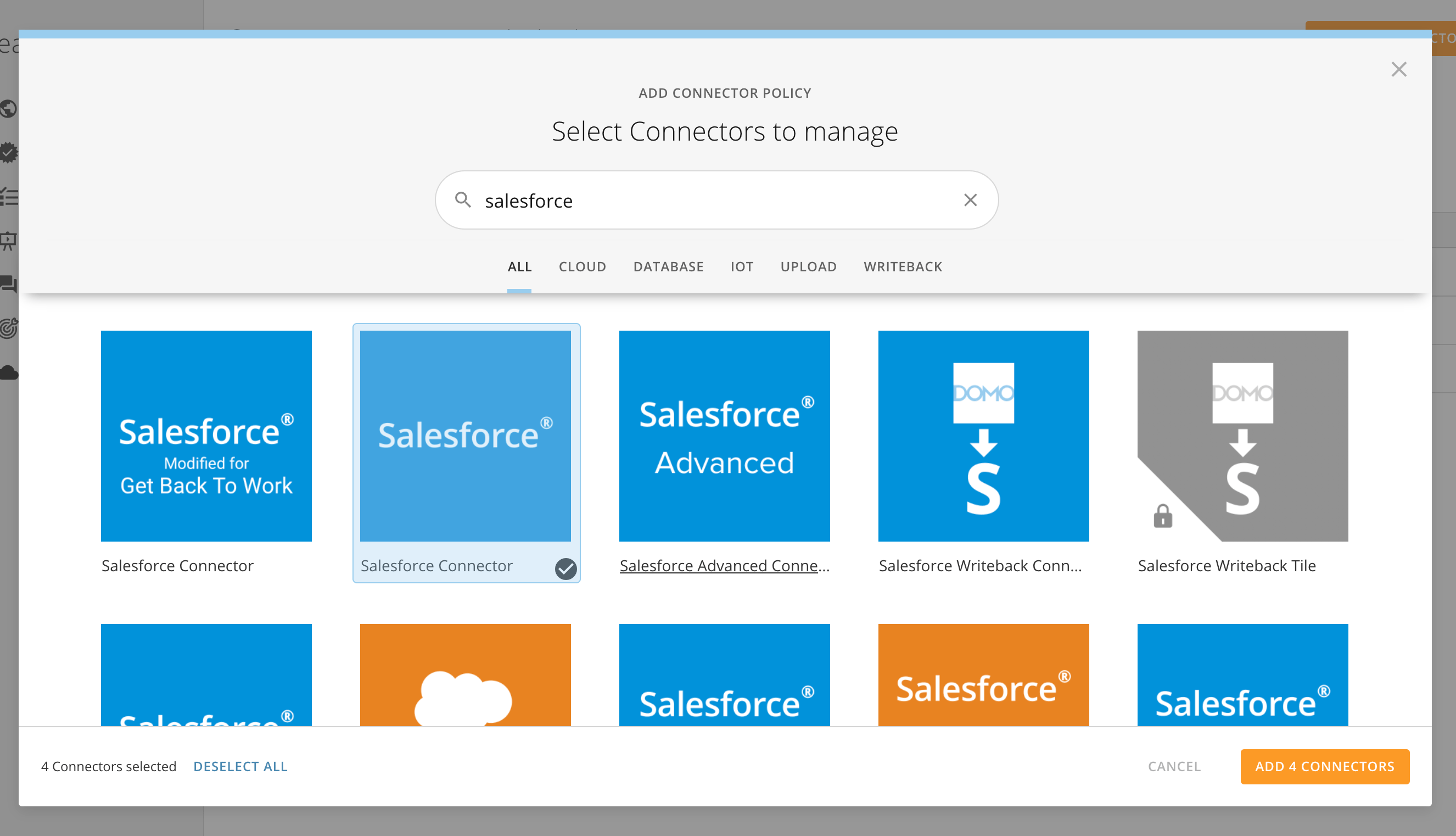 From this screen, you can select one or multiple Connectors to add to your policy. To start over, select **Deselect All**. Once you have finished selecting Connectors to add to your policy, select the **Add X Connectors** button.
### Add People to Your Policy
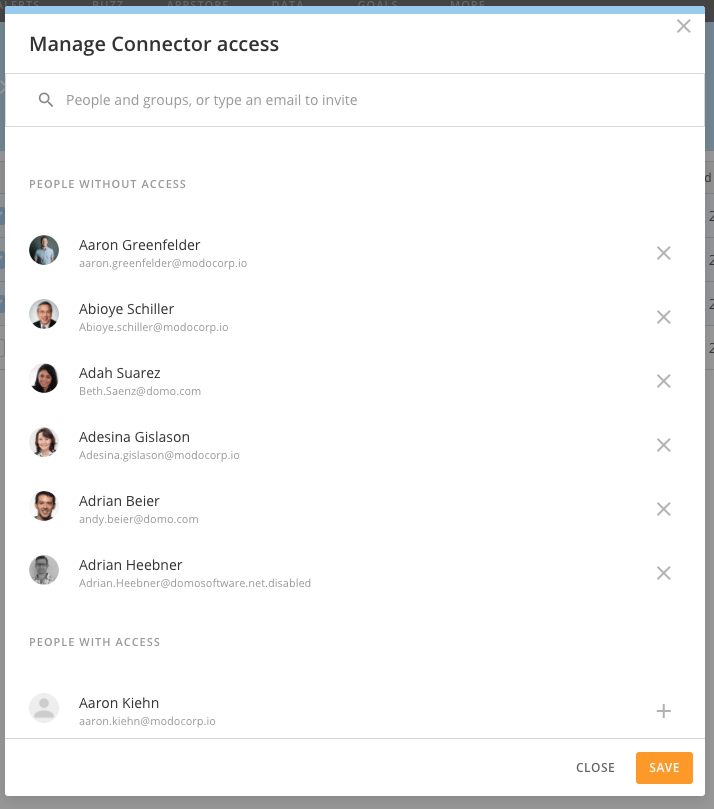
To add people to your policy, select the Connectors you would like to add people to, and then select the pencil icon to update user attributes:
From this screen, you can select one or multiple Connectors to add to your policy. To start over, select **Deselect All**. Once you have finished selecting Connectors to add to your policy, select the **Add X Connectors** button.
### Add People to Your Policy
To add people to your policy, select the Connectors you would like to add people to, and then select the pencil icon to update user attributes:
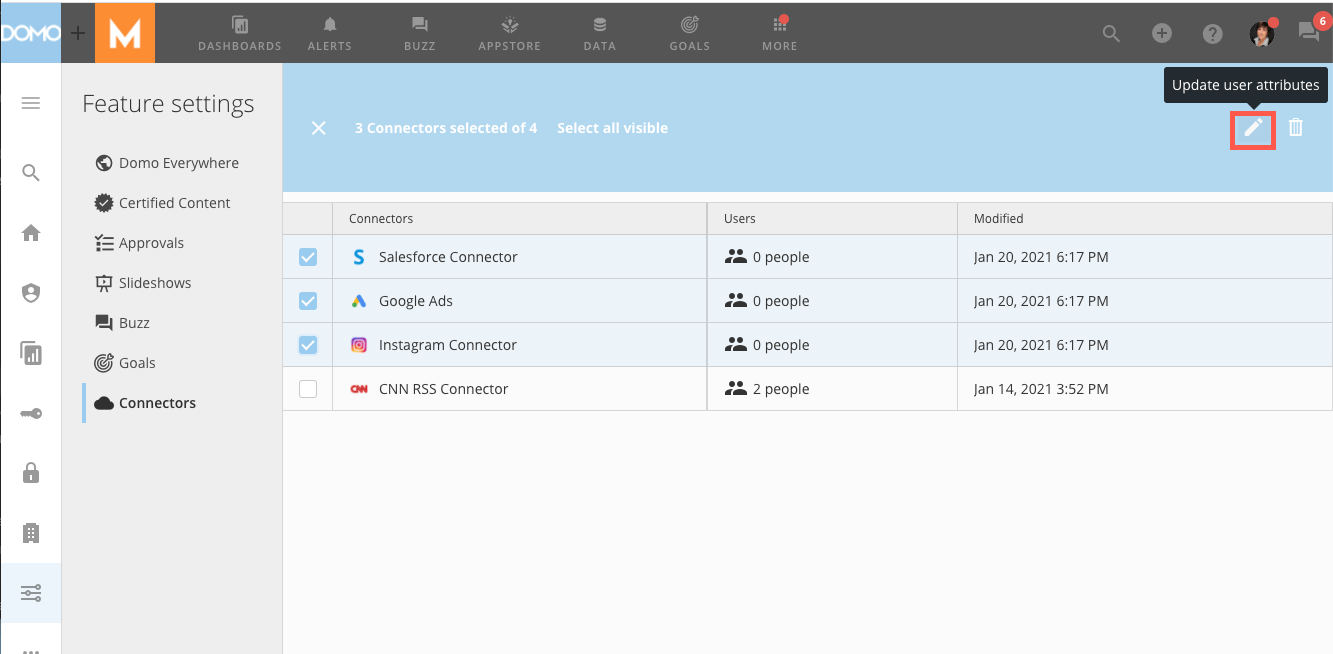 From here, search for people or Groups to add to the policy and select the **+** icon next to their name to include them in the policy. Those included in the policy will appear at the top of the list. To remove someone from a policy, select the **X** next to their name.
 ### FAQ
The **Manage Connectors** grant controls access to use Connector Permissioning.
The connector access permissions are cached and refreshed every **5 minutes**.
### FAQ
The **Manage Connectors** grant controls access to use Connector Permissioning.
The connector access permissions are cached and refreshed every **5 minutes**.