> ## Documentation Index
> Fetch the complete documentation index at: https://domoinc-openapi-sync-dataflows.mintlify.site/llms.txt
> Use this file to discover all available pages before exploring further.
# Workflows Test Run
export const InlineImage = ({src, alt = '', height = '1.6em'}) => {
return  ;
};
### Intro
The Workflows Test Run feature enables you to run your workflows before deploying them so that you can review execution details and other data. Workflow test runs help you identify necessary adjustments and fine-tune the design, ensuring everything is optimized before deployment.
***
### Required Grants
The following grants give you rights to the Workflows feature:
* **Create Workflows —** This grant allows you to [create a new workflow](https://domo-support.domo.com/s/article/000005331?language=en_US#create_a_workflow_blank_canvas), including from the [template library](https://domo-support.domo.com/s/article/000005331?language=en_US#create_workflow_from_template). Anyone in the instance who needs to create new workflows should have this grant.
* **Manage Workflows —** This grant allows you to perform any action on any workflow in your Domo instance. Superusers, admins, and anyone who helps manage Workflows for the instance should have this grant. People with this grant who need to access *executed* workflow instances must specifically grant themselves the View Execution List and Edit Execution Details permissions to that workflow in the permissions modal.
See [Manage Permissions](https://domo-support.domo.com/s/article/000005179?language=en_US#manage_permissions) to see how to give non-admin users in your instance access to a specific workflow. There are several available permissions.
### Access Test Runs
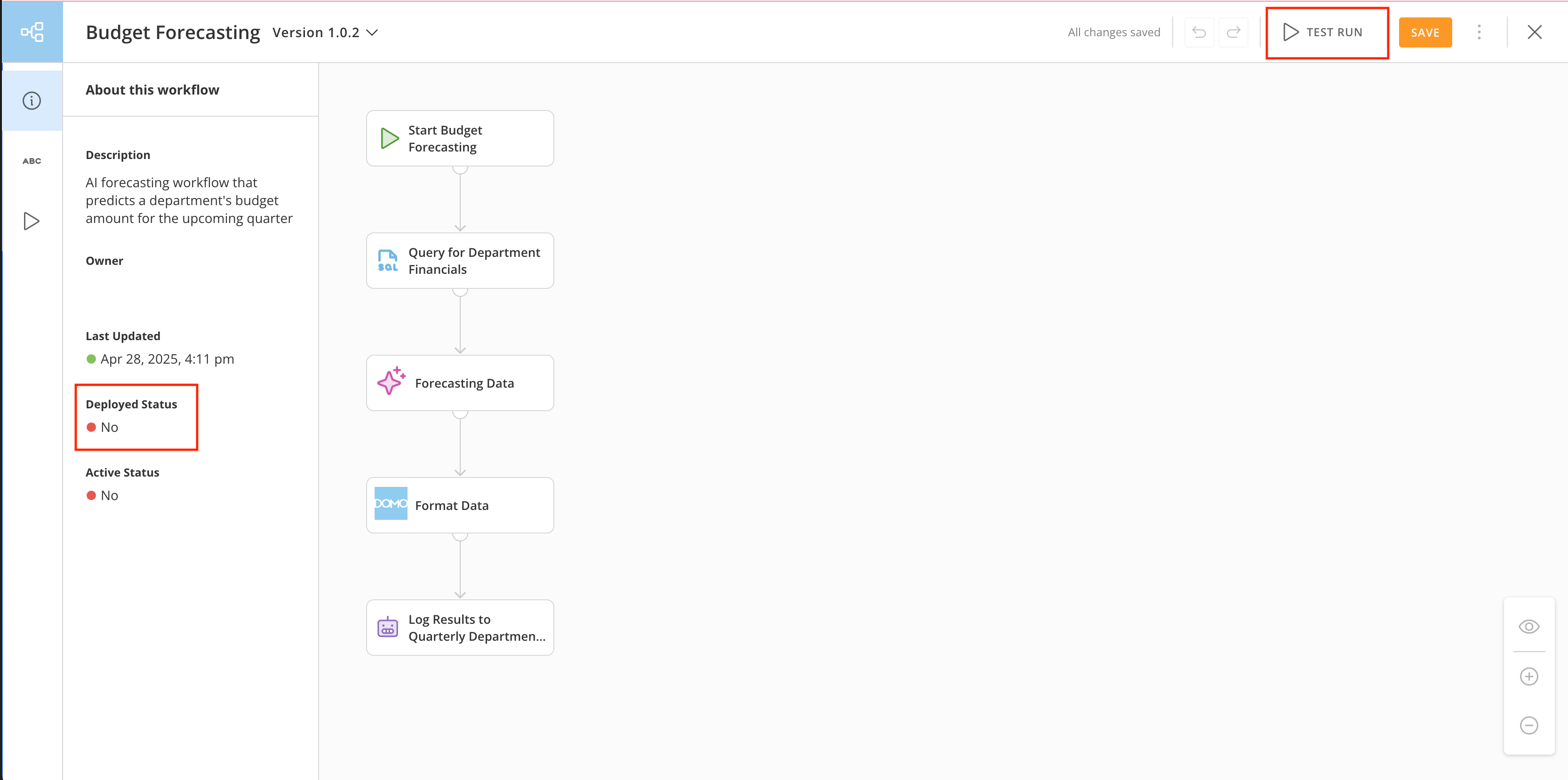
To access the test run feature in a workflow, you can either [create a new workflow](https://domo-support.domo.com/s/article/000005331?language=en_US#access_workflows) from scratch or go to an existing workflow *that has not been deployed*. The **Test Run** option only appears on non-deployed workflow versions in the canvas.
In the image below, the **Test Run** option displays at the top of the Workflows canvas. Note that the workflow has not been deployed.
;
};
### Intro
The Workflows Test Run feature enables you to run your workflows before deploying them so that you can review execution details and other data. Workflow test runs help you identify necessary adjustments and fine-tune the design, ensuring everything is optimized before deployment.
***
### Required Grants
The following grants give you rights to the Workflows feature:
* **Create Workflows —** This grant allows you to [create a new workflow](https://domo-support.domo.com/s/article/000005331?language=en_US#create_a_workflow_blank_canvas), including from the [template library](https://domo-support.domo.com/s/article/000005331?language=en_US#create_workflow_from_template). Anyone in the instance who needs to create new workflows should have this grant.
* **Manage Workflows —** This grant allows you to perform any action on any workflow in your Domo instance. Superusers, admins, and anyone who helps manage Workflows for the instance should have this grant. People with this grant who need to access *executed* workflow instances must specifically grant themselves the View Execution List and Edit Execution Details permissions to that workflow in the permissions modal.
See [Manage Permissions](https://domo-support.domo.com/s/article/000005179?language=en_US#manage_permissions) to see how to give non-admin users in your instance access to a specific workflow. There are several available permissions.
### Access Test Runs
To access the test run feature in a workflow, you can either [create a new workflow](https://domo-support.domo.com/s/article/000005331?language=en_US#access_workflows) from scratch or go to an existing workflow *that has not been deployed*. The **Test Run** option only appears on non-deployed workflow versions in the canvas.
In the image below, the **Test Run** option displays at the top of the Workflows canvas. Note that the workflow has not been deployed.
 ### Perform a Test Run
**Important:** You can only perform a test run for a properly configured workflow that has not been deployed and has no validation *errors*. Validation warnings and informational messages do not prevent the test run from executing, though they will still be present when the workflow is deployed if not resolved. Learn about [workflow validation](https://domo-support.domo.com/s/article/000005331?language=en_US#validate_a_workflow) and how to resolve errors.
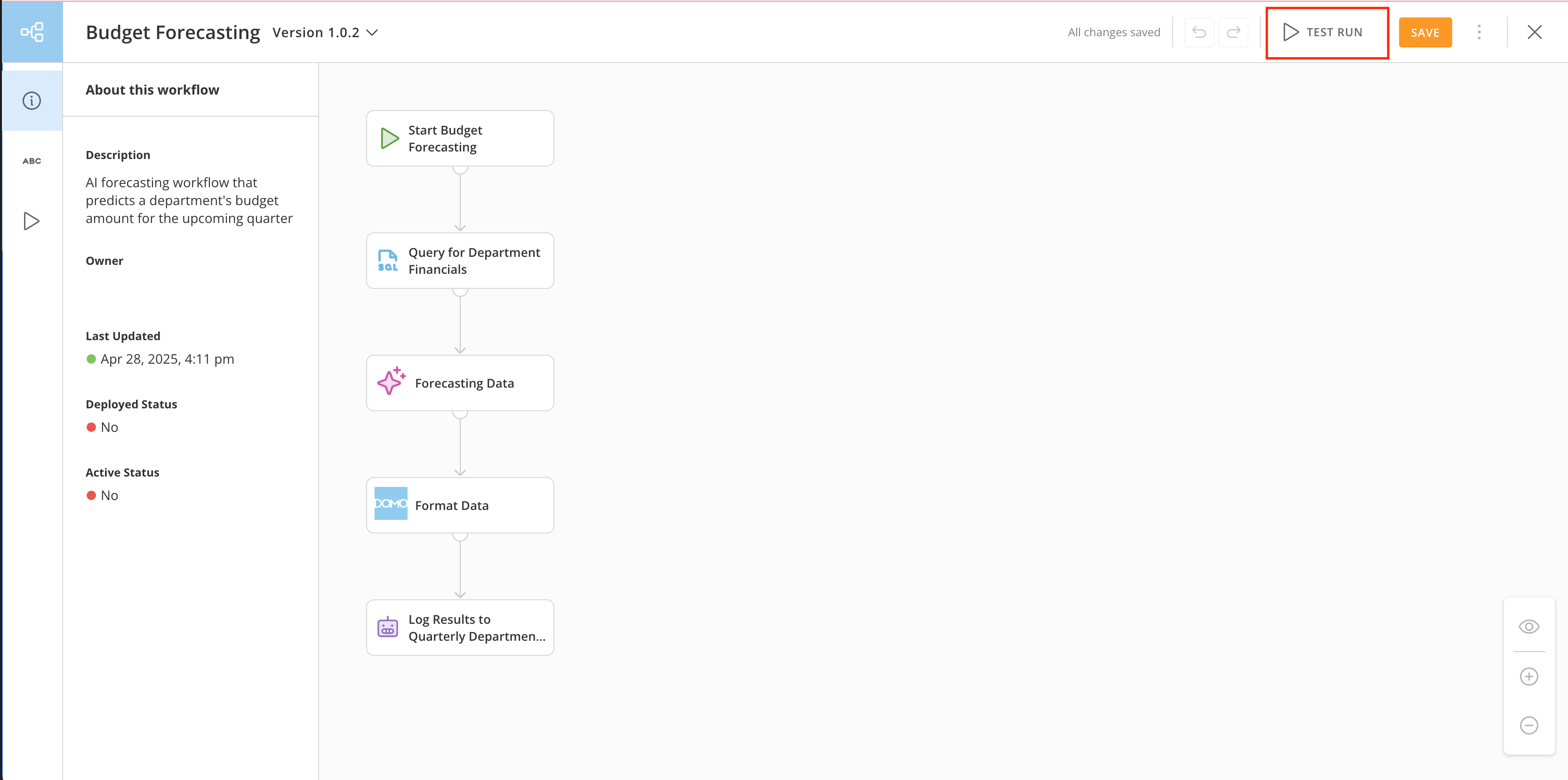
To start a test run, open your workflow and select **Test Run**.
### Perform a Test Run
**Important:** You can only perform a test run for a properly configured workflow that has not been deployed and has no validation *errors*. Validation warnings and informational messages do not prevent the test run from executing, though they will still be present when the workflow is deployed if not resolved. Learn about [workflow validation](https://domo-support.domo.com/s/article/000005331?language=en_US#validate_a_workflow) and how to resolve errors.
To start a test run, open your workflow and select **Test Run**.
 Your workflow begins to run in the workflow testing view. During the test run, you can see the progress of each workflow step.
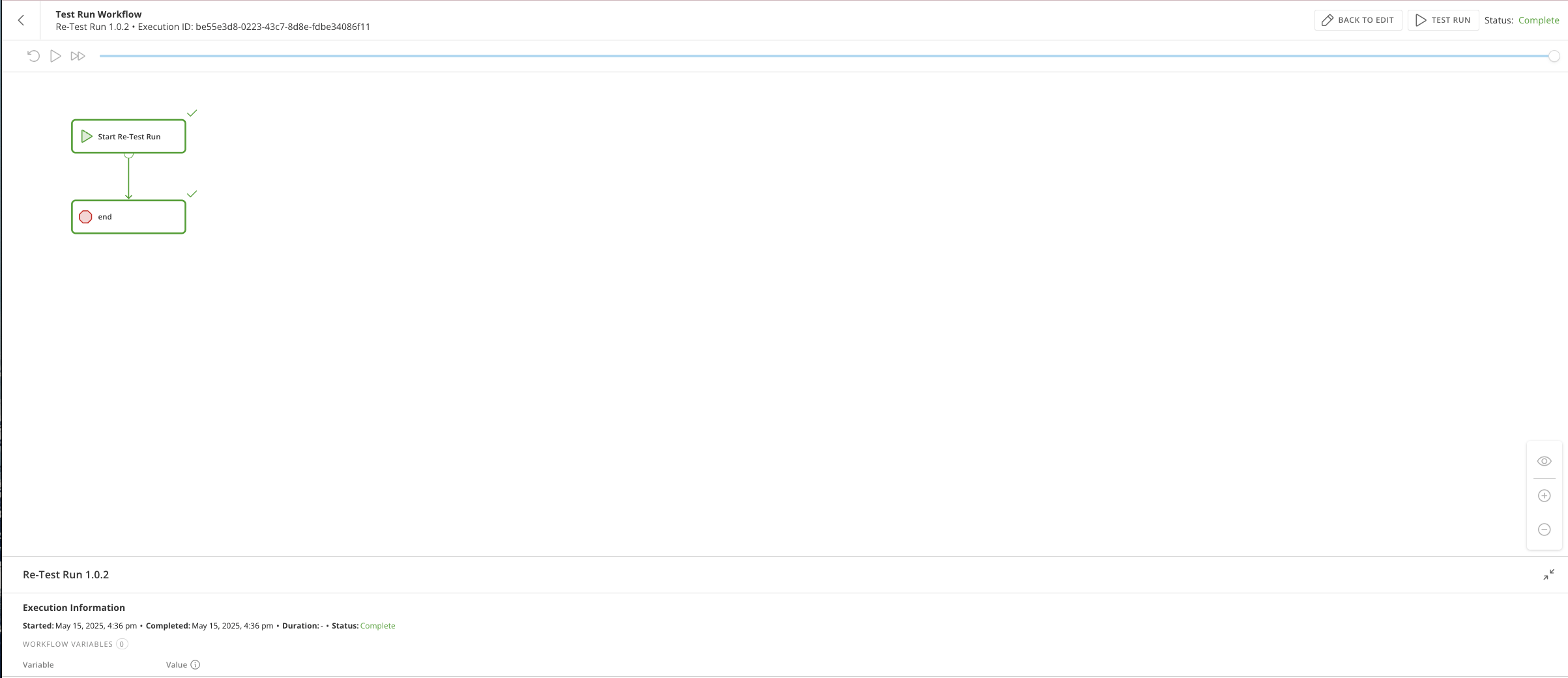 **Playback controls —** The following controls are available in the workflow testing view:
* **
Restart playback —** Restarts the test run playback.
* / **Start/Pause playback —** Start the test run playback or pause the playback while it runs.
* **
Skip to end of playback —** If the playback is currently running, this skips to the end.
Completed steps are highlighted in green and marked with a check, steps in progress are highlighted in blue with a loading icon, and failed steps are highlighted in red with an x.
**Playback controls —** The following controls are available in the workflow testing view:
* **
Restart playback —** Restarts the test run playback.
* / **Start/Pause playback —** Start the test run playback or pause the playback while it runs.
* **
Skip to end of playback —** If the playback is currently running, this skips to the end.
Completed steps are highlighted in green and marked with a check, steps in progress are highlighted in blue with a loading icon, and failed steps are highlighted in red with an x.
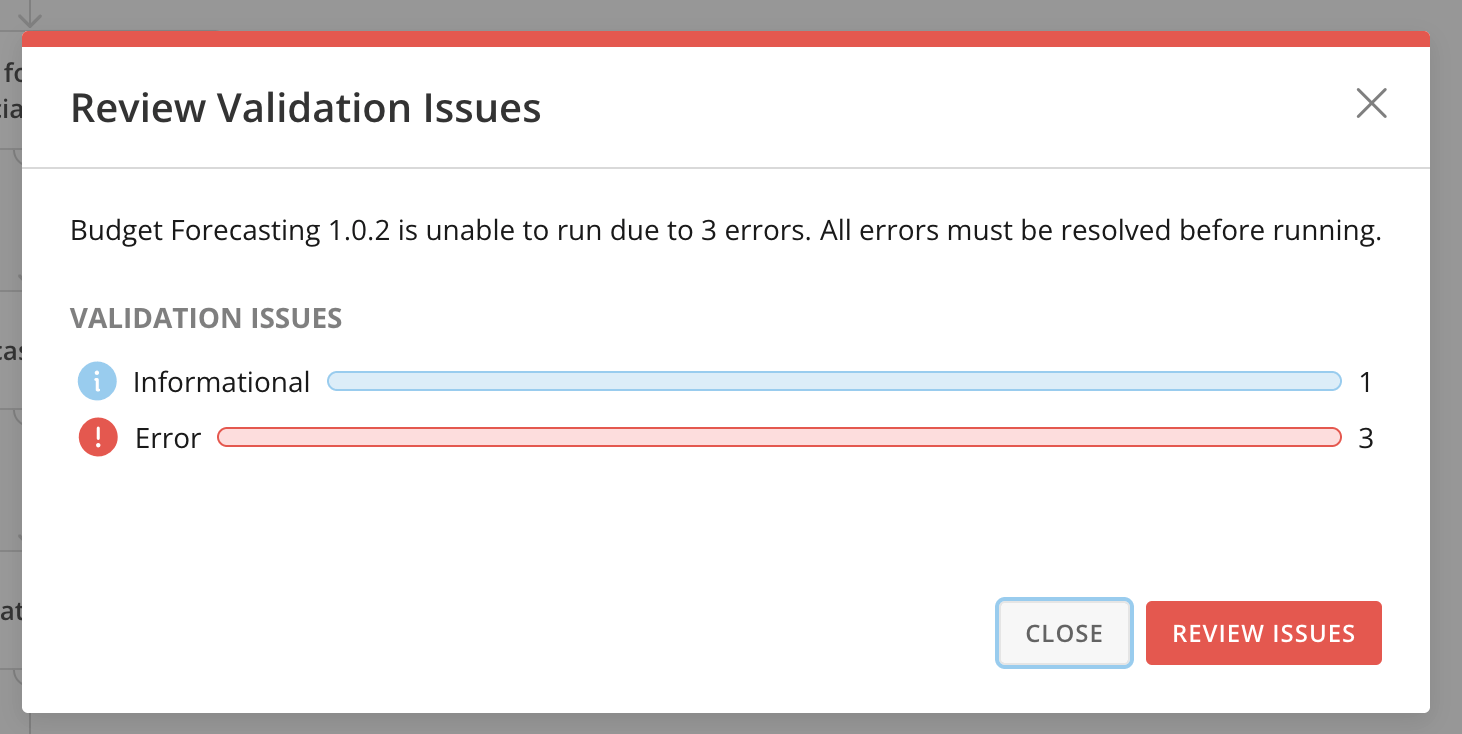
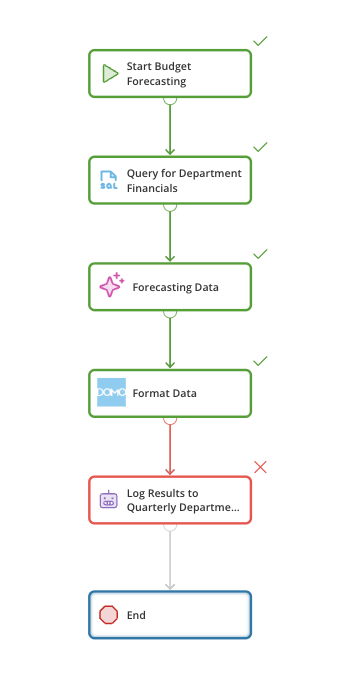 If there are any validation errors while running the workflow test run, the **Review Validation Issues** modal displays. Learn more about test run validation errors below.
# Review Validation Issues
If your test run has validation errors, the **Review Validation Issues** modal displays. Select **Review Issues** to view more information. Learn more about [validating your workflow](https://domo-support.domo.com/s/article/000005331?language=en_US#validate_a_workflow).
If there are any validation errors while running the workflow test run, the **Review Validation Issues** modal displays. Learn more about test run validation errors below.
# Review Validation Issues
If your test run has validation errors, the **Review Validation Issues** modal displays. Select **Review Issues** to view more information. Learn more about [validating your workflow](https://domo-support.domo.com/s/article/000005331?language=en_US#validate_a_workflow).
 ### Review Test Runs
After testing your workflow, you can review test details in the Workflows executions interface.
Follow these steps to find prior test run executions:
1. Navigate to the
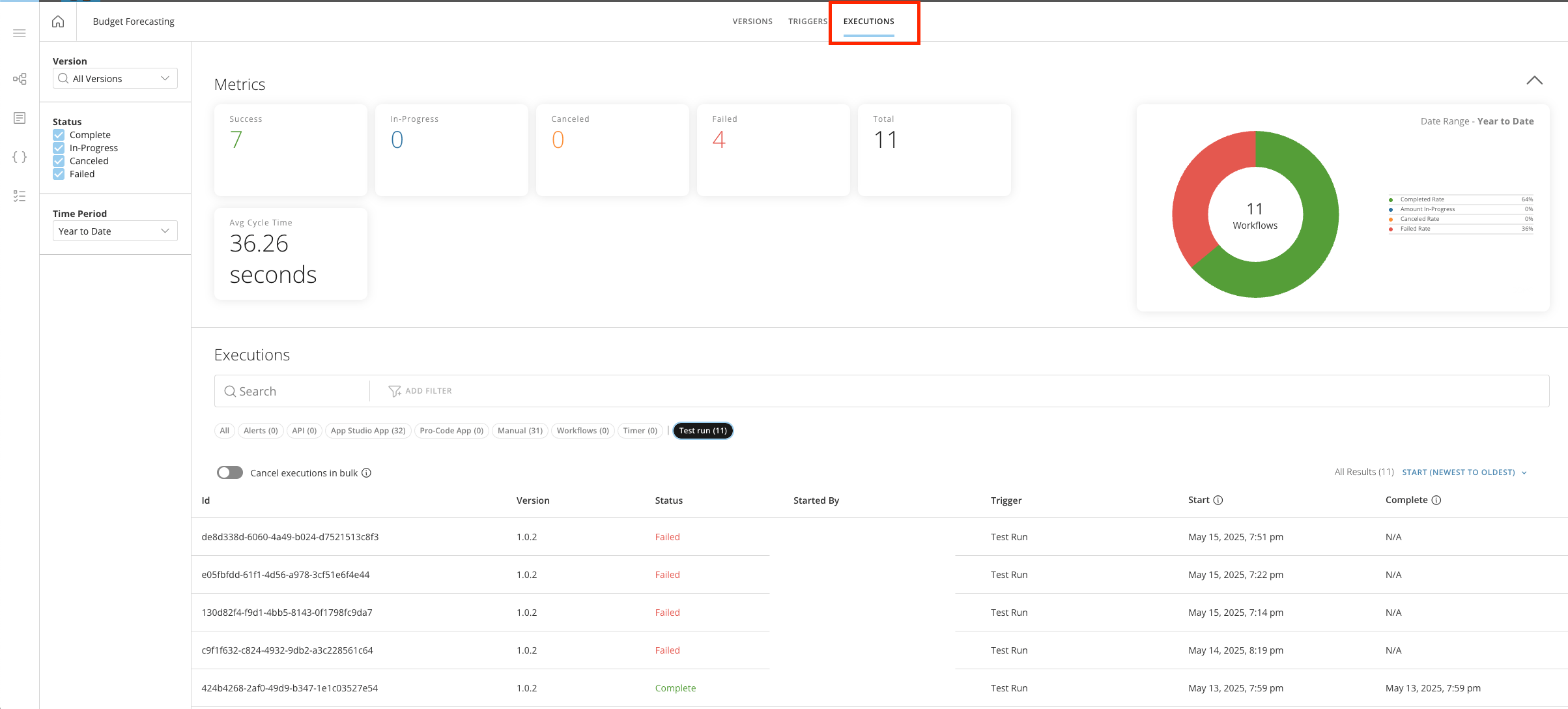
[executions list](https://domo-support.domo.com/s/article/000005179?language=en_US#view_executions) (**Executions** tab) for the workflow with the test run you want to review.
### Review Test Runs
After testing your workflow, you can review test details in the Workflows executions interface.
Follow these steps to find prior test run executions:
1. Navigate to the
[executions list](https://domo-support.domo.com/s/article/000005179?language=en_US#view_executions) (**Executions** tab) for the workflow with the test run you want to review.
 2. Select the **Test Run** tag.
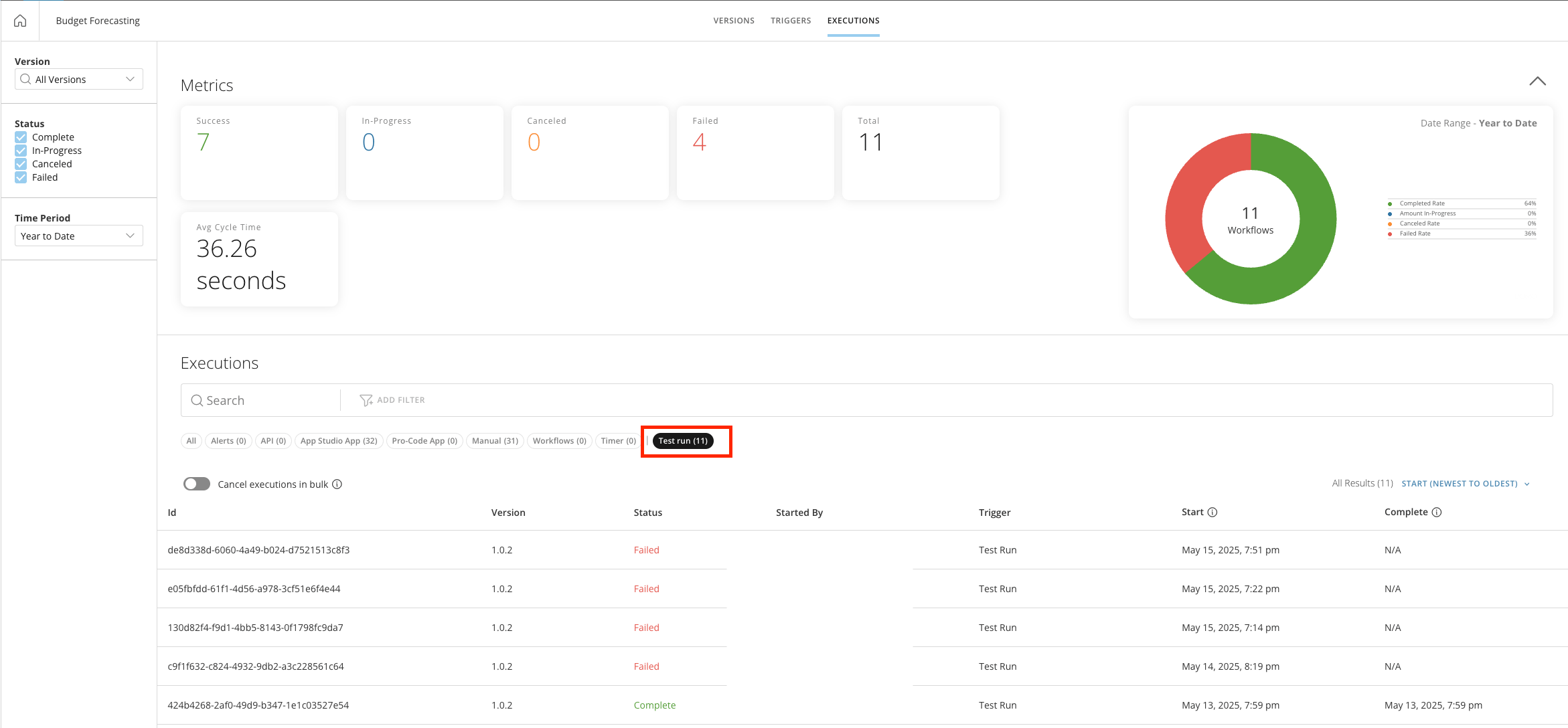 Any test run results matching the test run filter criteria are displayed under **Executions**.
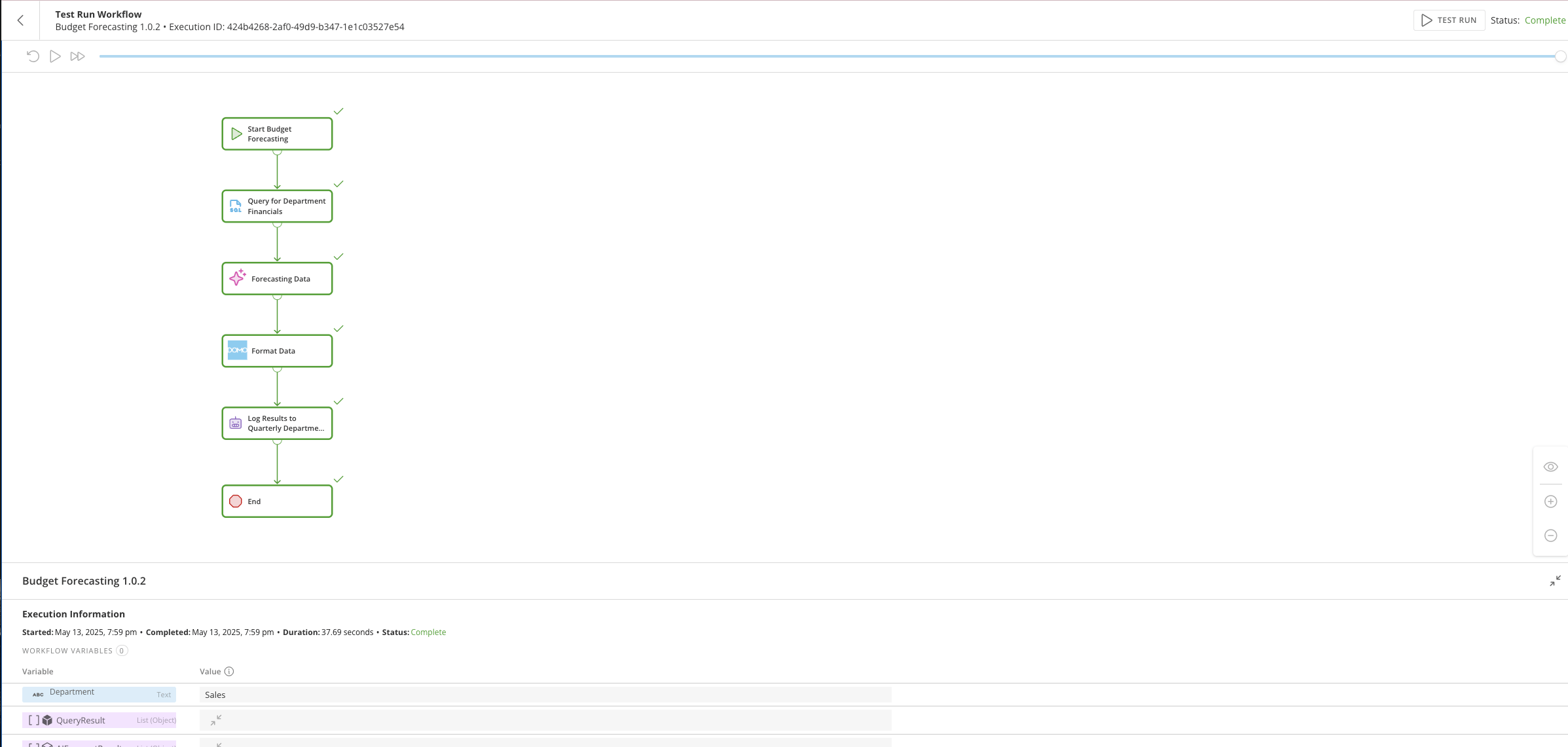
3. Select a row from the list to view that execution's details page.
Any test run results matching the test run filter criteria are displayed under **Executions**.
3. Select a row from the list to view that execution's details page.
 ### FAQ
Select a question to expand and view its answer.
No, a test run can only be started manually in the workflow tool.
Yes, a test run invokes any task, integration, or decision included in the workflow.
Yes, you accrue credit usage on test run executions.
Not yet, but these are under consideration for a feature release.
### FAQ
Select a question to expand and view its answer.
No, a test run can only be started manually in the workflow tool.
Yes, a test run invokes any task, integration, or decision included in the workflow.
Yes, you accrue credit usage on test run executions.
Not yet, but these are under consideration for a feature release.