> ## Documentation Index
> Fetch the complete documentation index at: https://domoinc-openapi-sync-dataflows.mintlify.site/llms.txt
> Use this file to discover all available pages before exploring further.
# Migrate from Federated to Cloud Amplifier
### Intro
Only Federated v2 DataSets can be converted to Cloud Amplifier. Federated v1 DataSets must be converted to v2 before the migration can be performed.
***
### Migrate a Federated DataSet to Cloud Amplifier
1. In the Domo Data Center, go to **DataSets** and and select the DataSet you want to migrate to view its Details page.
2. From the Details page, select **More** (three vertical dots icon) > **Convert to Cloud Amplifier** to display the conversion modal.
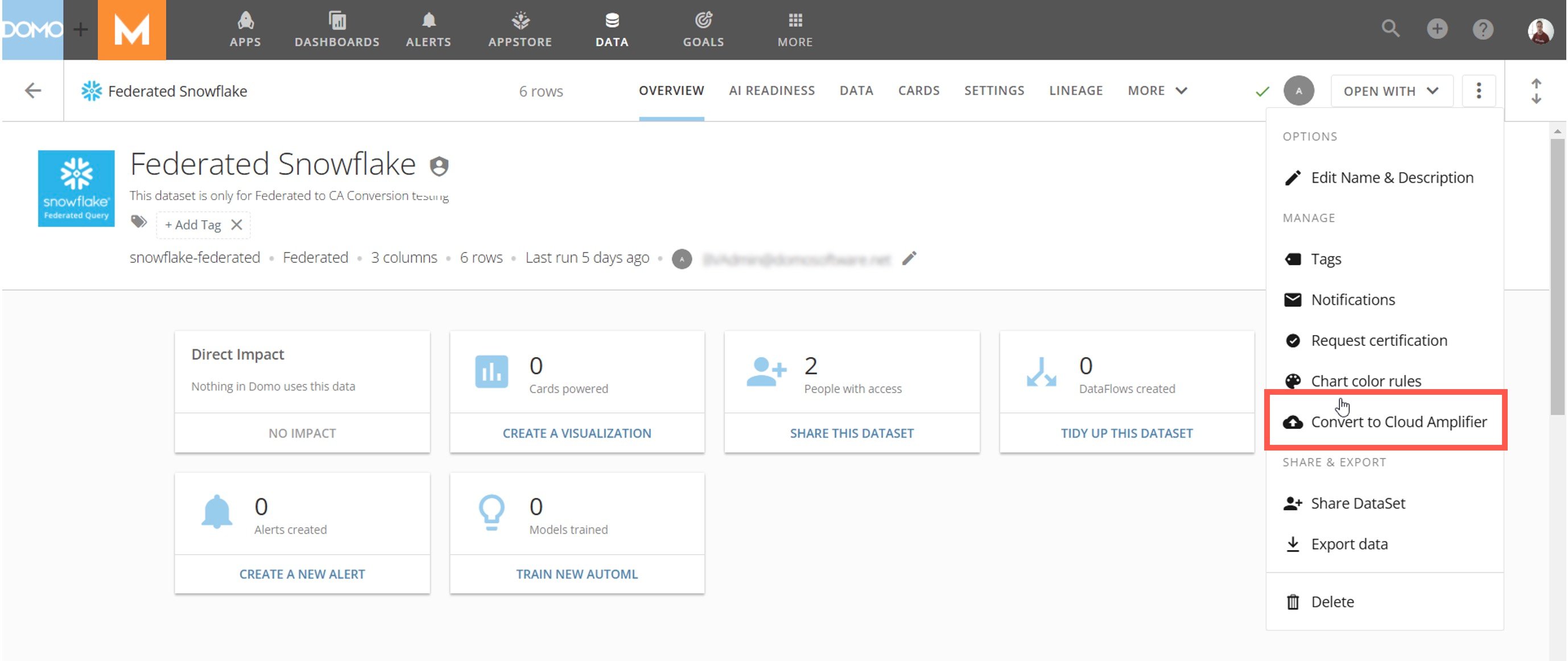 3. Use the **Select Cloud Account** dropdown in the modal to select the Snowflake-Cloud Amplifier integration you want to use. Learn how to configure a [Snowflake-Cloud Amplifier integration](/s/article/4402322966807).
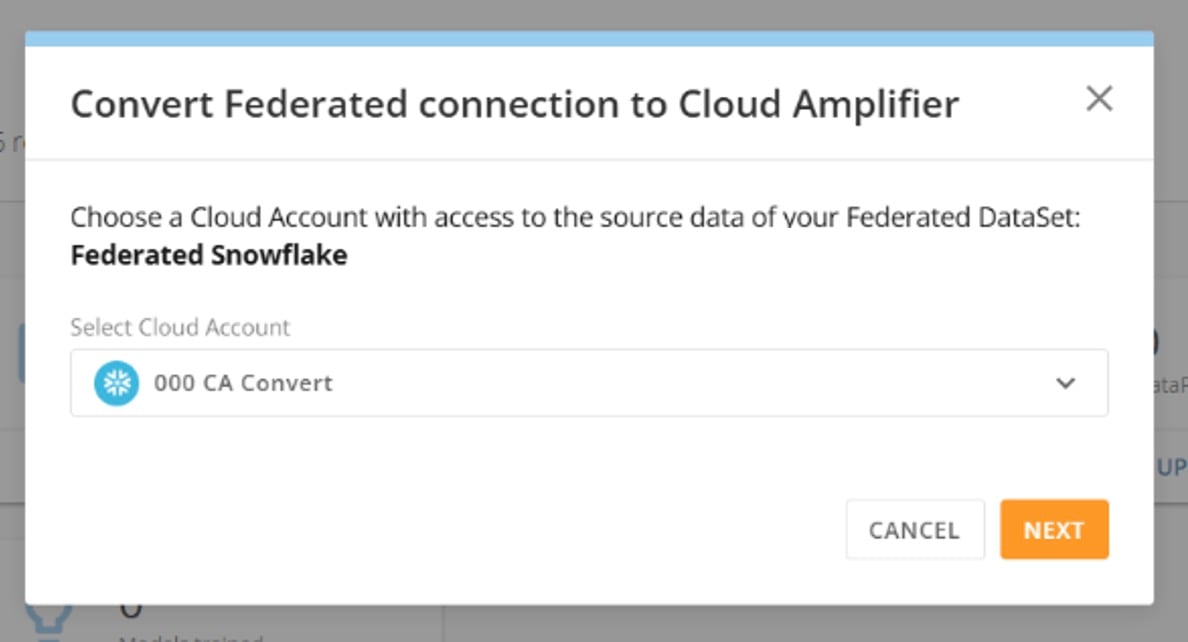 4. Select **Next** and check the box to acknowledge that the DataSet will be unavailable during the conversion process. Then select **Convert**.
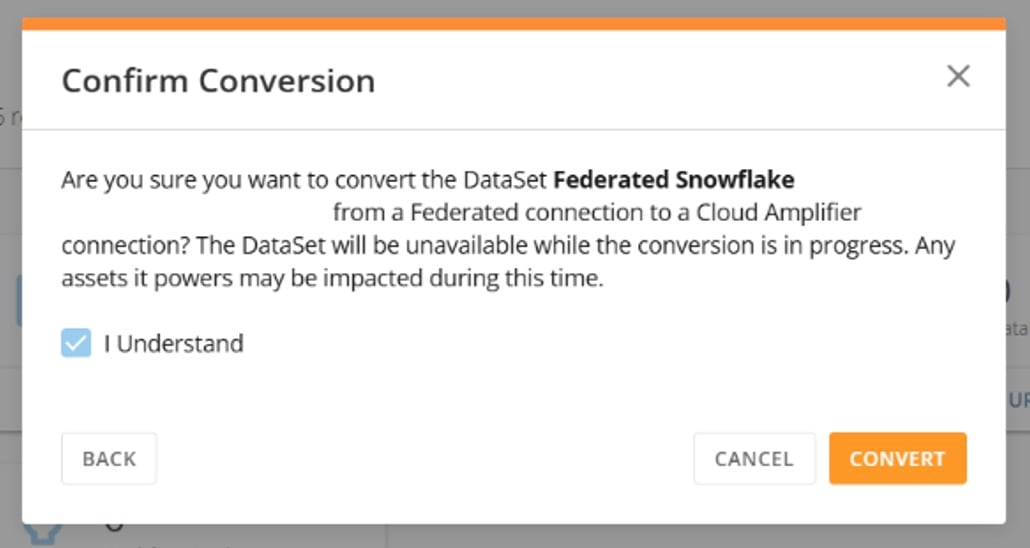 A successful conversion displays a "Conversion Complete" message.
### Revert a DataSet to a Federated Connection
Follow these steps to revert a DataSet from a Cloud Amplifer connection to a federated connection:
1. In the Domo Data Center, go to **DataSets** and and select the DataSet you want to migrate to view its Details page.
2. From the Details page, select **More** (three vertical dots icon) > **Revert to federated data** to display the reversion modal.
A successful conversion displays a "Conversion Complete" message.
### Revert a DataSet to a Federated Connection
Follow these steps to revert a DataSet from a Cloud Amplifer connection to a federated connection:
1. In the Domo Data Center, go to **DataSets** and and select the DataSet you want to migrate to view its Details page.
2. From the Details page, select **More** (three vertical dots icon) > **Revert to federated data** to display the reversion modal.
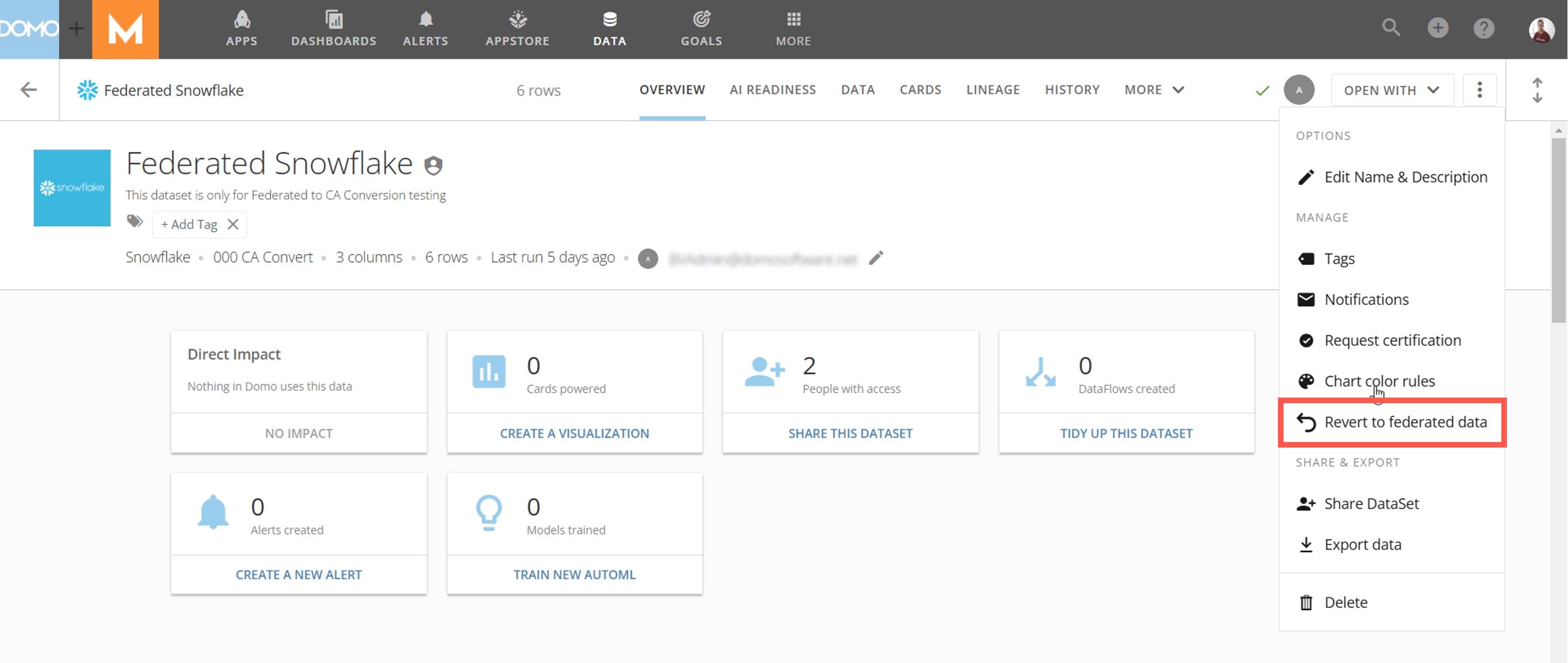 3. Use the checkbox to acknowledge that the DataSet will not be available during the reversion process, then select **Revert**.
A successful reversion displays a "Reversion Complete" message.
3. Use the checkbox to acknowledge that the DataSet will not be available during the reversion process, then select **Revert**.
A successful reversion displays a "Reversion Complete" message.