> ## Documentation Index
> Fetch the complete documentation index at: https://domoinc-openapi-sync-dataflows.mintlify.site/llms.txt
> Use this file to discover all available pages before exploring further.
# 2024 Release 3 | May
export const InlineImage = ({src, alt = '', height = '1.6em'}) => {
return  ;
};
***
### New Features
# Alerts Sending Scheduled Reports
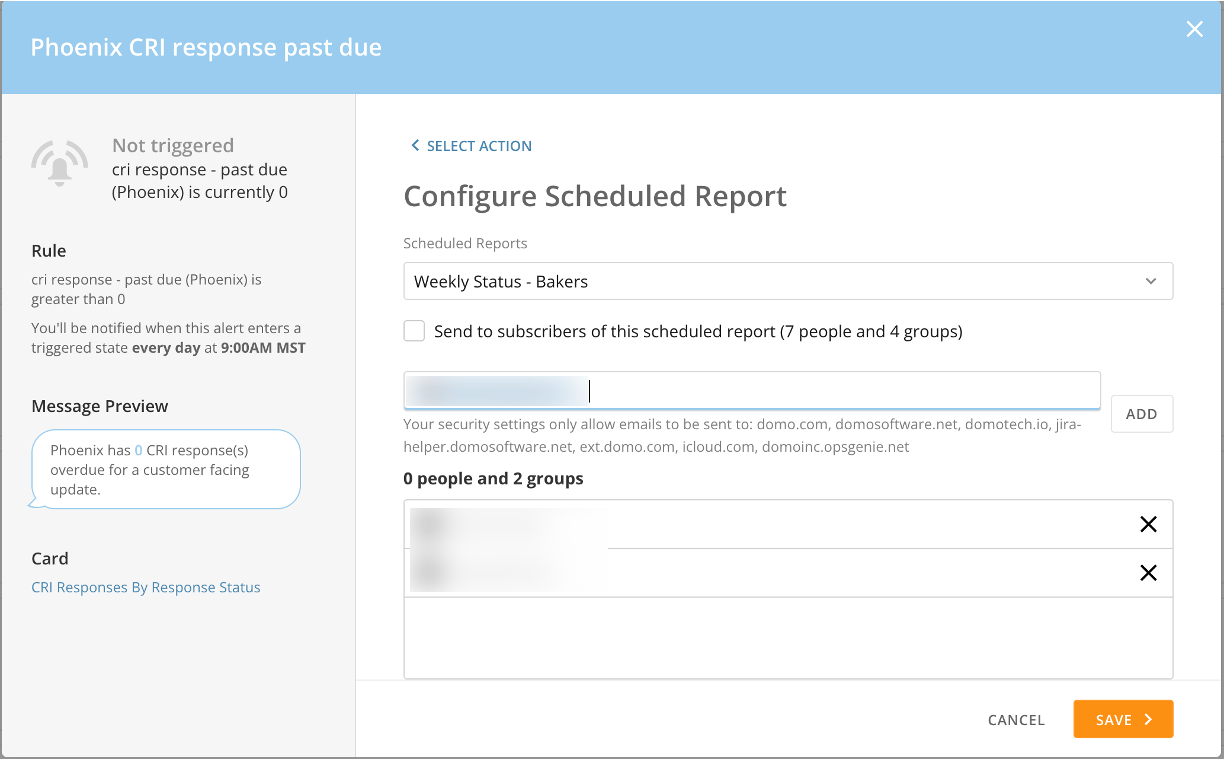
You can now configure an alert to send out scheduled reports for cards and DataSets at a specified time and frequency.
Learn how to [configure an alert to send a scheduled report](https://domo-support.domo.com/s/article/360042925994?language=en_US#scheduled_report).
;
};
***
### New Features
# Alerts Sending Scheduled Reports
You can now configure an alert to send out scheduled reports for cards and DataSets at a specified time and frequency.
Learn how to [configure an alert to send a scheduled report](https://domo-support.domo.com/s/article/360042925994?language=en_US#scheduled_report).
 # Horizontal High-Low Chart
With the addition of the horizontal high low chart as a companion to the vertical high low chart, you can display longer lists and provide more details on metrics with increased volume.
# Horizontal High-Low Chart
With the addition of the horizontal high low chart as a companion to the vertical high low chart, you can display longer lists and provide more details on metrics with increased volume.
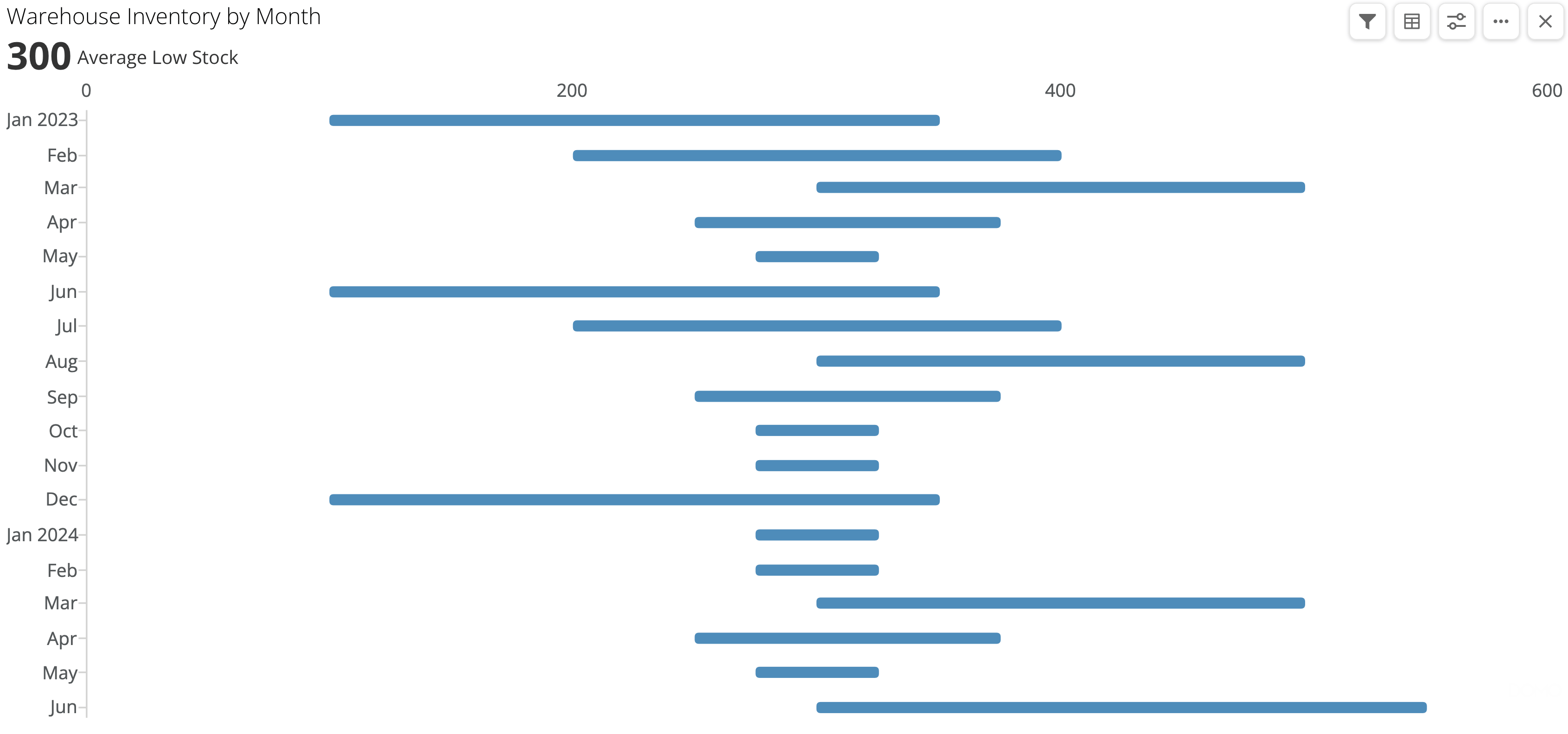 Both high-low chart types in Analyzer include the following style options:
* Default
* Line
* Bar
* Rounded Bar
* Lollipop
The bar style setting includes the option to set the height percentage of the bars on the chart. You can also use the columns from your DataSet to set the high and low values within your chart.
For more information on high-low charts, see [High Low Chart](https://domo-support.domo.com/s/article/360043429173?language=en_US).
***
### Platform Enhancements
# API Gateway Administration
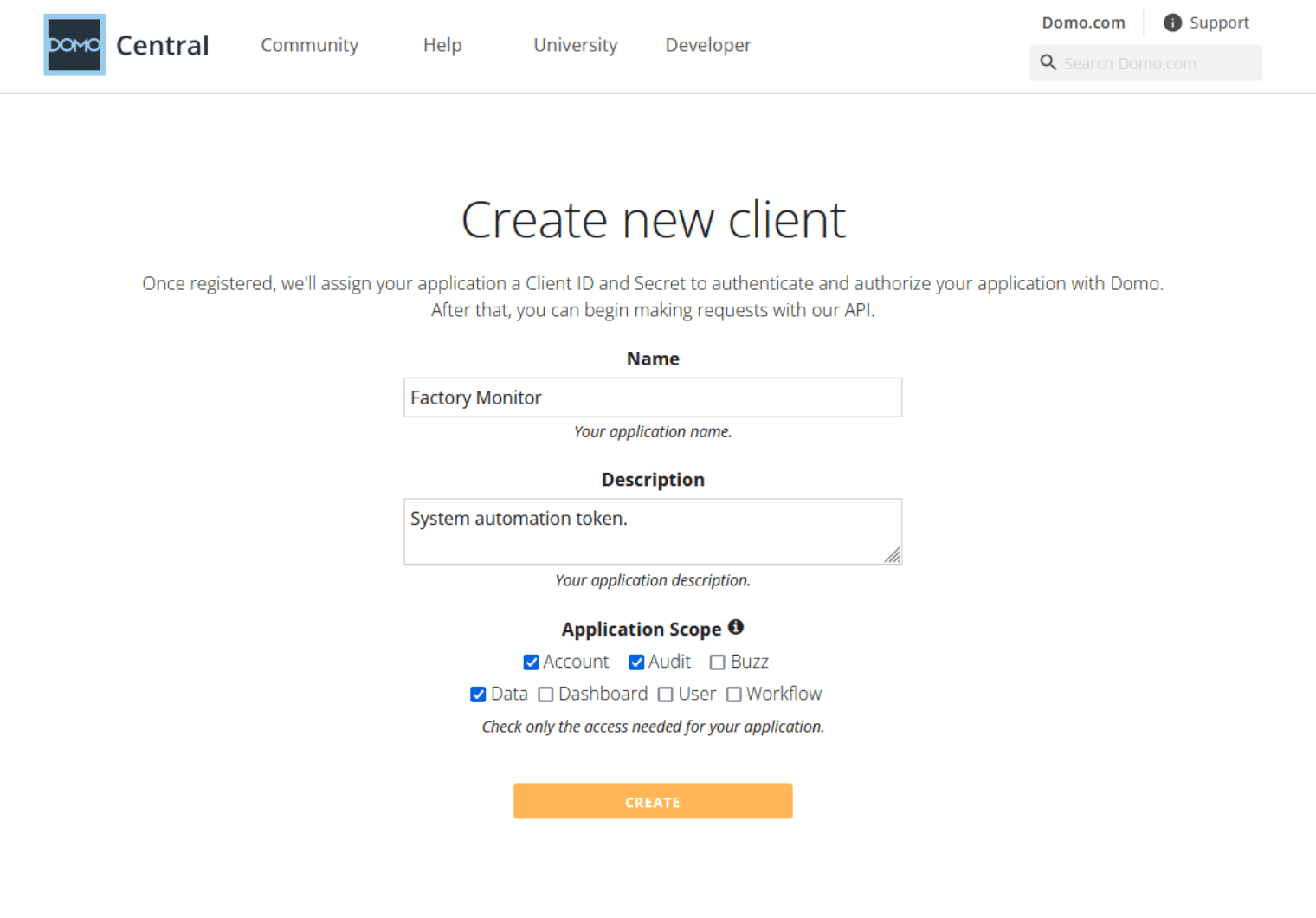
Admins can now create and manage API Gateway clients in Domo, and the Activity log now include more detail about client actions.
The new Create API OAuth Client grant controls the ability to create API gateway clients. Admins with this grant can disable the grant for other users in their Domo instance.
Along with these new features, admins can also programmatically manage API clients. These options include:
* Leverage and control user role grants. For more information on how to create clients, visit the
[dev portal.](http://developer.domo.com/)
* Add date and time stamps for client creation.
Both high-low chart types in Analyzer include the following style options:
* Default
* Line
* Bar
* Rounded Bar
* Lollipop
The bar style setting includes the option to set the height percentage of the bars on the chart. You can also use the columns from your DataSet to set the high and low values within your chart.
For more information on high-low charts, see [High Low Chart](https://domo-support.domo.com/s/article/360043429173?language=en_US).
***
### Platform Enhancements
# API Gateway Administration
Admins can now create and manage API Gateway clients in Domo, and the Activity log now include more detail about client actions.
The new Create API OAuth Client grant controls the ability to create API gateway clients. Admins with this grant can disable the grant for other users in their Domo instance.
Along with these new features, admins can also programmatically manage API clients. These options include:
* Leverage and control user role grants. For more information on how to create clients, visit the
[dev portal.](http://developer.domo.com/)
* Add date and time stamps for client creation.
 # App Studio
#### Publish Integration
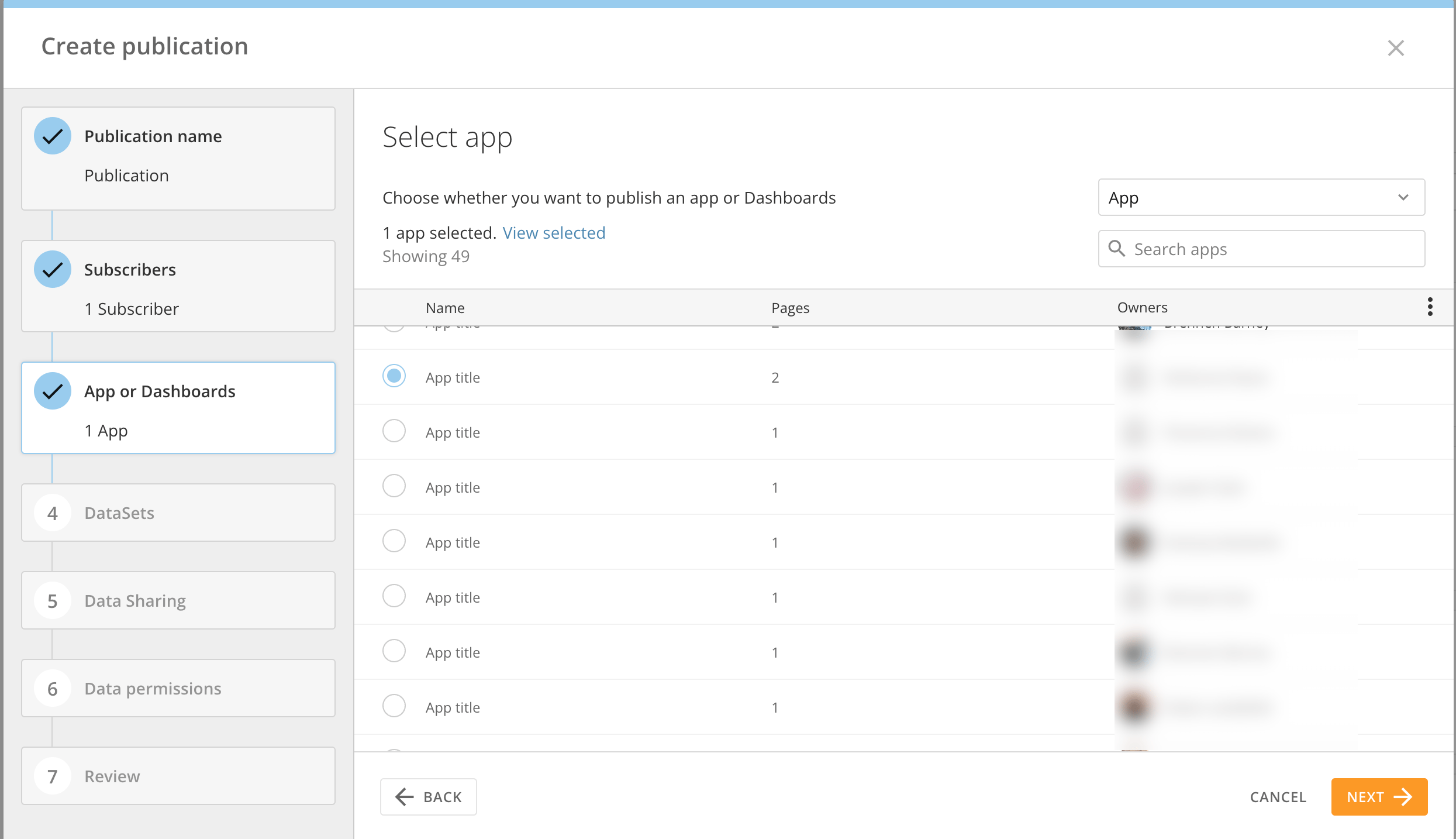
The App Studio integration with Domo Everywhere allows you to create a publication directly from your App Studio apps and publish the content to subscribers.
A subscriber can subscribe to publications individually, as invited, or auto-subscribe to receive all publications from a trusted publisher organization.
To learn more about App Studio, see [App Studio | Overview.](https://domo-support.domo.com/s/article/000005295?language=en_US)
To learn how to publish content with Domo Everywhere, see [Publish Content to a Subscriber Instance](https://domo-support.domo.com/s/article/360045120554?language=en_US).
# App Studio
#### Publish Integration
The App Studio integration with Domo Everywhere allows you to create a publication directly from your App Studio apps and publish the content to subscribers.
A subscriber can subscribe to publications individually, as invited, or auto-subscribe to receive all publications from a trusted publisher organization.
To learn more about App Studio, see [App Studio | Overview.](https://domo-support.domo.com/s/article/000005295?language=en_US)
To learn how to publish content with Domo Everywhere, see [Publish Content to a Subscriber Instance](https://domo-support.domo.com/s/article/360045120554?language=en_US).
 #### Sandbox Integration
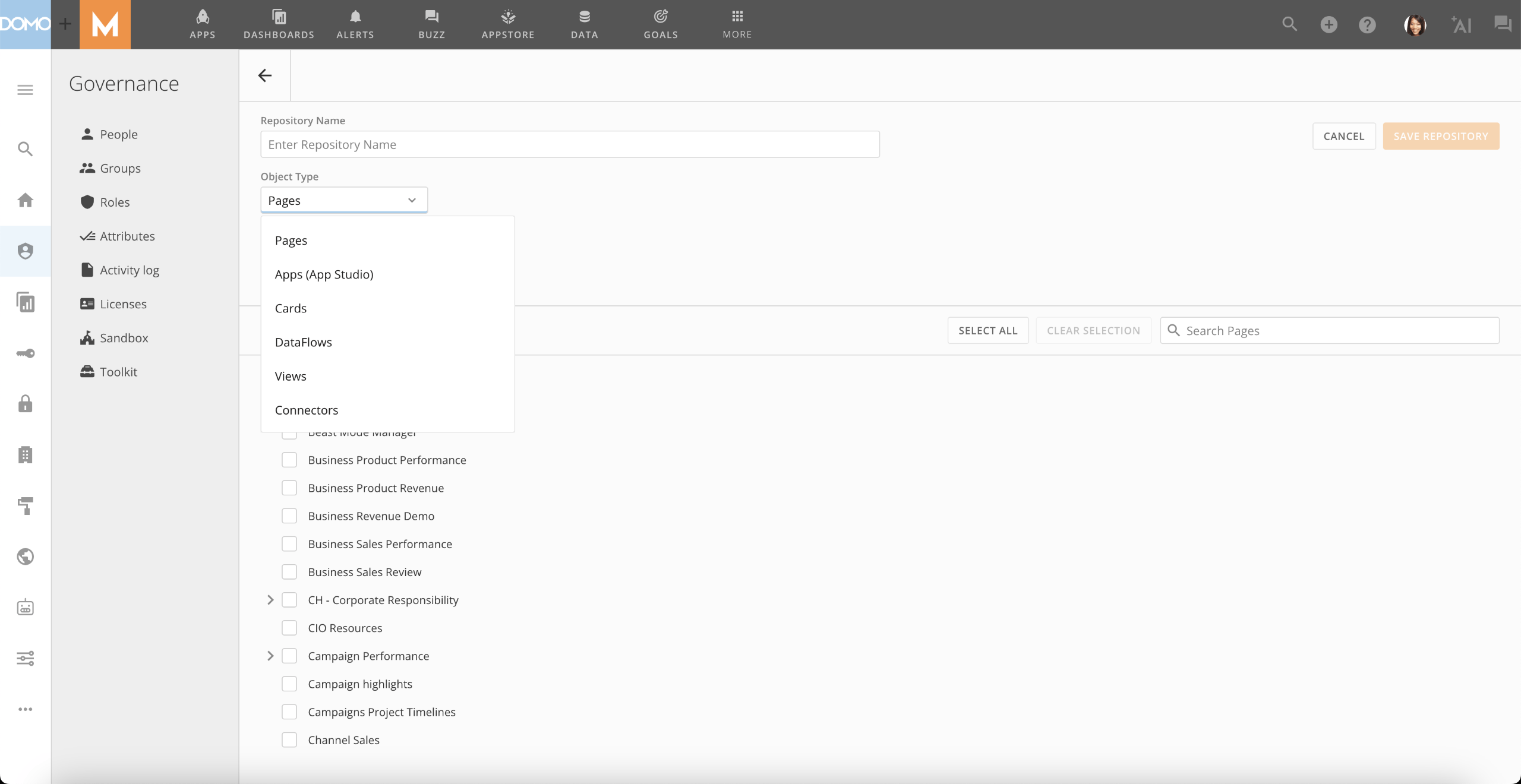
Sandbox in App Studio allows you to build and test App Studio apps in a separate environment and promote content only when it's ready for a broad audience. When creating repositories in Sandbox, you can choose the new App Studio apps option and promote specific app(s) for content promotion purposes.
To learn more about App Studio, see [App Studio | Overview.](https://domo-support.domo.com/s/article/000005295?language=en_US)
For more information on Sandbox, see [Domo Sandbox](https://domo-support.domo.com/s/article/4403367344023?language=en_US).
#### Sandbox Integration
Sandbox in App Studio allows you to build and test App Studio apps in a separate environment and promote content only when it's ready for a broad audience. When creating repositories in Sandbox, you can choose the new App Studio apps option and promote specific app(s) for content promotion purposes.
To learn more about App Studio, see [App Studio | Overview.](https://domo-support.domo.com/s/article/000005295?language=en_US)
For more information on Sandbox, see [Domo Sandbox](https://domo-support.domo.com/s/article/4403367344023?language=en_US).
 # DomoStats: Roles, Role Grants, and Group Owners
The new Roles and Role Grants DomoStats reports allow admins to see the roles and grants for every user in their organization.
The Group Owners DomoStats report allows admins to see group ownership assignments, including individual and/or group ownership.
For more information on DomoStats, see [DomoStats Connector.](https://domo-support.domo.com/s/article/360043433813?language=en_US)
# Localization Settings
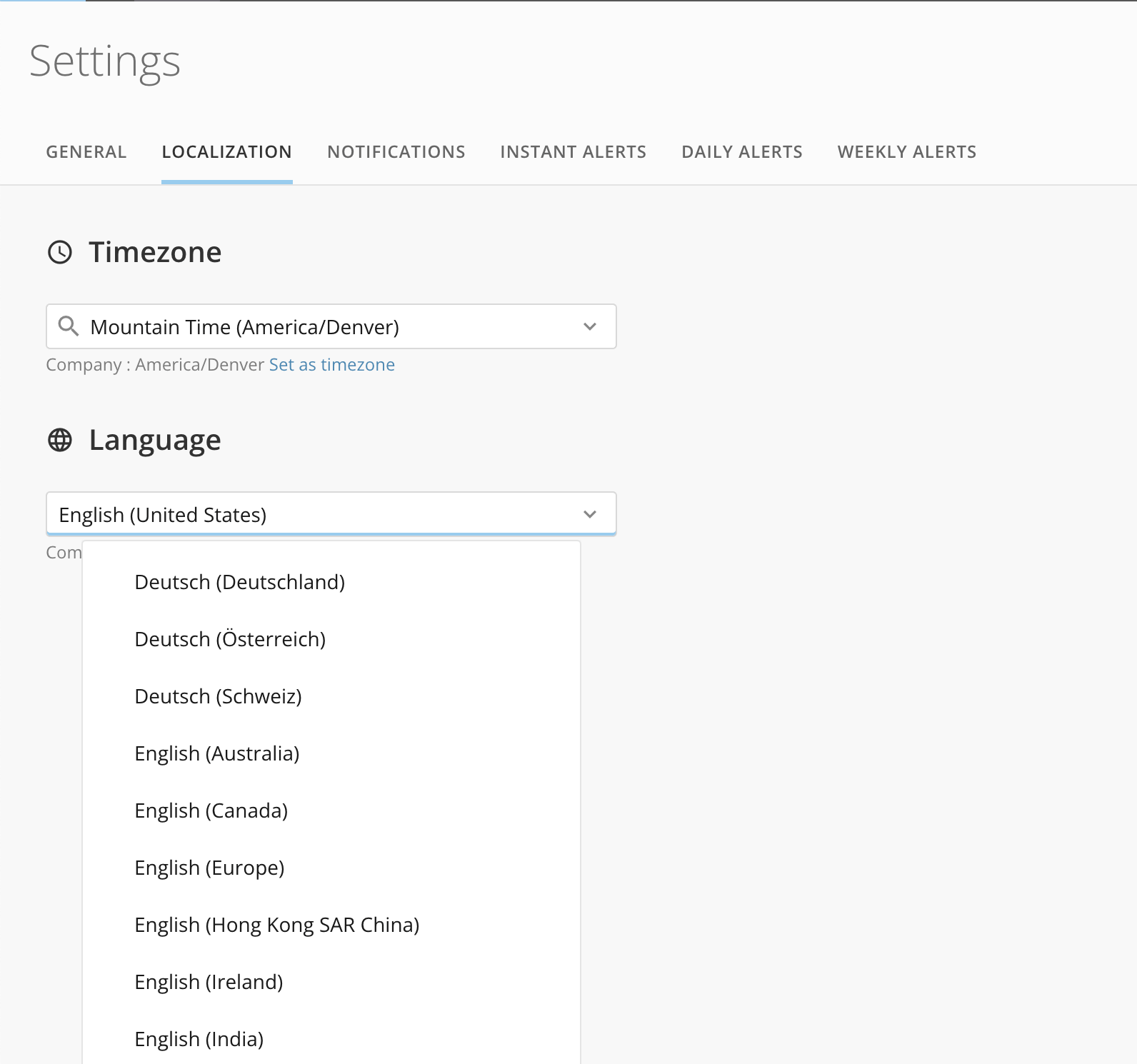
There is now a dedicated localization section within user settings to organize all your localization settings in one place, like timezone and language.
# DomoStats: Roles, Role Grants, and Group Owners
The new Roles and Role Grants DomoStats reports allow admins to see the roles and grants for every user in their organization.
The Group Owners DomoStats report allows admins to see group ownership assignments, including individual and/or group ownership.
For more information on DomoStats, see [DomoStats Connector.](https://domo-support.domo.com/s/article/360043433813?language=en_US)
# Localization Settings
There is now a dedicated localization section within user settings to organize all your localization settings in one place, like timezone and language.
 # Session Management
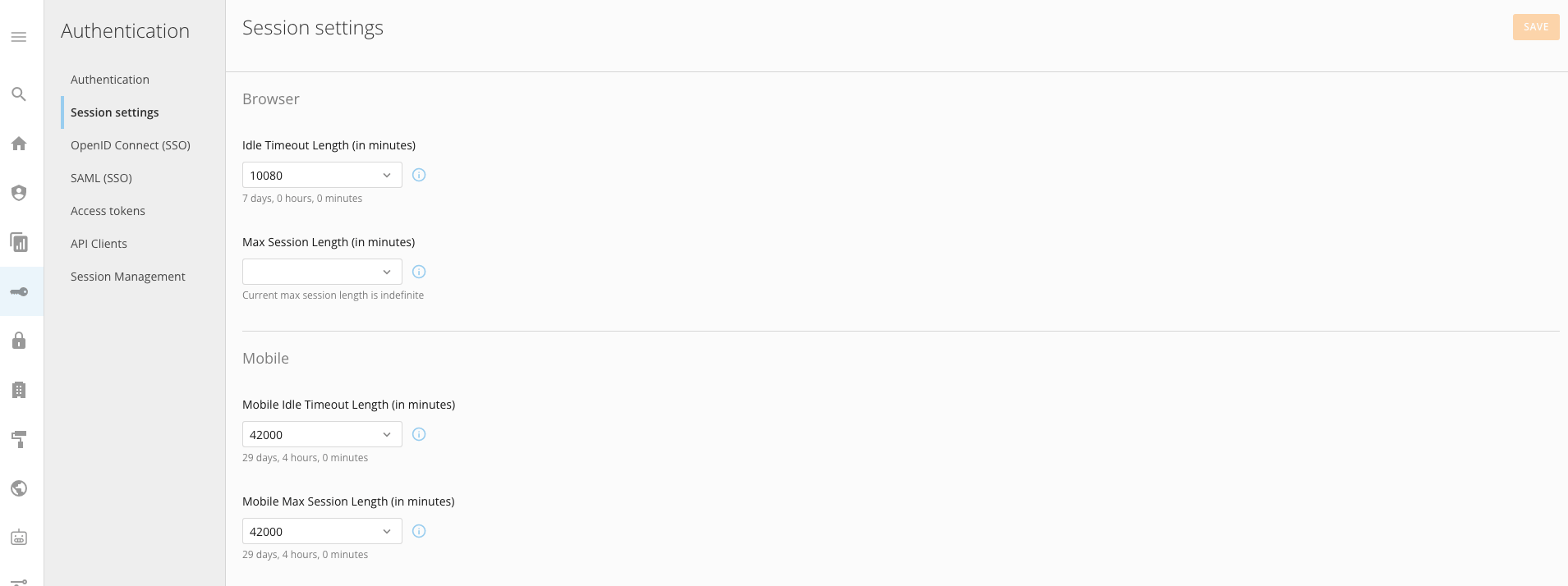
The new Session Management settings allow you to see and configure session lengths—including the ability to see user browser and mobile app sessions and terminate them. Configure session timeout lengths for browser sessions and mobile app sessions.
To learn more about session settings, see [Session Management](https://domo-support.domo.com/s/article/000005432?language=en_US) and [Session Settings.](https://domo-support.domo.com/s/article/000005431?language=en_US)
# Session Management
The new Session Management settings allow you to see and configure session lengths—including the ability to see user browser and mobile app sessions and terminate them. Configure session timeout lengths for browser sessions and mobile app sessions.
To learn more about session settings, see [Session Management](https://domo-support.domo.com/s/article/000005432?language=en_US) and [Session Settings.](https://domo-support.domo.com/s/article/000005431?language=en_US)
 # Workflows
#### Account Data Type
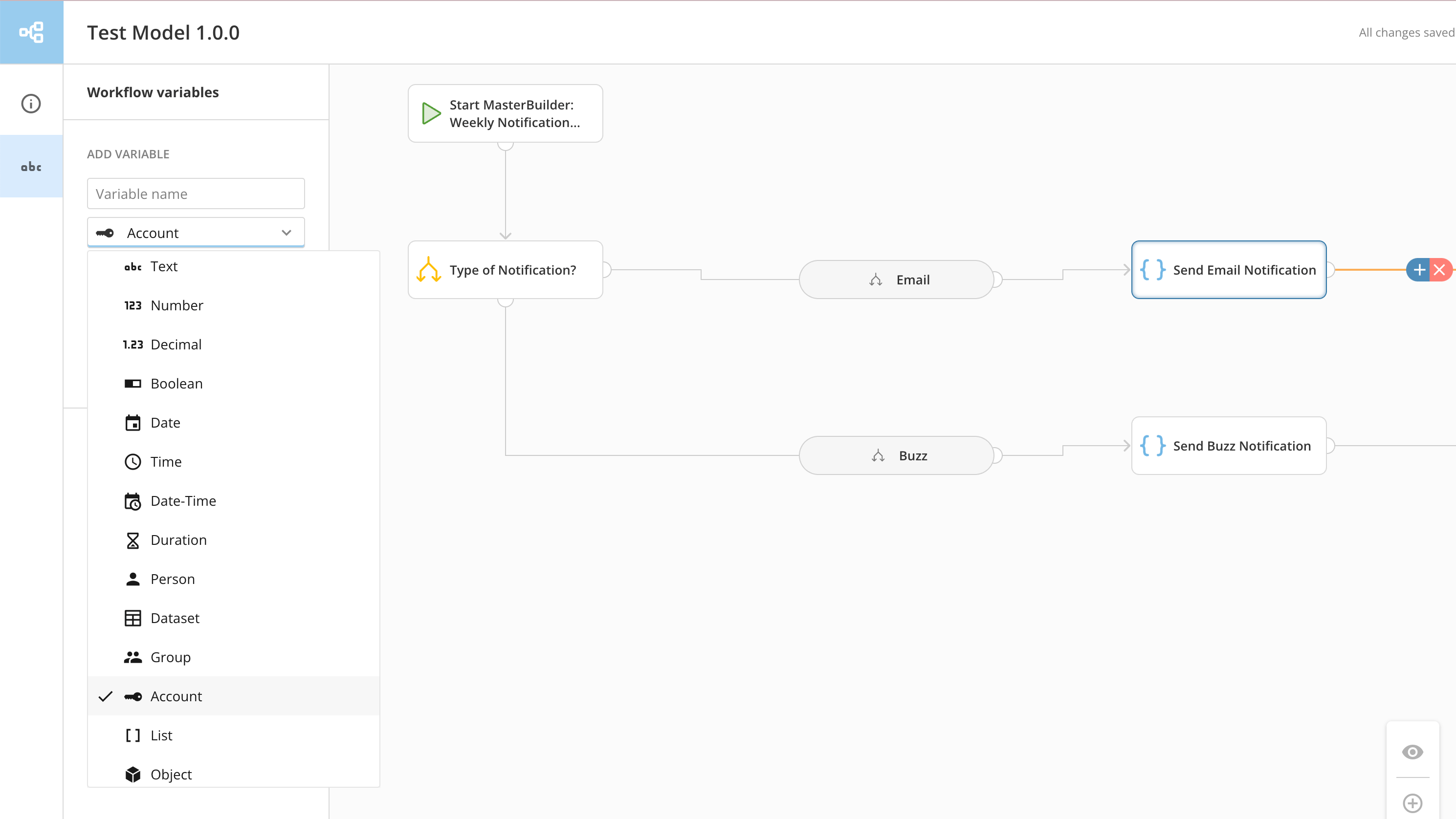
Workflows, Code Engine, and Forms now support an Account data type. This new data type allows you to set up and map account data into your workflow steps, Code Engine functions, and forms.
This includes a new a look-up feature that allows you to easily find and map accessible accounts to a parameter in a Workflow step. Parameters configured with an account data type can either be mapped to a like-type variable or a hardcoded value using a look-up field.
For more information about Workflows, see [Workflows.](https://domo-support.domo.com/s/topic/0TO5w000000ZkAMGA0/workflows?language=en_US)
# Workflows
#### Account Data Type
Workflows, Code Engine, and Forms now support an Account data type. This new data type allows you to set up and map account data into your workflow steps, Code Engine functions, and forms.
This includes a new a look-up feature that allows you to easily find and map accessible accounts to a parameter in a Workflow step. Parameters configured with an account data type can either be mapped to a like-type variable or a hardcoded value using a look-up field.
For more information about Workflows, see [Workflows.](https://domo-support.domo.com/s/topic/0TO5w000000ZkAMGA0/workflows?language=en_US)
 #### Code Engine Global Library
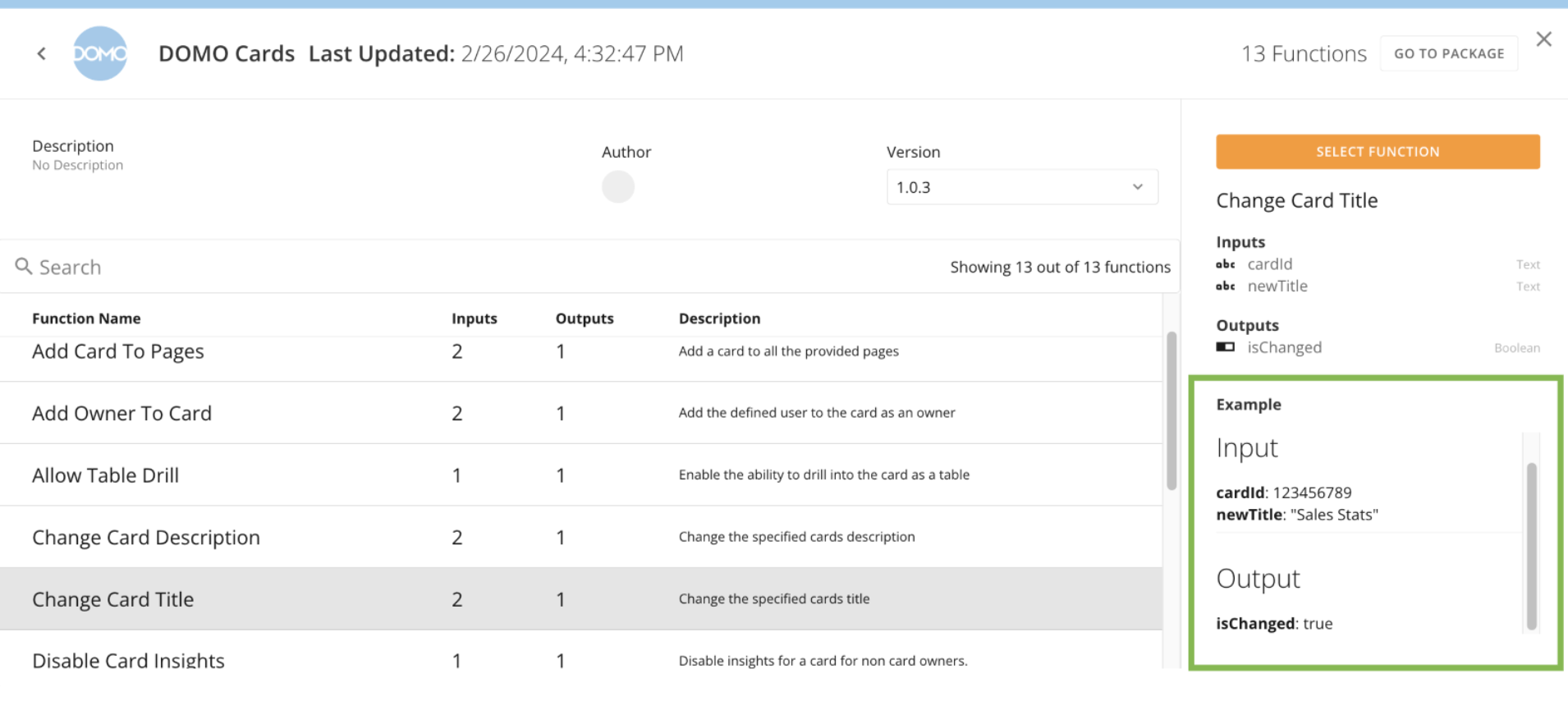
Code Engine packages and functions in our global library now include new display names, user-friendly titles and descriptions, and example input and output values for each function type.
#### Code Engine Global Library
Code Engine packages and functions in our global library now include new display names, user-friendly titles and descriptions, and example input and output values for each function type.
 #### Notifications
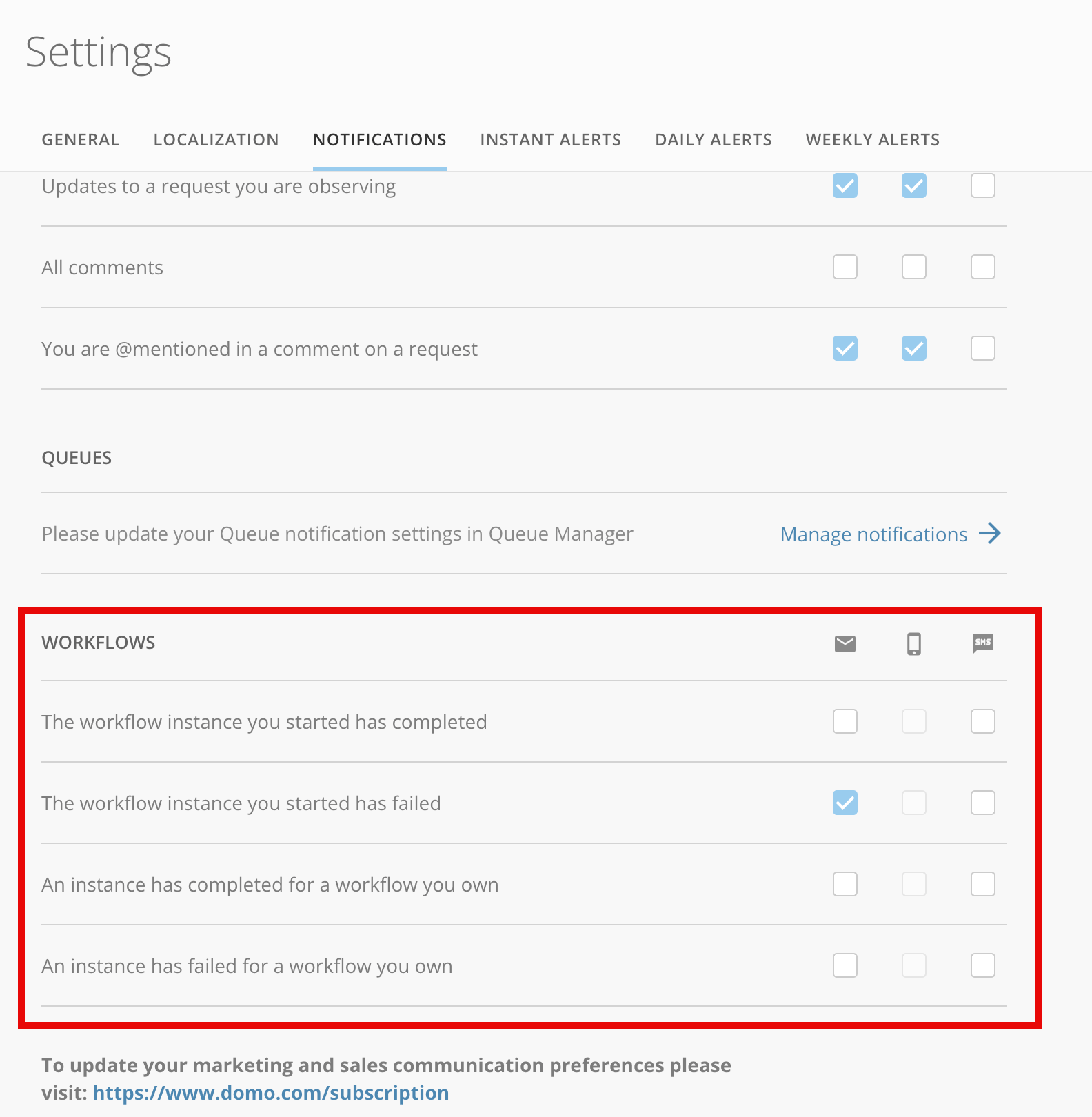
With the new notification settings available for Workflows, you can set up notifications for specific workflow events.
Depending on your preferences, receive email and SMS notifications when a Workflow event occurs such as a successful completion or a failure during runtime.
For more information on notifications, see [Configuring Notification and Alert Settings.](https://domo-support.domo.com/s/article/360042925814?language=en_US)
#### Notifications
With the new notification settings available for Workflows, you can set up notifications for specific workflow events.
Depending on your preferences, receive email and SMS notifications when a Workflow event occurs such as a successful completion or a failure during runtime.
For more information on notifications, see [Configuring Notification and Alert Settings.](https://domo-support.domo.com/s/article/360042925814?language=en_US)
 #### Task Creator Access
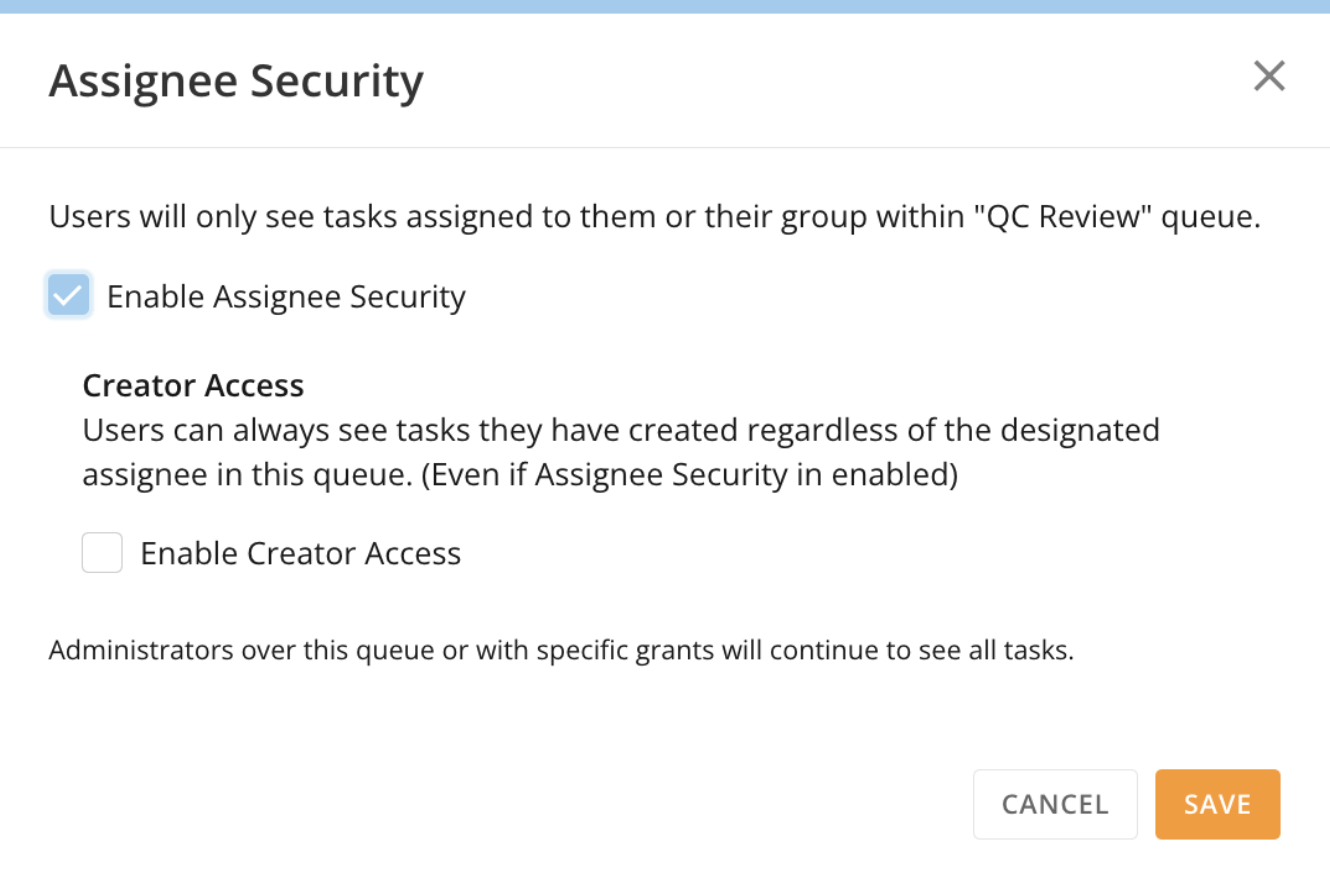
The optional Creator Access feature is now available under Assignee Security. If the Creator Access setting is enabled, users are able to see tasks that they have created and are currently in the queue regardless of current task ownership.
#### Task Creator Access
The optional Creator Access feature is now available under Assignee Security. If the Creator Access setting is enabled, users are able to see tasks that they have created and are currently in the queue regardless of current task ownership.
 ***
### Beta Features
*To join a beta, reach out to your Domo account team. If you do not have contact information for your account team, you can reach out to Domo Support at [support@domo.com](mailto:support@domo.com). You may be required to complete training before you can use the feature.*
# Analyzer Improvements
#### Context Sensitive Chart Properties
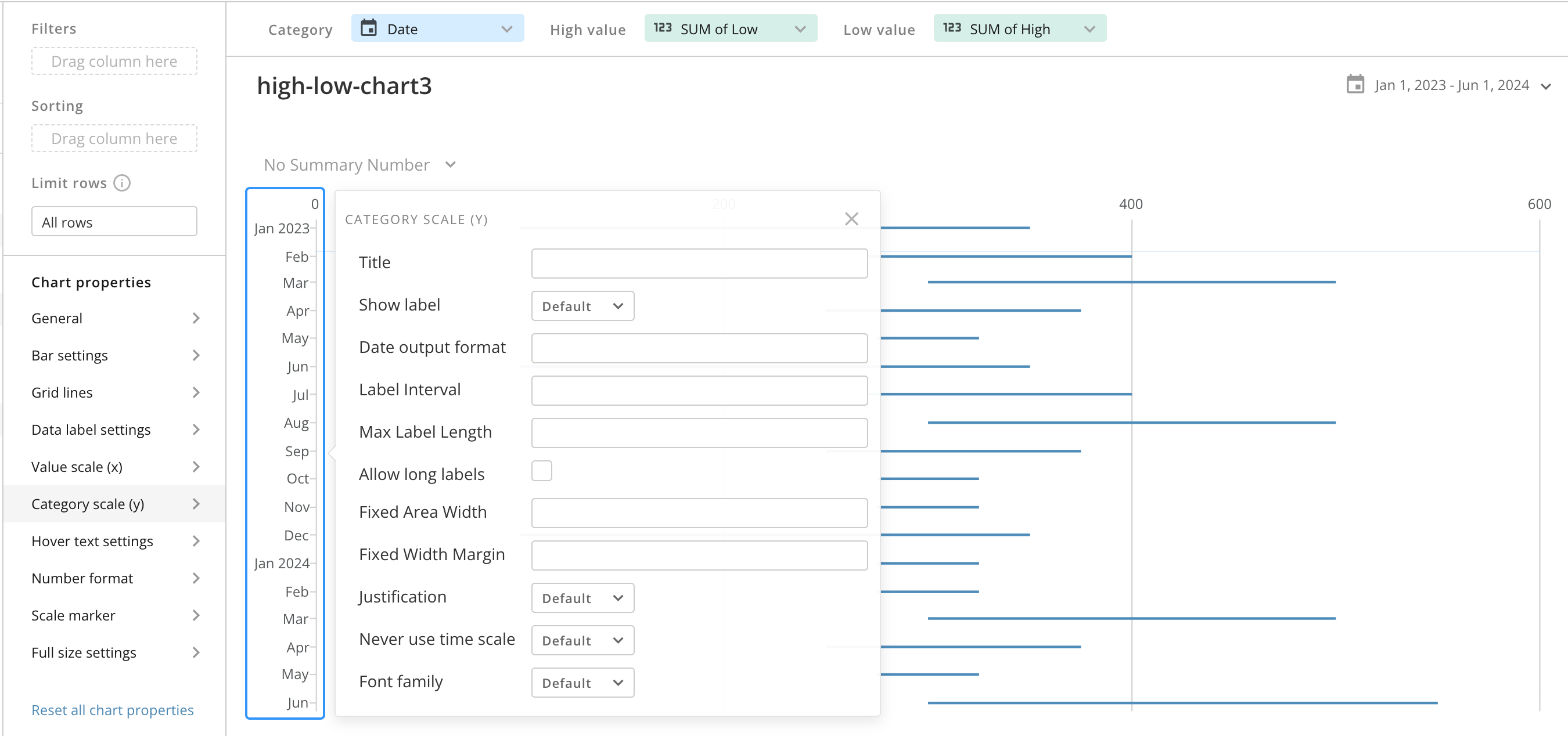
Context Sensitive Chart Properties allow you to right-click on chart elements within Analyzer and see the list of chart properties that apply to that element. In the image below, right-clicking on the y-axis displays the category scale (Y) chart property.
***
### Beta Features
*To join a beta, reach out to your Domo account team. If you do not have contact information for your account team, you can reach out to Domo Support at [support@domo.com](mailto:support@domo.com). You may be required to complete training before you can use the feature.*
# Analyzer Improvements
#### Context Sensitive Chart Properties
Context Sensitive Chart Properties allow you to right-click on chart elements within Analyzer and see the list of chart properties that apply to that element. In the image below, right-clicking on the y-axis displays the category scale (Y) chart property.
 #### Number Input Types
All chart types in Analyzer now include a validation feature for chart attributes that require number input. This validation ensures that you are entering clean numeric values into the chart attribute field.
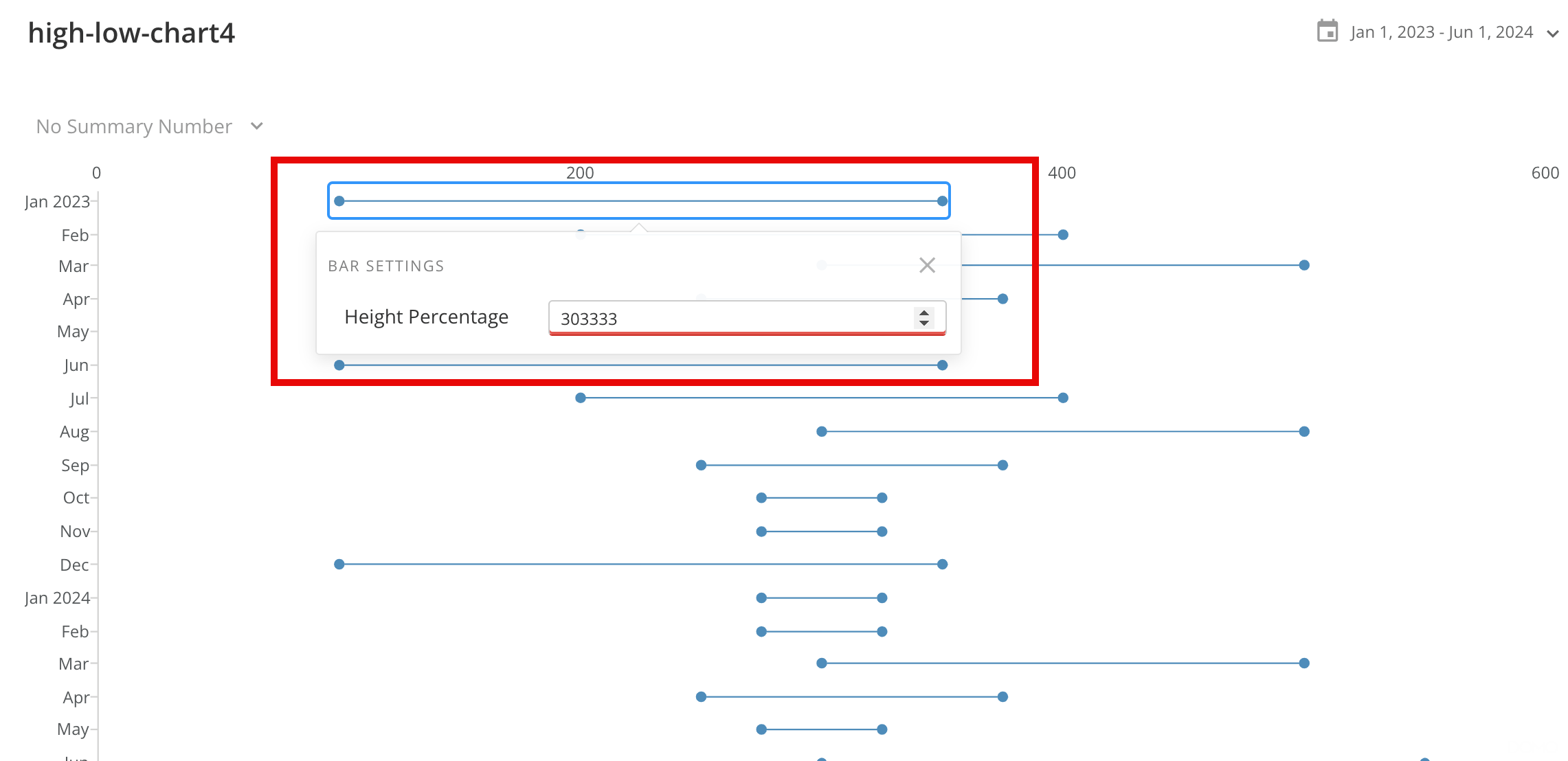
In the example below, the height percentage attribute requires a numeric input that ranges between zero and one hundred. If the entered value is outside of that range then the attribute is highlighted in red and the chart will not render.
#### Number Input Types
All chart types in Analyzer now include a validation feature for chart attributes that require number input. This validation ensures that you are entering clean numeric values into the chart attribute field.
In the example below, the height percentage attribute requires a numeric input that ranges between zero and one hundred. If the entered value is outside of that range then the attribute is highlighted in red and the chart will not render.
 #### Quick Render
The new Quick Render feature in Analyzer changes the chart properties so they no longer require new data to be fetched on every load, decreasing the overall render time. For charts using large DataSets, Quick Render allows you to update multiple elements of the chart without having to wait for repeated chart refreshes.
# Column Masking
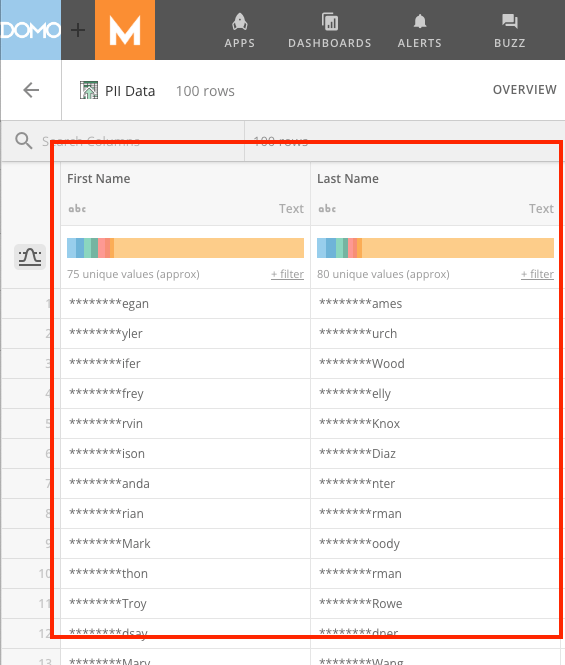
The Column Masking feature in DataSets allows you to hide sensitive information, such as PII and PHI. You can use column masking to redact entire values or hide a certain number of characters in a given field.
You can configure column masking in the PDP section of DataSet Details screen.
Learn more about [column masking](https://domo-support.domo.com/s/article/360042934614?language=en_US) and PDP in the Knowledge Base.
#### Quick Render
The new Quick Render feature in Analyzer changes the chart properties so they no longer require new data to be fetched on every load, decreasing the overall render time. For charts using large DataSets, Quick Render allows you to update multiple elements of the chart without having to wait for repeated chart refreshes.
# Column Masking
The Column Masking feature in DataSets allows you to hide sensitive information, such as PII and PHI. You can use column masking to redact entire values or hide a certain number of characters in a given field.
You can configure column masking in the PDP section of DataSet Details screen.
Learn more about [column masking](https://domo-support.domo.com/s/article/360042934614?language=en_US) and PDP in the Knowledge Base.
 # DomoStats: Group Members
The new Group Members DomoStats report provides you with information about groups and their members, allowing you to track group membership in Domo.
For more information on DomoStats, see [DomoStats Connector.](https://domo-support.domo.com/s/article/360043433813?language=en_US)
# Mobile Configuration
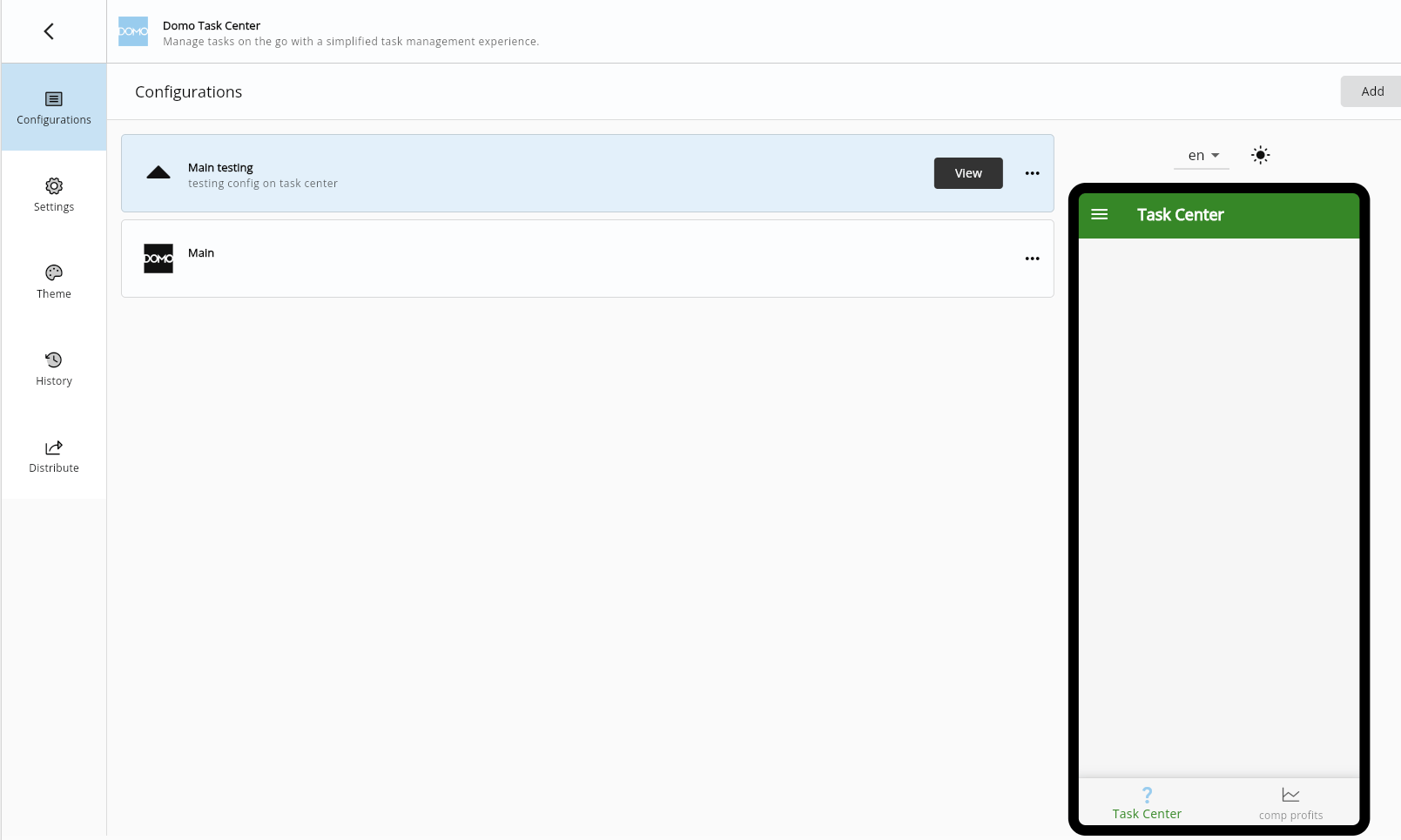
Customize your mobile Domo experience with the mobile configuration feature in Brand Kit. Use an App Studio app to bring in app elements and maintain your branding. You can further customize your app and mobile configuration to test and distribute your app.
# DomoStats: Group Members
The new Group Members DomoStats report provides you with information about groups and their members, allowing you to track group membership in Domo.
For more information on DomoStats, see [DomoStats Connector.](https://domo-support.domo.com/s/article/360043433813?language=en_US)
# Mobile Configuration
Customize your mobile Domo experience with the mobile configuration feature in Brand Kit. Use an App Studio app to bring in app elements and maintain your branding. You can further customize your app and mobile configuration to test and distribute your app.
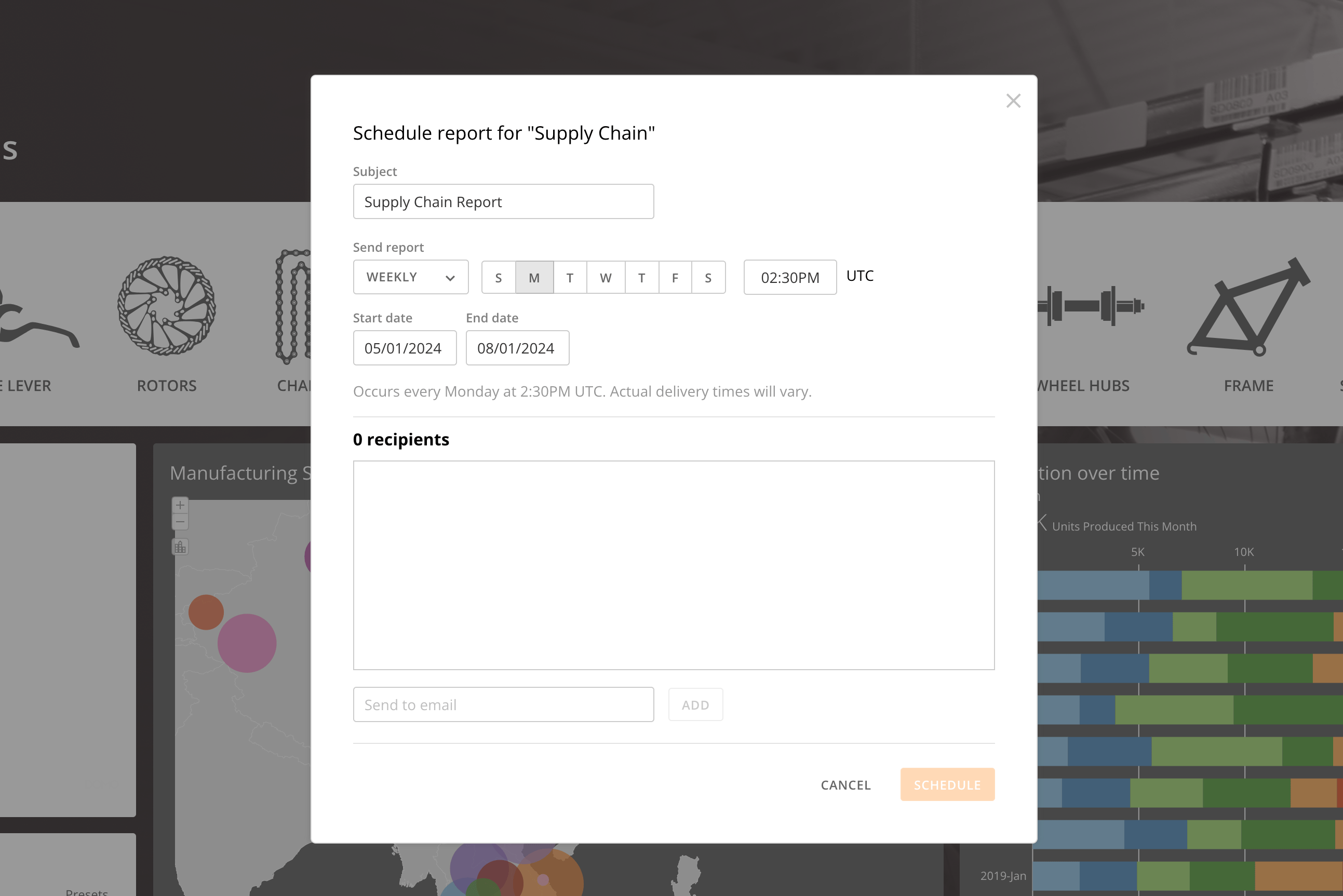
 # Scheduled Reports in Private Embed
Privately embedded dashboards now support Scheduled Reports.
Now you can receive regular insights from your created scheduled reports directly from your embedded dashboards. Schedule how often you would like to receive reports and share reports with others in your organization.
# Scheduled Reports in Private Embed
Privately embedded dashboards now support Scheduled Reports.
Now you can receive regular insights from your created scheduled reports directly from your embedded dashboards. Schedule how often you would like to receive reports and share reports with others in your organization.
 ***
### Need Support?
Domo provides education, community answers, and technical support.
* Search for a topic in the
[Help Center](https://www.domo.com/domo-central/help)
* Learn from
[Domo University](https://www.domo.com/domo-central/university)
* Search for training apps in the
[Appstore ](https://www.domo.com/appstore/)
* Get answers in the
[Community Forums ](https://community-forums.domo.com/main)
* Contact Technical Support by entering a help ticket in the
[Domo Support Portal ](https://www.domo.com/login/customer-community)
* Reach out to your Domo account team
### Have Feedback?
If you have feedback, please send it from within Domo:
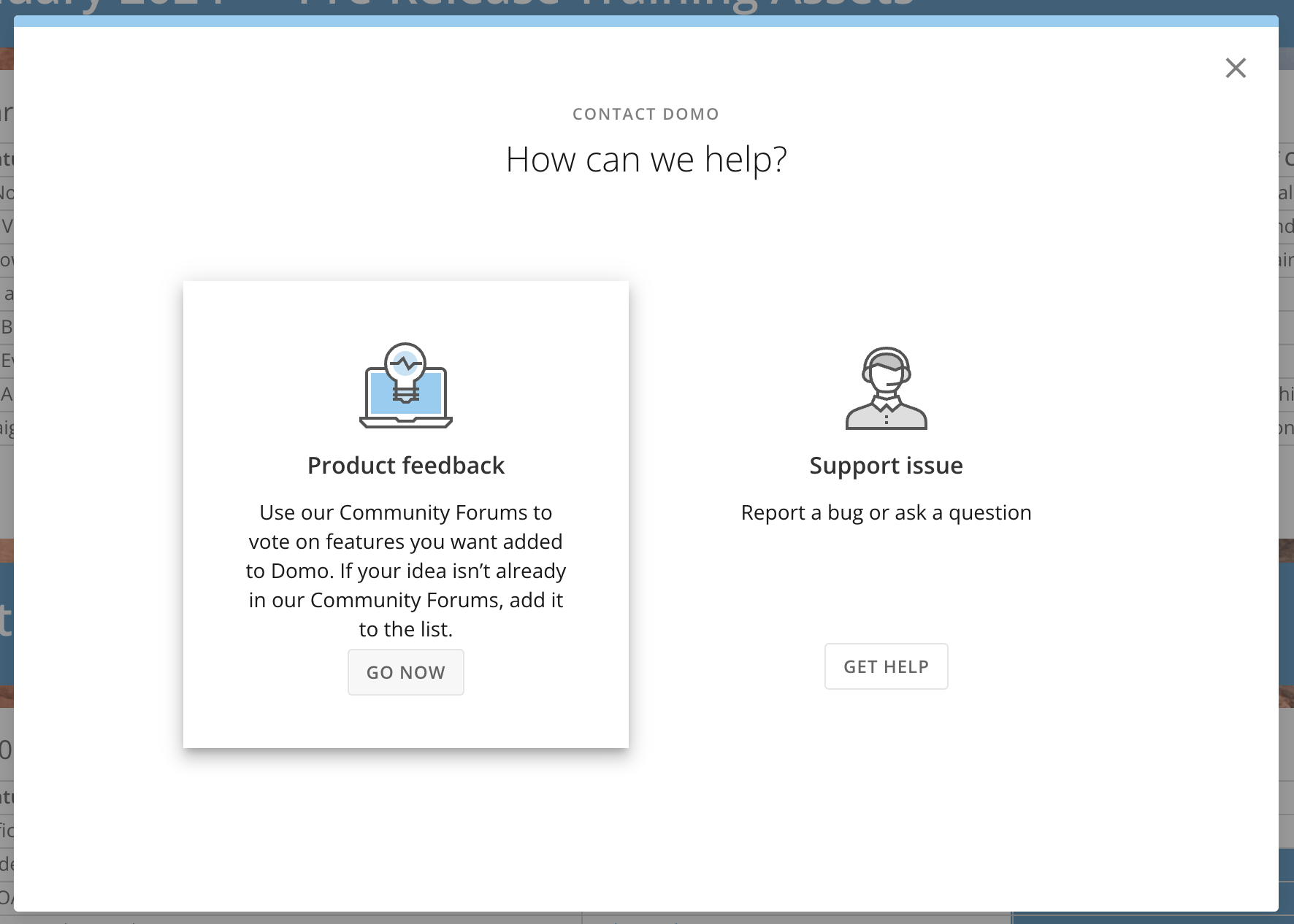
In the navigation header, select **More** > **Feedback.**
In the **Contact Domo** modal under **Product Feedback**, select **Go Now.**
***
### Need Support?
Domo provides education, community answers, and technical support.
* Search for a topic in the
[Help Center](https://www.domo.com/domo-central/help)
* Learn from
[Domo University](https://www.domo.com/domo-central/university)
* Search for training apps in the
[Appstore ](https://www.domo.com/appstore/)
* Get answers in the
[Community Forums ](https://community-forums.domo.com/main)
* Contact Technical Support by entering a help ticket in the
[Domo Support Portal ](https://www.domo.com/login/customer-community)
* Reach out to your Domo account team
### Have Feedback?
If you have feedback, please send it from within Domo:
In the navigation header, select **More** > **Feedback.**
In the **Contact Domo** modal under **Product Feedback**, select **Go Now.**