> ## Documentation Index
> Fetch the complete documentation index at: https://domoinc-openapi-sync-dataflows.mintlify.site/llms.txt
> Use this file to discover all available pages before exploring further.
# 2023 Release 3 | October
# AI Service Layer
The AI Service Layer is a comprehensive and flexible AI framework for managing, deploying, and optimizing AI and ML models, including Large Language Models (LLMs). It transforms the way you can use and benefit from generative AI and is built to deliver flexibility, security, and business value at scale.
You can test the AI Service Layer using new ChatGPT bricks:
* **ChatGPT DataSet Description Brick —** Use AI to create DataSet descriptions for you.
* **ChatGPT Text-to-SQL Query Brick —** Use AI to help you tell your data story.
* **AI ChatGPT Brick —** Get quick access to ChatGPT within a Domo brick.
These bricks are available in the [Appstore](https://www.domo.com/appstore/). To access them, the Use AI Services grant must be enabled for your role.
Learn more about [Domo.AI](https://ai.domo.com/) or explore [Domo.AI documentation](https://domo-support.domo.com/s/topic/0TO5w000000ZmGPGA0/domoai?language=en_US) in the Knowledge Base.
 ***
# Asset Library
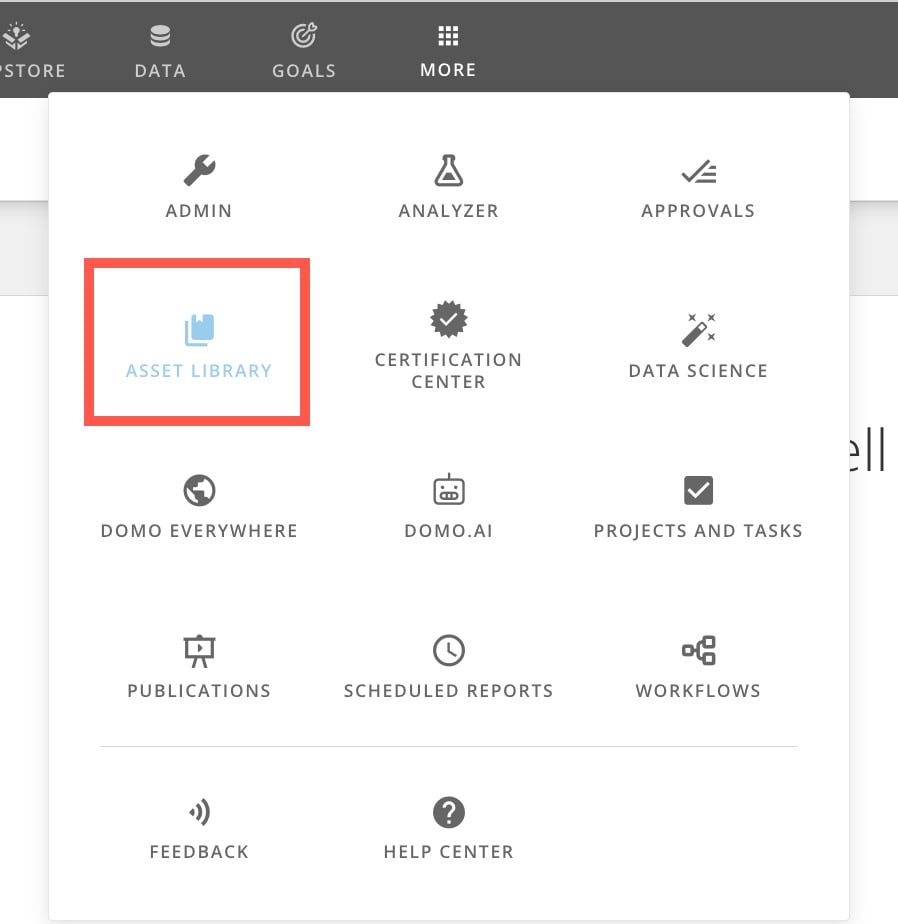
The Asset Library is now located outside the Appstore. You can still access the Asset Library from the navigation header by selecting **More** > **Asset Library**.
Learn more about the [Asset LIbrary](/s/article/4403442101143).
***
# Asset Library
The Asset Library is now located outside the Appstore. You can still access the Asset Library from the navigation header by selecting **More** > **Asset Library**.
Learn more about the [Asset LIbrary](/s/article/4403442101143).
 # Company Settings
The following company settings are now available to admins.
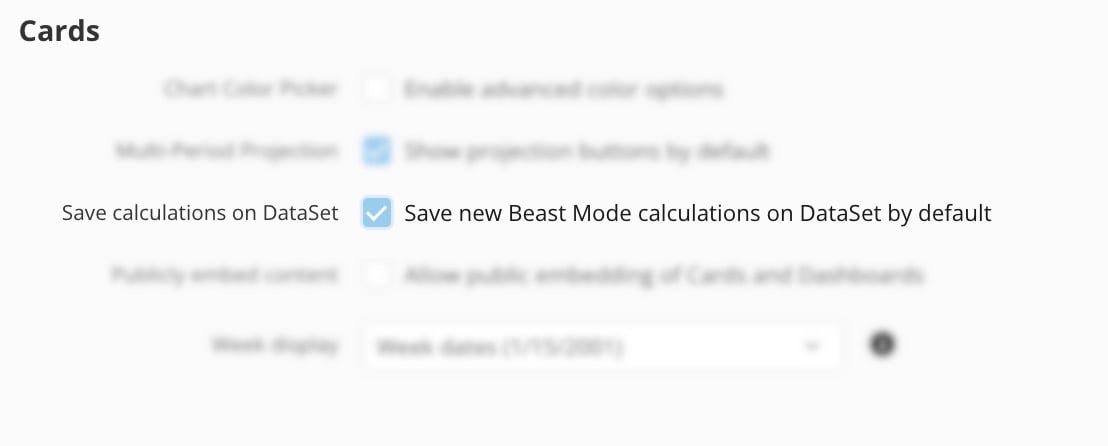
#### Save Beast Mode Calculation to DataSet by Default
When this setting is enabled, all new Beast Mode calculations are saved to the DataSet by default. This reduces the overall number of calculations in the instance for improved governance. When the setting is enabled, users still have the option to save a calculation only to the card from within the Beast Mode editor.
To learn more, see [Company Settings](https://domo-support.domo.com/s/article/000005149?language=en_US#company_overview).
# Company Settings
The following company settings are now available to admins.
#### Save Beast Mode Calculation to DataSet by Default
When this setting is enabled, all new Beast Mode calculations are saved to the DataSet by default. This reduces the overall number of calculations in the instance for improved governance. When the setting is enabled, users still have the option to save a calculation only to the card from within the Beast Mode editor.
To learn more, see [Company Settings](https://domo-support.domo.com/s/article/000005149?language=en_US#company_overview).
 #### Display Share Email Notification
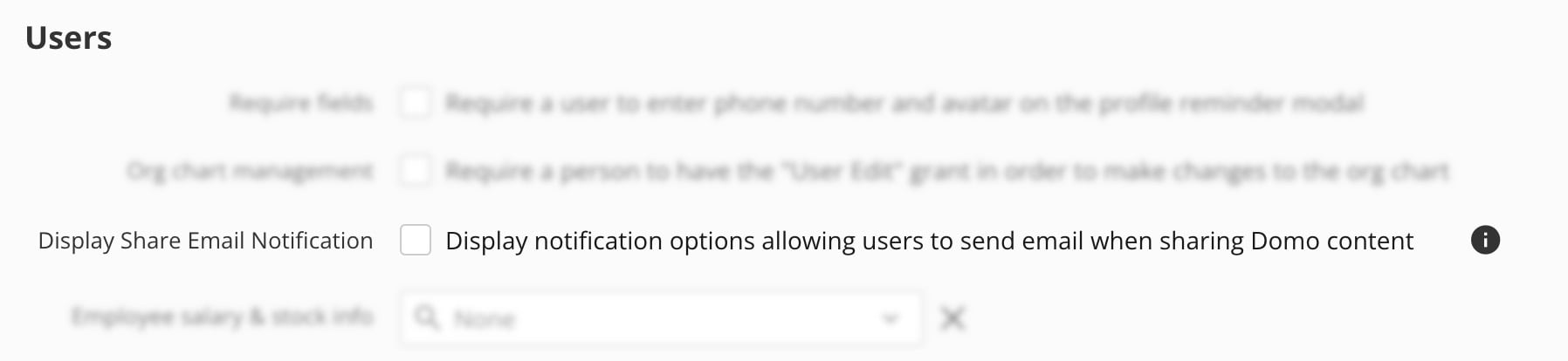
This new setting allows admins to choose whether users have the option to send email notifications when sharing content in Domo. The default setting does not allow email notifications. To allow email notification of shared content, admins can check the box in the **Users** section of the Company Overview Settings.
To learn more, see [Company Settings](https://domo-support.domo.com/s/article/000005149?language=en_US#company_overview).
#### Display Share Email Notification
This new setting allows admins to choose whether users have the option to send email notifications when sharing content in Domo. The default setting does not allow email notifications. To allow email notification of shared content, admins can check the box in the **Users** section of the Company Overview Settings.
To learn more, see [Company Settings](https://domo-support.domo.com/s/article/000005149?language=en_US#company_overview).
 # Custom and List Attributes for Dynamic PDP
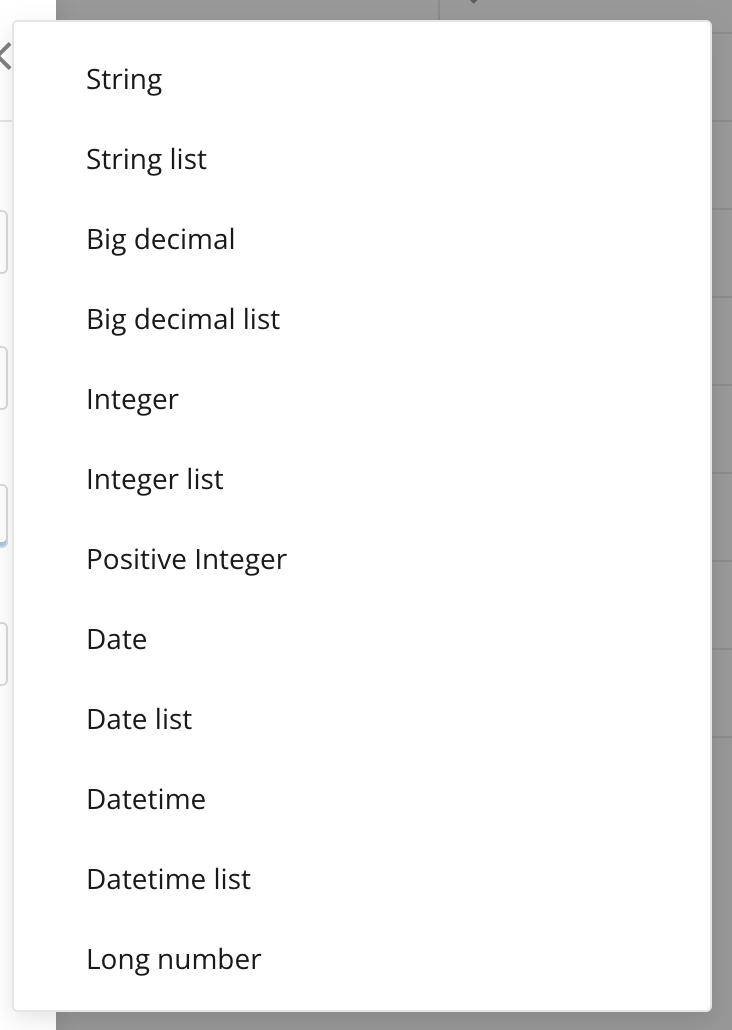
Admins can now use custom attributes to create dynamic PDP policies. In addition, custom attributes now allow multi-valued lists, and can be sourced from an organization’s identity provider (IdP). By creating dynamic PDP policies around managed attributes, the number of individual PDP policies required for a DataSet may be greatly reduced.
Learn more about [attributes](/s/article/000005164) and [creating PDP policies](/s/article/360042934614) in the Knowledge Base.
# Custom and List Attributes for Dynamic PDP
Admins can now use custom attributes to create dynamic PDP policies. In addition, custom attributes now allow multi-valued lists, and can be sourced from an organization’s identity provider (IdP). By creating dynamic PDP policies around managed attributes, the number of individual PDP policies required for a DataSet may be greatly reduced.
Learn more about [attributes](/s/article/000005164) and [creating PDP policies](/s/article/360042934614) in the Knowledge Base.
 # Analyzer
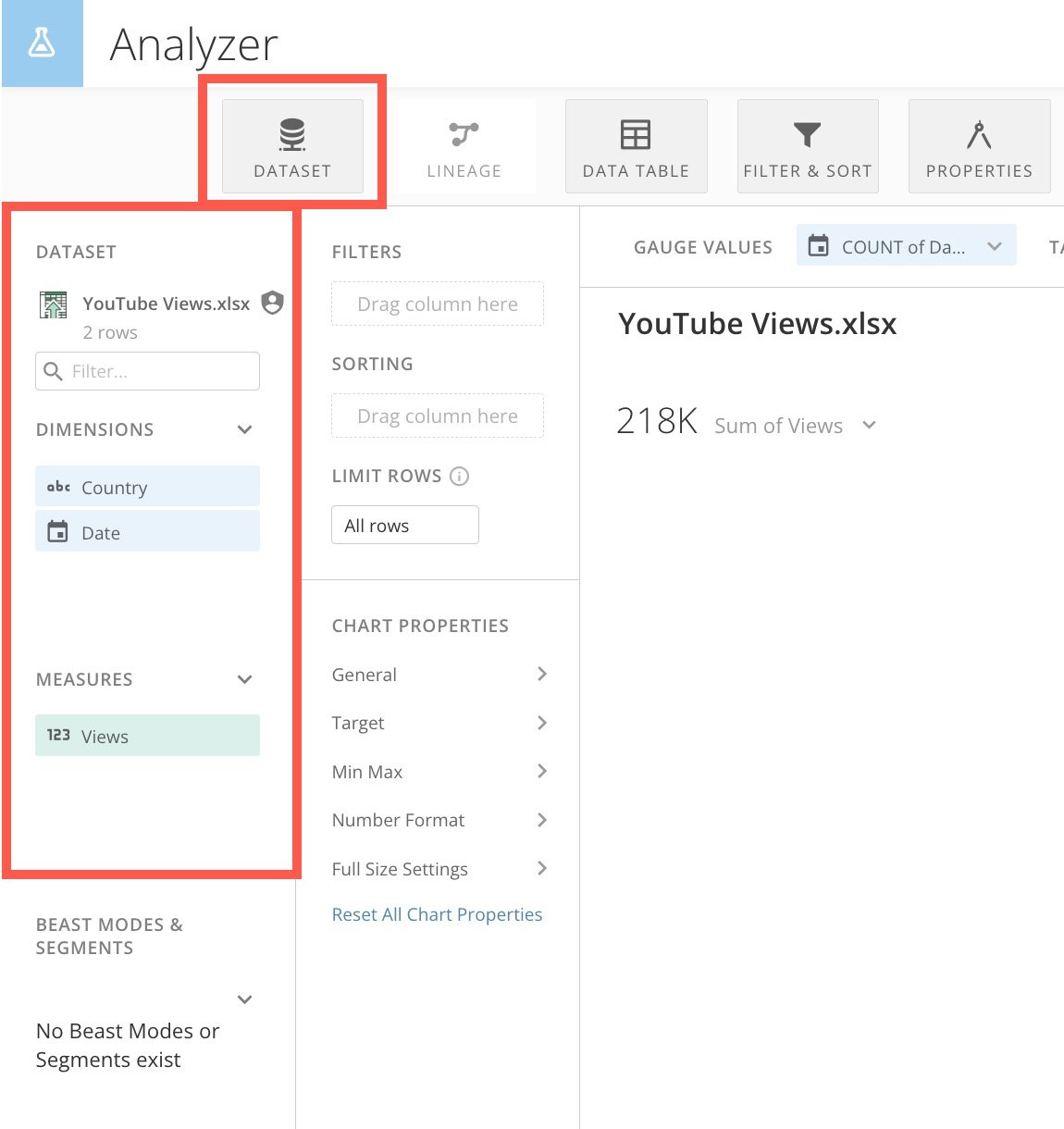
The **DataSet** panel and control replace the former **Data** panel and control in the Analyzer interface.
# Analyzer
The **DataSet** panel and control replace the former **Data** panel and control in the Analyzer interface.
 # MS Office Add-ins
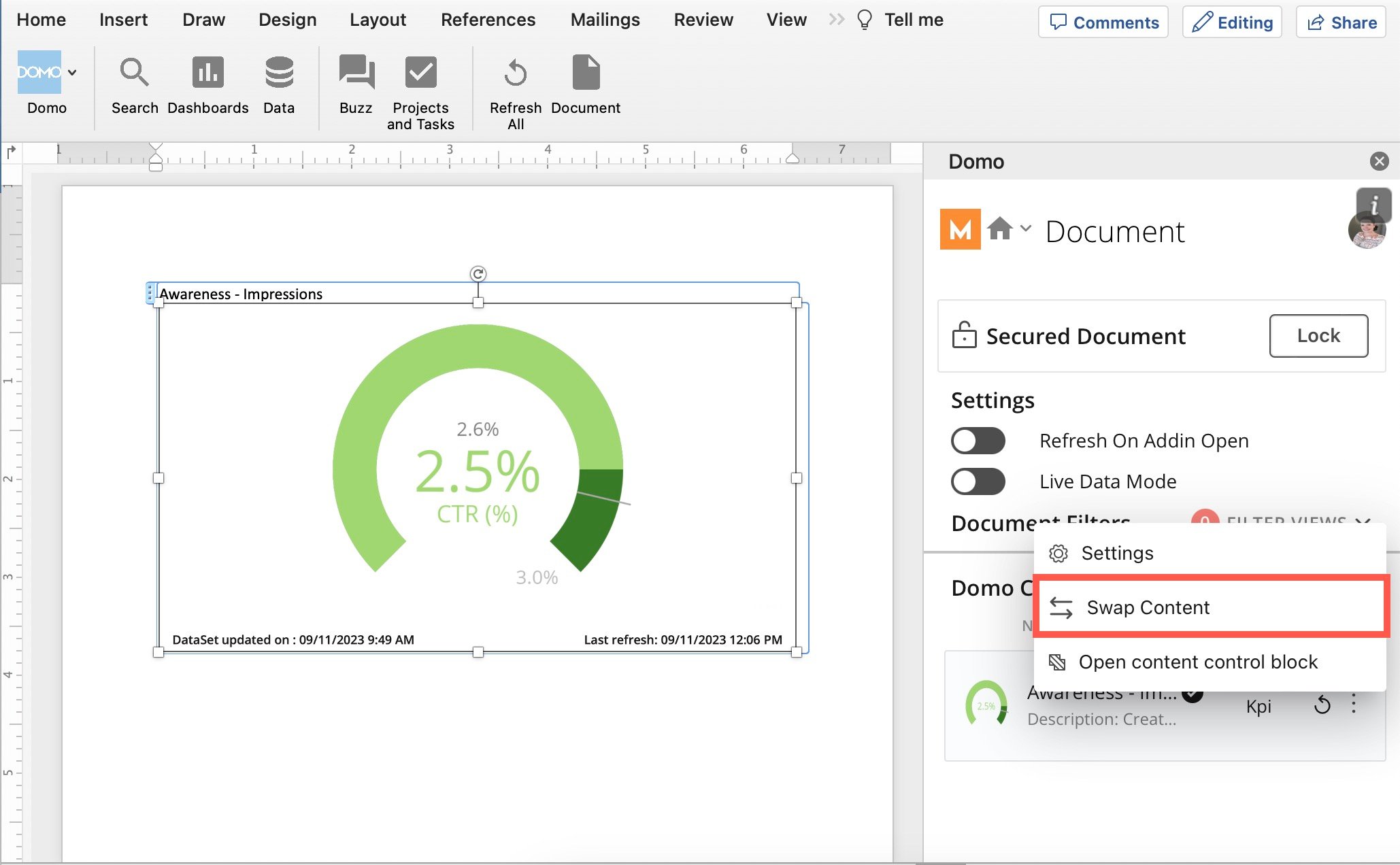
The Content Swap functionality allows you to replace content in your document while preserving existing content settings.
# MS Office Add-ins
The Content Swap functionality allows you to replace content in your document while preserving existing content settings.
 If you attempt to import a card of an unsupported type, a message displays that the card is not importable. The message also displays if you use the **Import All** option for a dashboard that contains any cards of unsupported types.
To learn more about these updates, including supported card types, see the [Domo Add-ins for Microsoft 365 Apps User Guide](/s/article/000005143).
# Chart Updates
Two new Data Science charts— [confusion matrix and correlation matrix](#correlation_confusion_matrix) —and a [packed bubble chart](#packed_bubble) have been added to Analyzer. New [gradient chart colors](#gradient_chart_colors) are also supported by 150 chart types.
#### Correlation and Confusion Matrix Charts
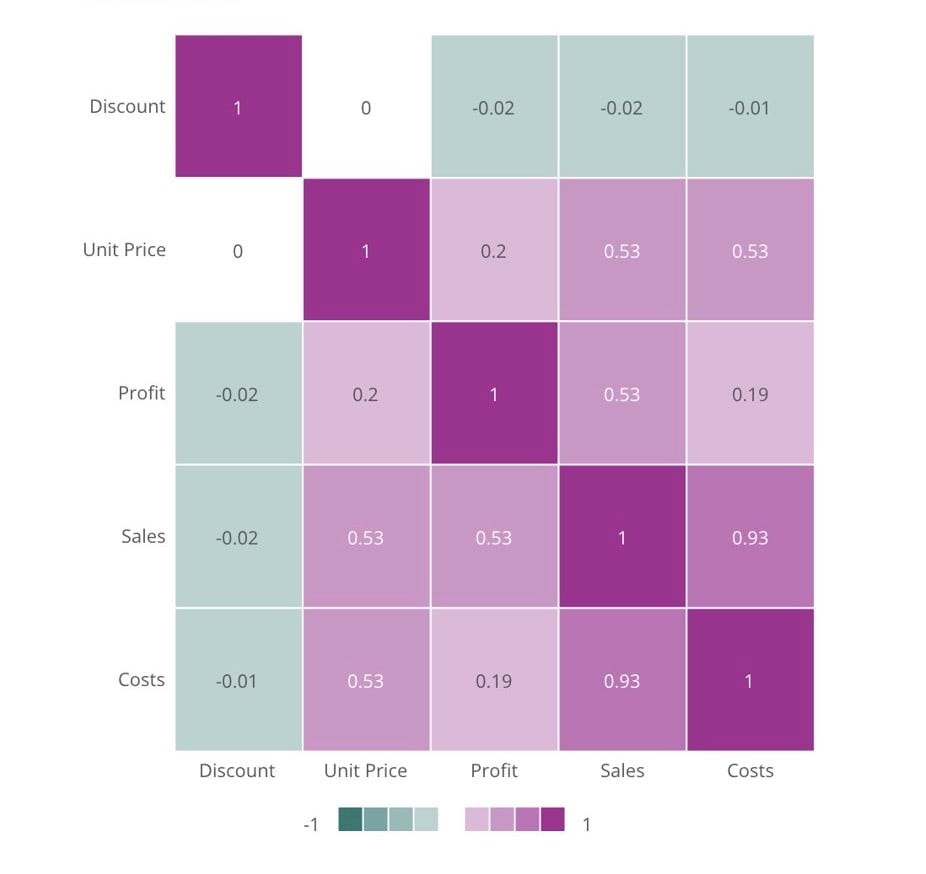
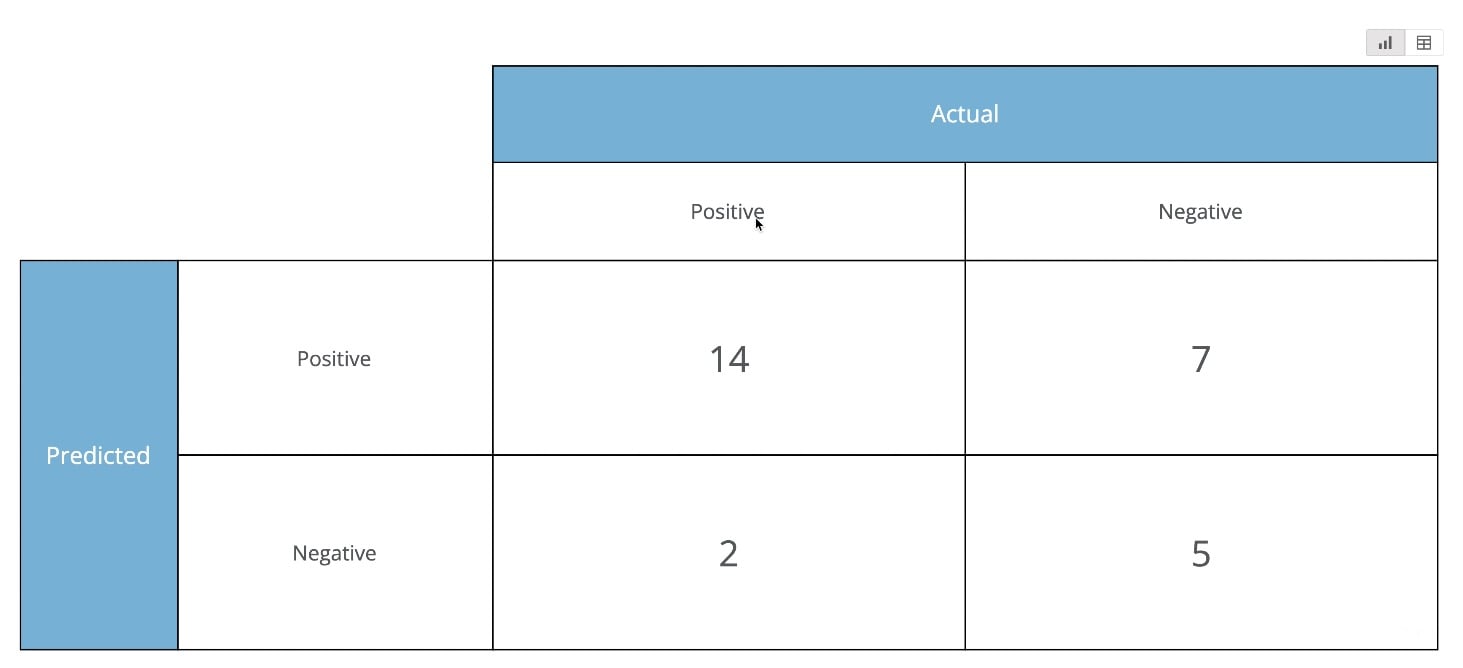
The correlation and confusion matrix charts allow you to view the correlation of your data columns and identify patterns and variable relatedness. Both charts include regression line slopes and an intercept display.
To learn more, see [Data Science Charts: Correlation and Confusion Matrix](/s/article/000005302).
If you attempt to import a card of an unsupported type, a message displays that the card is not importable. The message also displays if you use the **Import All** option for a dashboard that contains any cards of unsupported types.
To learn more about these updates, including supported card types, see the [Domo Add-ins for Microsoft 365 Apps User Guide](/s/article/000005143).
# Chart Updates
Two new Data Science charts— [confusion matrix and correlation matrix](#correlation_confusion_matrix) —and a [packed bubble chart](#packed_bubble) have been added to Analyzer. New [gradient chart colors](#gradient_chart_colors) are also supported by 150 chart types.
#### Correlation and Confusion Matrix Charts
The correlation and confusion matrix charts allow you to view the correlation of your data columns and identify patterns and variable relatedness. Both charts include regression line slopes and an intercept display.
To learn more, see [Data Science Charts: Correlation and Confusion Matrix](/s/article/000005302).
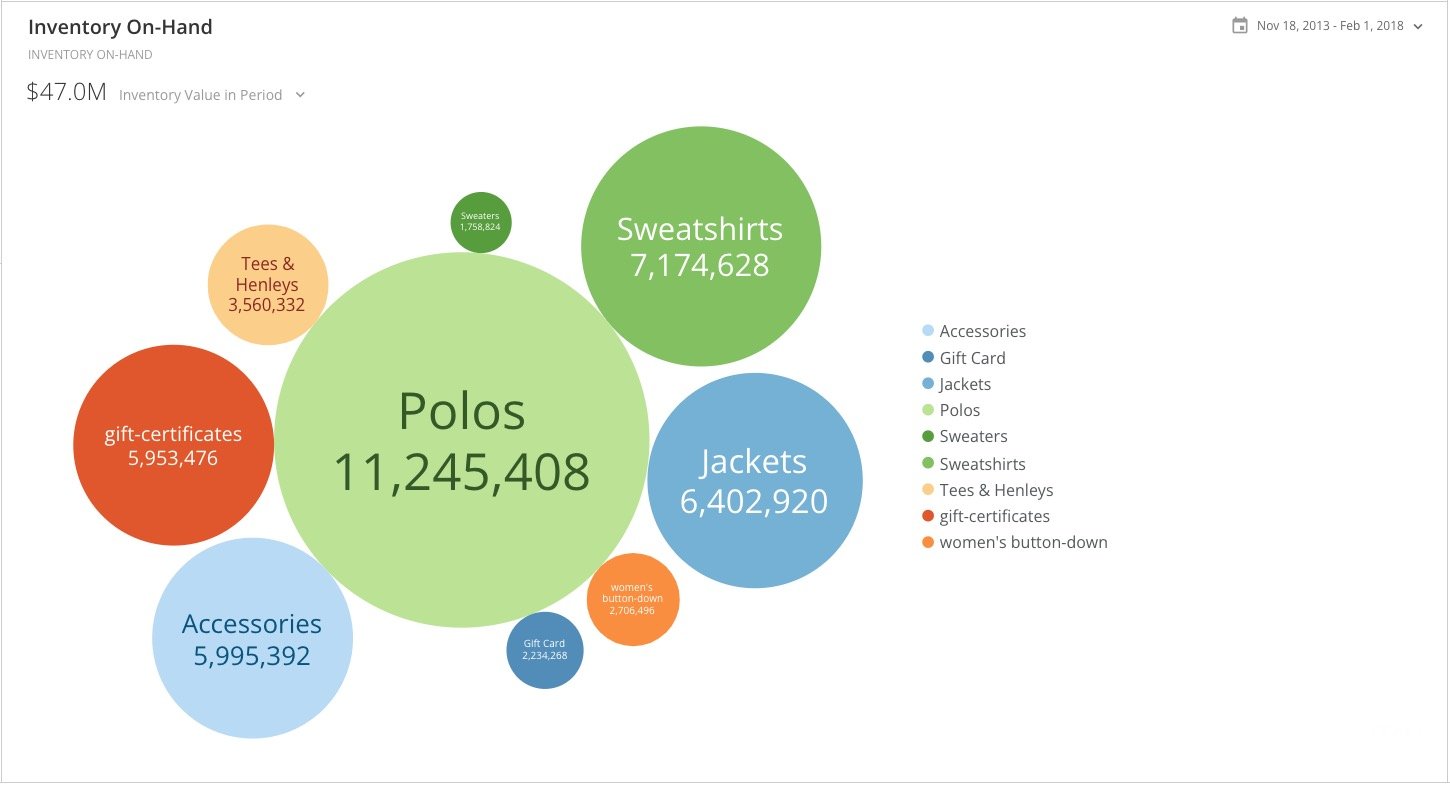
 #### Packed Bubble
The packed bubble chart allows you to visualize and compare data by relative size. This chart combines the functions of word clouds and bubble charts without the need for x- and y-axes.
To learn more, see [Packed Bubble Chart](/s/article/000005298).
#### Packed Bubble
The packed bubble chart allows you to visualize and compare data by relative size. This chart combines the functions of word clouds and bubble charts without the need for x- and y-axes.
To learn more, see [Packed Bubble Chart](/s/article/000005298).
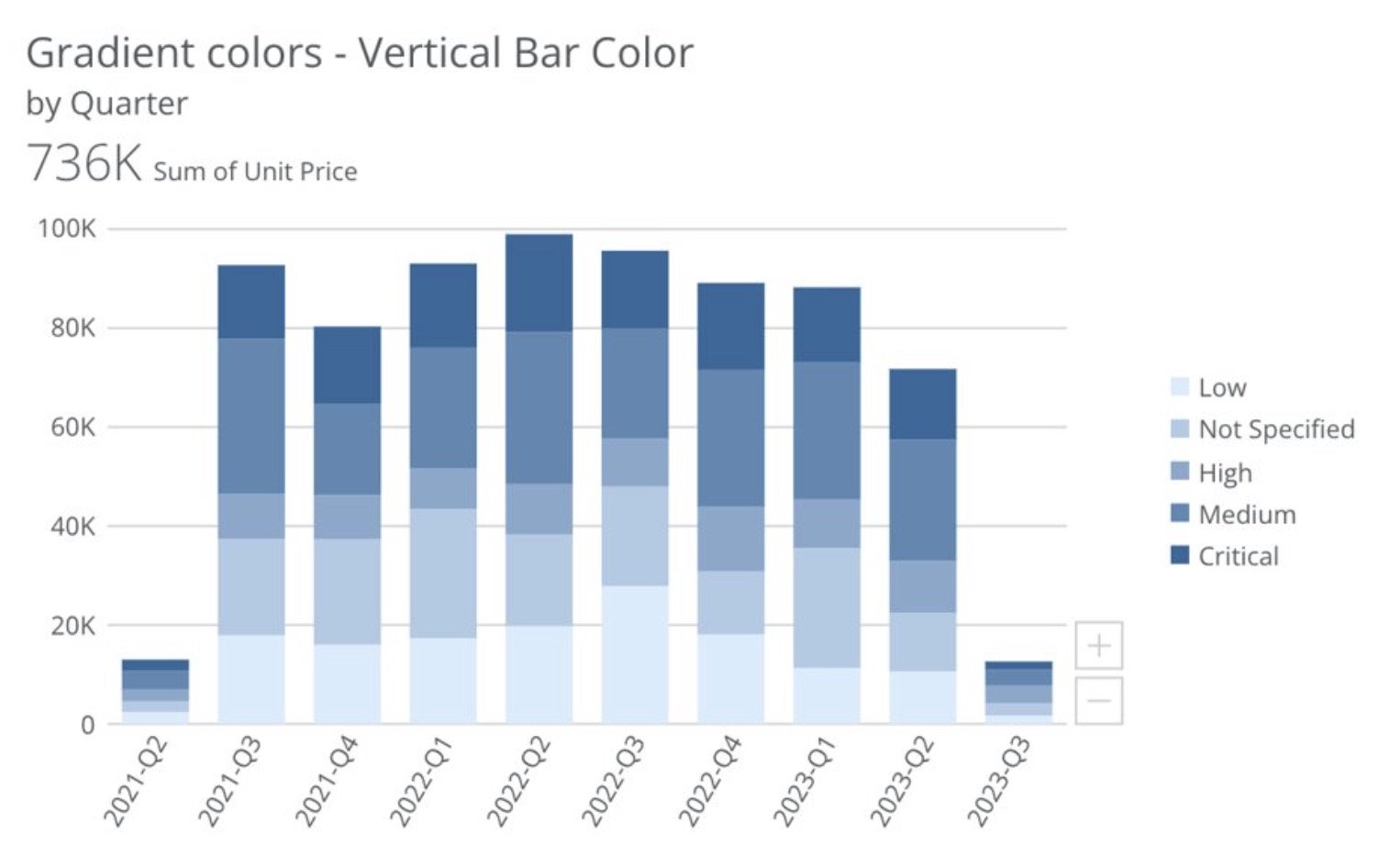
 #### Gradient Chart Colors
New gradient chart colors allow you to visualize differences in values while preserving your chart's base color. Select the gradient's start and end colors from your instance palette and let the chart fill in the rest. Gradient chart colors are supported by over 150 Domo chart types including bar charts, line charts, scatter plots, maps, and more.
To learn more, see our [chart properties](https://domo-support.domo.com/s/article/360043429793#gradient_colors) documentation.
#### Gradient Chart Colors
New gradient chart colors allow you to visualize differences in values while preserving your chart's base color. Select the gradient's start and end colors from your instance palette and let the chart fill in the rest. Gradient chart colors are supported by over 150 Domo chart types including bar charts, line charts, scatter plots, maps, and more.
To learn more, see our [chart properties](https://domo-support.domo.com/s/article/360043429793#gradient_colors) documentation.
 ***
# Campaigns
***
# Campaigns
 Microsoft's announcement to deprecate basic authentication in Exchange Online affects email campaigns. To keep your campaigns running smoothly, you can now configure the Campaigns app to work with a Microsoft OAuth SMTP server. To learn how, see the [Campaigns App | User Guide](https://domo-support.domo.com/s/article/360042933494?language=en_US#configure_microsoft_exchange_smtp_server).
# Geocoder
Microsoft's announcement to deprecate basic authentication in Exchange Online affects email campaigns. To keep your campaigns running smoothly, you can now configure the Campaigns app to work with a Microsoft OAuth SMTP server. To learn how, see the [Campaigns App | User Guide](https://domo-support.domo.com/s/article/360042933494?language=en_US#configure_microsoft_exchange_smtp_server).
# Geocoder
 The Geocoder app now supports both the Replace and Append [update methods](/s/article/360043430733) for adding new data. When data is appended, new rows are standardized with existing data.
In addition, when searching the job list on the app Landing Page, all existing jobs are included in the search.
The new bulk endpoint accommodates users with input DataSets of 100k+ rows.
Learn more in the [Geocoder | User Guide](/s/article/000005121).
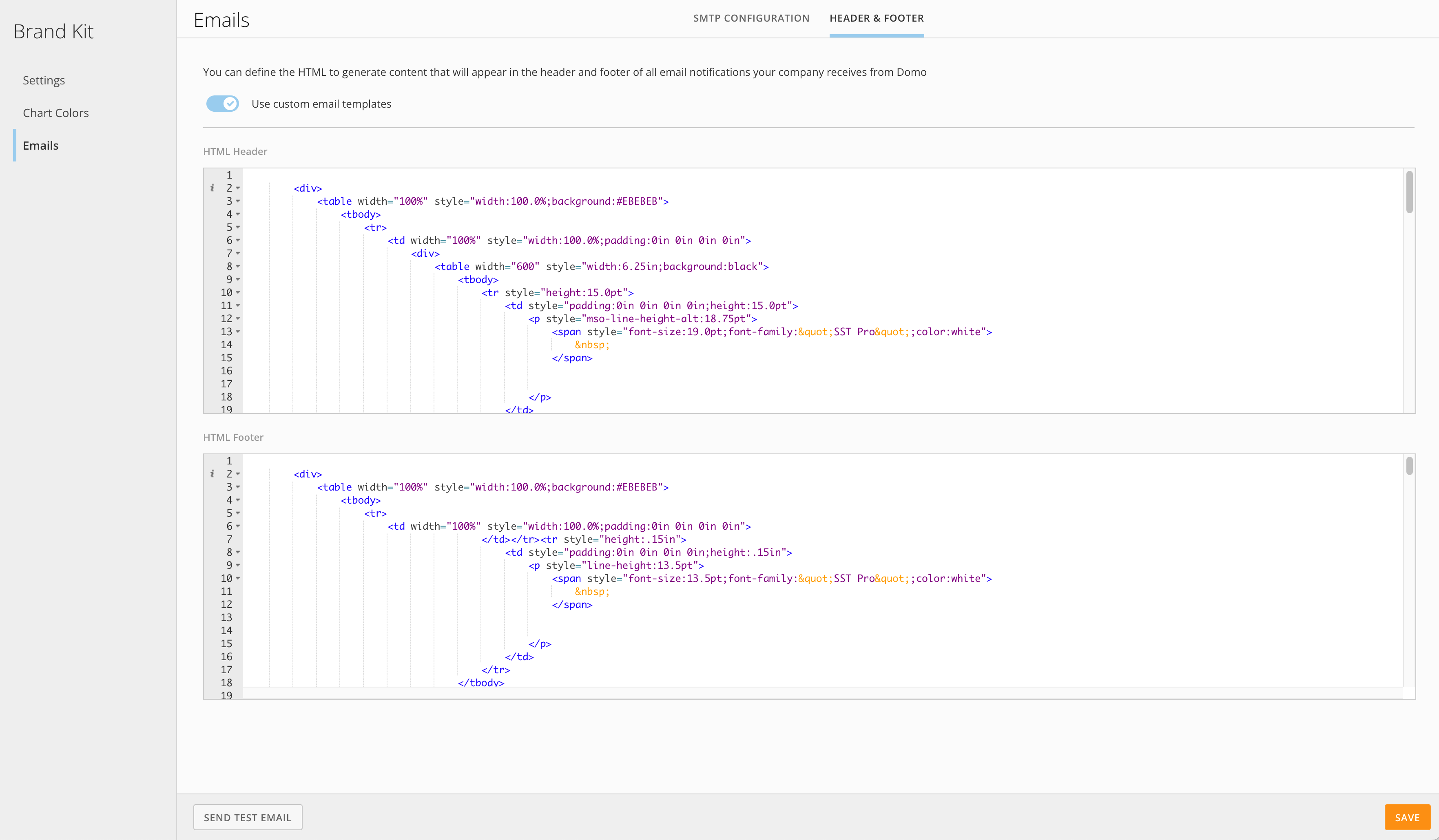
# Brand Kit Email Headers
Brand Kit now allows you to send Domo-generated emails with your branding, displaying the header and footer that best represent your organization.
For more information, see the [Brand Kit](https://domo-support.domo.com/s/article/5428851518999?language=en_US#header_and_footer) documentation.
The Geocoder app now supports both the Replace and Append [update methods](/s/article/360043430733) for adding new data. When data is appended, new rows are standardized with existing data.
In addition, when searching the job list on the app Landing Page, all existing jobs are included in the search.
The new bulk endpoint accommodates users with input DataSets of 100k+ rows.
Learn more in the [Geocoder | User Guide](/s/article/000005121).
# Brand Kit Email Headers
Brand Kit now allows you to send Domo-generated emails with your branding, displaying the header and footer that best represent your organization.
For more information, see the [Brand Kit](https://domo-support.domo.com/s/article/5428851518999?language=en_US#header_and_footer) documentation.
 # Domo Everywhere
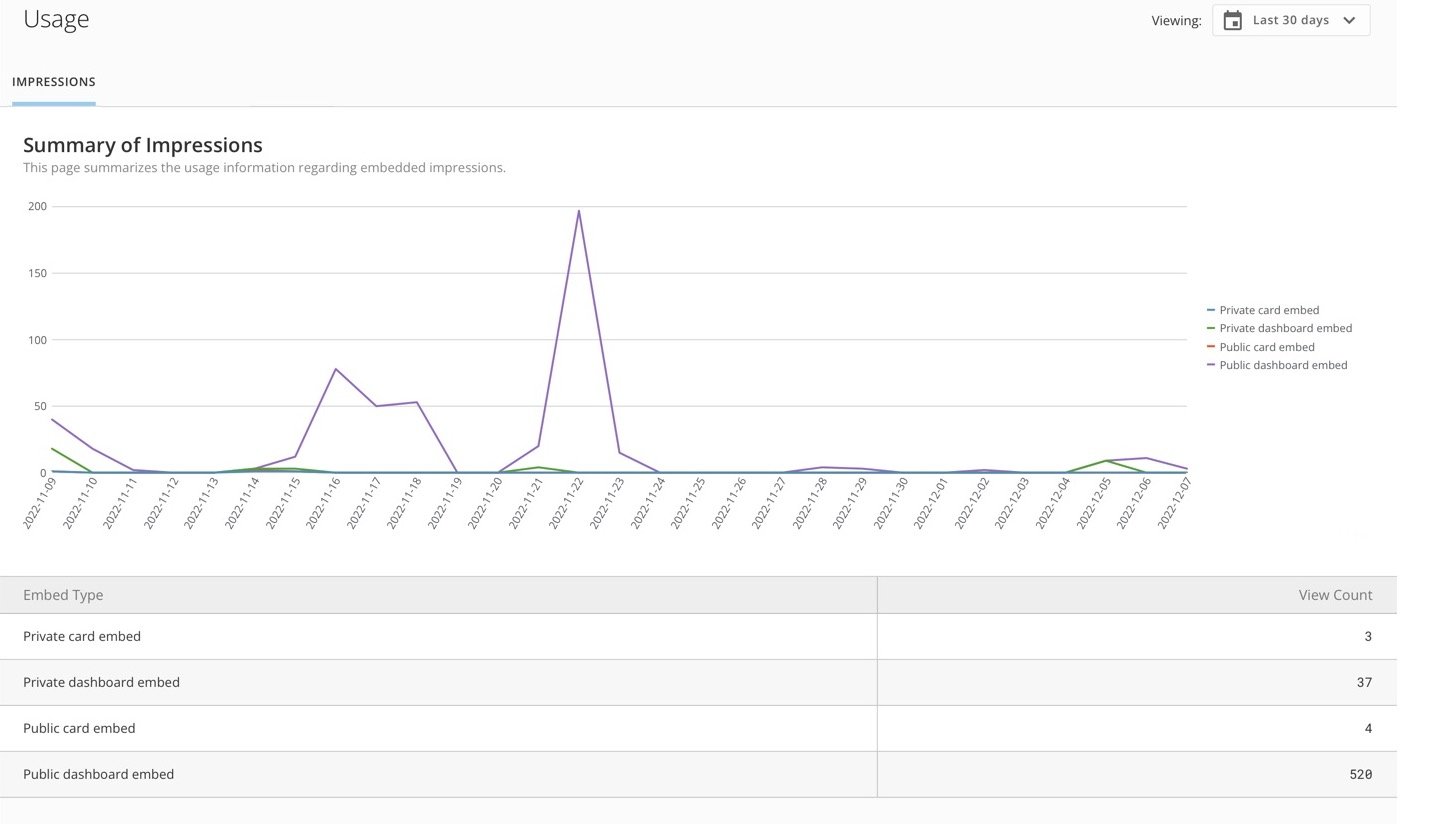
#### Embed Impression Tracking
The new **Usage** page in the Company settings allows you to view new card loads, or impressions, for embedded content. For more information, see [Embed Content Outside of Domo](/s/article/360043437993).
# Domo Everywhere
#### Embed Impression Tracking
The new **Usage** page in the Company settings allows you to view new card loads, or impressions, for embedded content. For more information, see [Embed Content Outside of Domo](/s/article/360043437993).
 #### Modify Publication Owner
To help keep the data in your publications current, admins can update the owner of a publication if the former owner has a change in permissions or is no longer an active Domo user. See [Publish Content to a Subscriber Organization](https://domo-support.domo.com/s/article/360045120554?language=en_US#update_publication_owner) to learn more.
#### Disable Embedding Primary Domo Instance
The default value that allows/prevents embedding the primary Domo instance has changed. Any instance that is currently set as the primary one on the account is now configured by default to prevent embedding the full instance. Embedded cards or dashboards from within the primary instance are not affected by this change.
***
## Beta Announcements
# AI Model Management
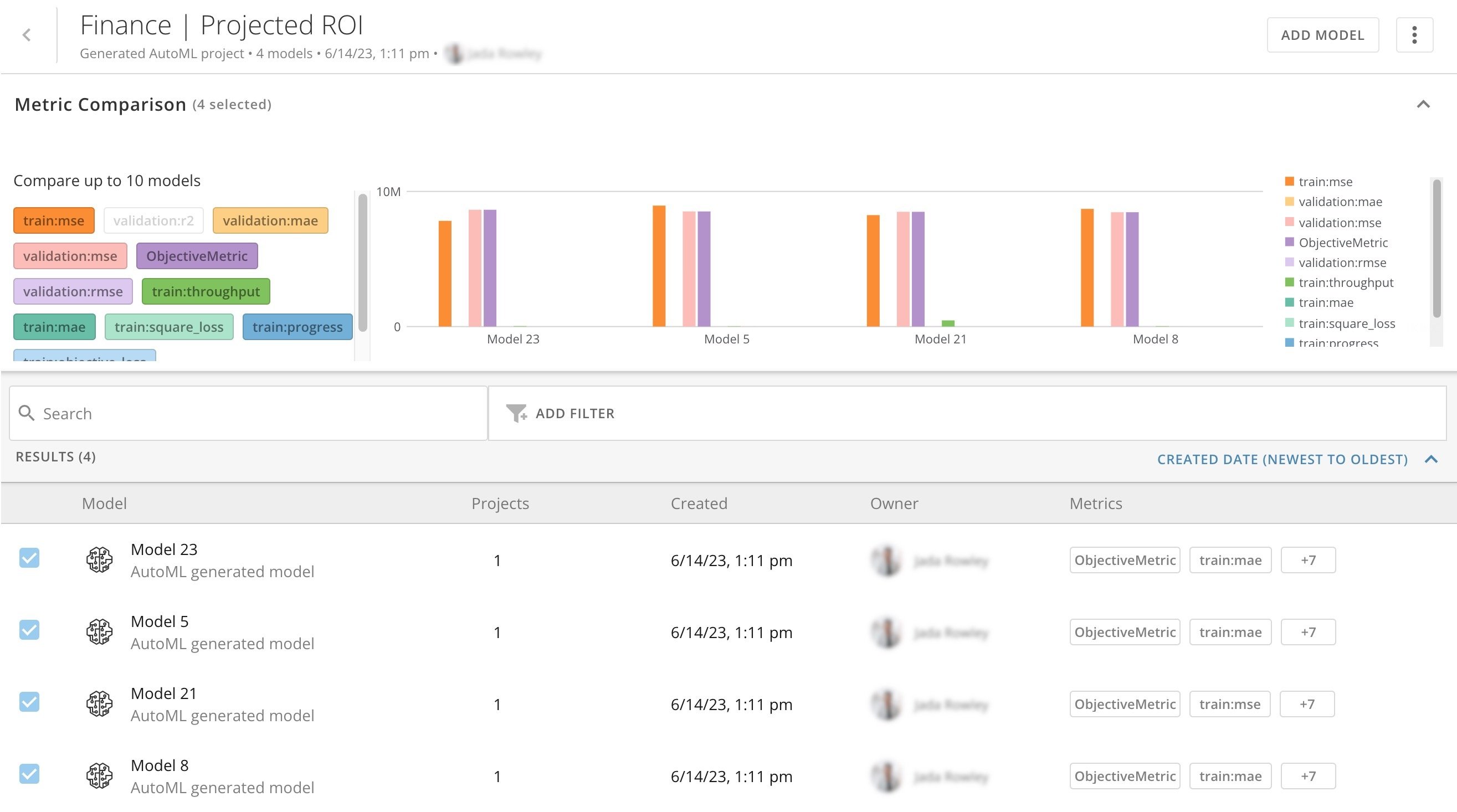
AI Model Management is an efficient platform to build, train, and deploy Domo-hosted models from Jupyter Workspaces and AutoML, as well as externally hosted models such as Open AI and Hugging Face.
Jupyter or AutoML models can be hosted in Domo through AI Model Management and accessed as API for real-time model inference endpoints (in Domo Bricks and apps), or deployed into Magic ETL (for models with row-based inputs and outputs).
To join the beta, e-mail [AI@domo.com](mailto:AI@domo.com).
#### Modify Publication Owner
To help keep the data in your publications current, admins can update the owner of a publication if the former owner has a change in permissions or is no longer an active Domo user. See [Publish Content to a Subscriber Organization](https://domo-support.domo.com/s/article/360045120554?language=en_US#update_publication_owner) to learn more.
#### Disable Embedding Primary Domo Instance
The default value that allows/prevents embedding the primary Domo instance has changed. Any instance that is currently set as the primary one on the account is now configured by default to prevent embedding the full instance. Embedded cards or dashboards from within the primary instance are not affected by this change.
***
## Beta Announcements
# AI Model Management
AI Model Management is an efficient platform to build, train, and deploy Domo-hosted models from Jupyter Workspaces and AutoML, as well as externally hosted models such as Open AI and Hugging Face.
Jupyter or AutoML models can be hosted in Domo through AI Model Management and accessed as API for real-time model inference endpoints (in Domo Bricks and apps), or deployed into Magic ETL (for models with row-based inputs and outputs).
To join the beta, e-mail [AI@domo.com](mailto:AI@domo.com).
 # DataSet Views Advanced SQL Editor with Text-to-SQL AI
This feature allows users to see the SQL that is powering any DataSet View. You can edit the SQL, apply it, and watch your query update.
In addition, you can use the AI-powered text-to-SQL chat feature to request the data you want to include in your DataSet View in natural language—AI returns a SQL query.
Here are some example prompts you could try:
* "Show me all rows where Order Priority is High or Critical and TCV is greater than 10000"
* "Clean up my Updated Date column so that it is in this format YYYY-MM-DD"
* "Create a new calculated column called Profit that takes Total Sales minus Total Cost"
* "Join with the Customer Details DataSet on Customer Domain and include all columns from both DataSets"
For more information about this beta, contact your CSM.
Learn more about [Domo.AI](https://ai.domo.com/) or explore [Domo.AI documentation](https://domo-support.domo.com/s/topic/0TO5w000000ZmGPGA0/domoai?language=en_US) in the Knowledge Base.
# Beast Mode Editor with Text-to-Beast Mode AI
This feature allows you to get help from AI when generating Beast Mode calculations inside the Beast Mode editor. To use the Text-to-Beast-Mode service, users must have the AI Services grant enabled for their role. Here are some example prompts to try:
* "Return the difference between the Order Date and the Shipped Date in months"
* "Create a calculated field where if the order priority is Critical or High it becomes Important, otherwise it's Not Important"
* "Add one week to the Order Data column"
* "Calculate the running sum of total sales by order date"
For more information about this beta, contact your CSM.
For more information about this feature, see [AI: Text-to-Beast Mode Calculation (Beta)](/s/article/000005304).
Learn more about [Domo.AI](https://ai.domo.com/) or explore [Domo.AI documentation](https://domo-support.domo.com/s/topic/0TO5w000000ZmGPGA0/domoai?language=en_US) in the Knowledge Base.
# Nested Beast Mode Calculations & DomoStats Report
Users with the Edit Card grant enabled for their role can now access Nested Beast Mode calculations—these allow one calculation to reference another. Any changes made to a referenced calculation are automatically reflected in any calculations that reference it. Nesting is only permitted at one level—a calculation that references a previous calculation cannot be referenced by a subsequent calculation.
# DataSet Views Advanced SQL Editor with Text-to-SQL AI
This feature allows users to see the SQL that is powering any DataSet View. You can edit the SQL, apply it, and watch your query update.
In addition, you can use the AI-powered text-to-SQL chat feature to request the data you want to include in your DataSet View in natural language—AI returns a SQL query.
Here are some example prompts you could try:
* "Show me all rows where Order Priority is High or Critical and TCV is greater than 10000"
* "Clean up my Updated Date column so that it is in this format YYYY-MM-DD"
* "Create a new calculated column called Profit that takes Total Sales minus Total Cost"
* "Join with the Customer Details DataSet on Customer Domain and include all columns from both DataSets"
For more information about this beta, contact your CSM.
Learn more about [Domo.AI](https://ai.domo.com/) or explore [Domo.AI documentation](https://domo-support.domo.com/s/topic/0TO5w000000ZmGPGA0/domoai?language=en_US) in the Knowledge Base.
# Beast Mode Editor with Text-to-Beast Mode AI
This feature allows you to get help from AI when generating Beast Mode calculations inside the Beast Mode editor. To use the Text-to-Beast-Mode service, users must have the AI Services grant enabled for their role. Here are some example prompts to try:
* "Return the difference between the Order Date and the Shipped Date in months"
* "Create a calculated field where if the order priority is Critical or High it becomes Important, otherwise it's Not Important"
* "Add one week to the Order Data column"
* "Calculate the running sum of total sales by order date"
For more information about this beta, contact your CSM.
For more information about this feature, see [AI: Text-to-Beast Mode Calculation (Beta)](/s/article/000005304).
Learn more about [Domo.AI](https://ai.domo.com/) or explore [Domo.AI documentation](https://domo-support.domo.com/s/topic/0TO5w000000ZmGPGA0/domoai?language=en_US) in the Knowledge Base.
# Nested Beast Mode Calculations & DomoStats Report
Users with the Edit Card grant enabled for their role can now access Nested Beast Mode calculations—these allow one calculation to reference another. Any changes made to a referenced calculation are automatically reflected in any calculations that reference it. Nesting is only permitted at one level—a calculation that references a previous calculation cannot be referenced by a subsequent calculation.
 An accompanying DomoStats report — Beast Modes Used in Beast Modes — enables admins to track how nested Beast Mode calculations are being used in their instance.
For more information about this beta, contact your CSM.
For more information about this feature, see [Nested Beast Mode Calculations (Beta)](/s/article/000005307).
# Domo Everywhere
#### Refresh Status
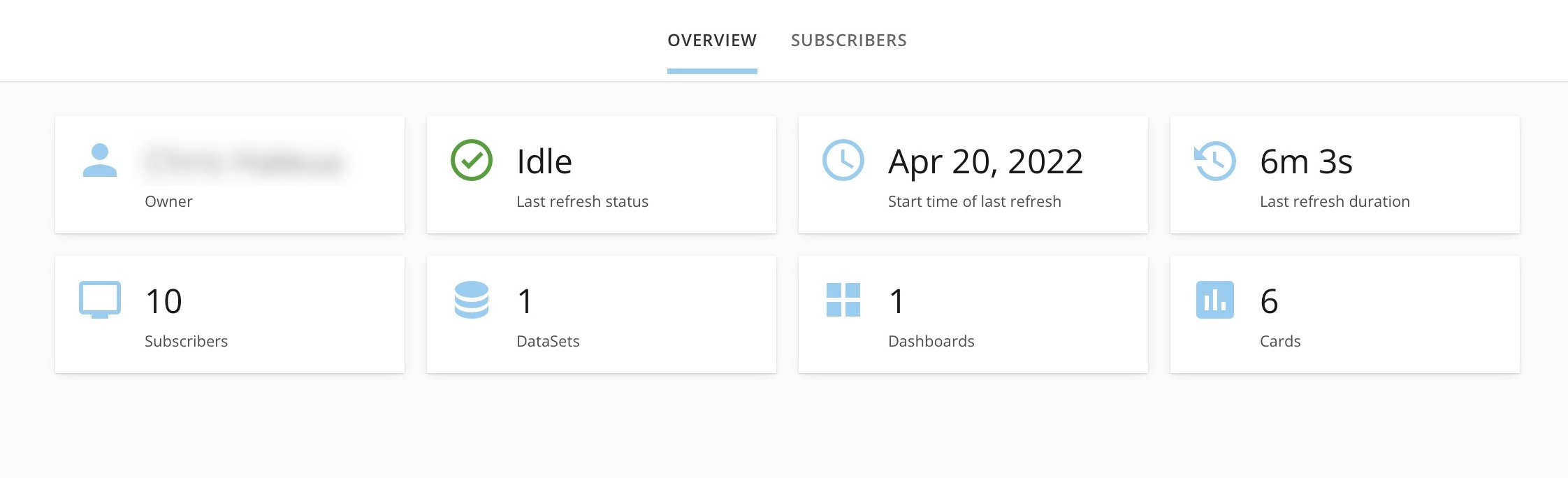
All publications now have an **Overview** tab where you can view details about the publication and its refresh status, including the start time of the last refresh and how long it took to complete.
An accompanying DomoStats report — Beast Modes Used in Beast Modes — enables admins to track how nested Beast Mode calculations are being used in their instance.
For more information about this beta, contact your CSM.
For more information about this feature, see [Nested Beast Mode Calculations (Beta)](/s/article/000005307).
# Domo Everywhere
#### Refresh Status
All publications now have an **Overview** tab where you can view details about the publication and its refresh status, including the start time of the last refresh and how long it took to complete.
 #### Publisher Access to Subscribers
When SSO is configured for a subscriber organization, it can be complicated for the publisher to log in to the subscriber instance to monitor or make any adjustments. Admins from a publisher can now access subscriber instances with their Domo credentials directly from the Domo Everywhere interface. To access this feature, admins must have the Manage Subscriber grant enabled.
For questions about either feature, contact your CSM.
#### Publisher Access to Subscribers
When SSO is configured for a subscriber organization, it can be complicated for the publisher to log in to the subscriber instance to monitor or make any adjustments. Admins from a publisher can now access subscriber instances with their Domo credentials directly from the Domo Everywhere interface. To access this feature, admins must have the Manage Subscriber grant enabled.
For questions about either feature, contact your CSM.
 # Need Support?
You can access the following resources:
* Search for a topic in the
[Help Center](https://www.domo.com/help-center).
* Train in
[Domo University](https://www.domo.com/university).
* Search for training apps in the
[Appstore](https://www.domo.com/appstore/).
* Get answers from the
[Community Forum](https://dojo.domo.com).
* Contact Technical Support by entering a help ticket in the
[Domo Support Portal.](https://domo-support.domo.com/)
* Reach out to your Domo Customer Success Manager (CSM) or Technical Consultant.
If you have feedback, please send it from within Domo.
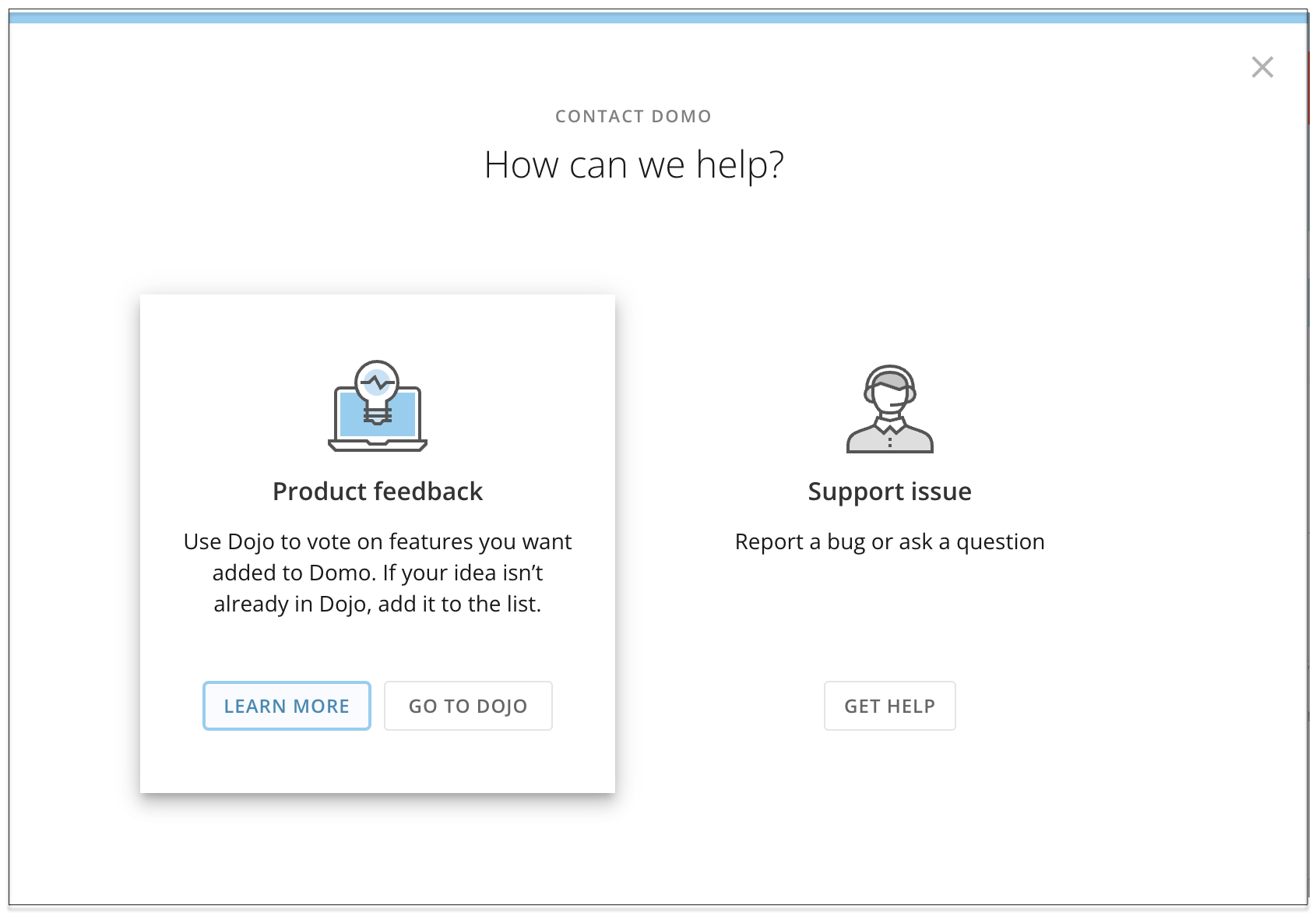
In the navigation header, select **More** > **Feedback**. In the modal that displays, choose **Product feedback**.
# Need Support?
You can access the following resources:
* Search for a topic in the
[Help Center](https://www.domo.com/help-center).
* Train in
[Domo University](https://www.domo.com/university).
* Search for training apps in the
[Appstore](https://www.domo.com/appstore/).
* Get answers from the
[Community Forum](https://dojo.domo.com).
* Contact Technical Support by entering a help ticket in the
[Domo Support Portal.](https://domo-support.domo.com/)
* Reach out to your Domo Customer Success Manager (CSM) or Technical Consultant.
If you have feedback, please send it from within Domo.
In the navigation header, select **More** > **Feedback**. In the modal that displays, choose **Product feedback**.
 For more information about getting help, see [Getting Help](https://domo-support.domo.com/s/article/360042922874).