> ## Documentation Index
> Fetch the complete documentation index at: https://domoinc-openapi-sync-dataflows.mintlify.site/llms.txt
> Use this file to discover all available pages before exploring further.
# Data Connection via API Overview
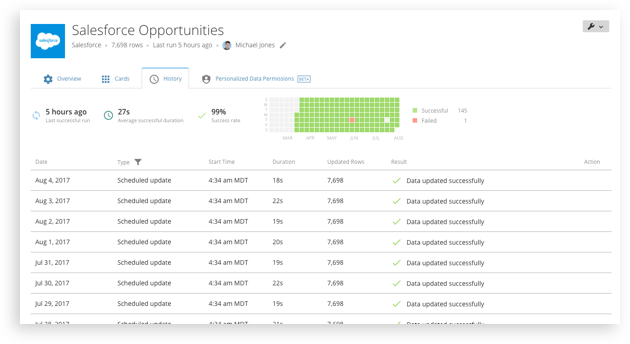 DataSets represent the data extracted from a data source; the extracted data is used as the foundation to create visualizations within Domo. The DataSet API enables you to import data from any source as well as export data to any destination. Leveraging the API allows you to not only import your data into Domo, but enables you to automate creating Personalized Data Permission (PDP) policies to restrict access to users or groups within Domo to only view specific data within a DataSet.
### DataSet use cases
***
The DataSet API allows you to extend Domo's data platform to support multiple use cases:
DataSets represent the data extracted from a data source; the extracted data is used as the foundation to create visualizations within Domo. The DataSet API enables you to import data from any source as well as export data to any destination. Leveraging the API allows you to not only import your data into Domo, but enables you to automate creating Personalized Data Permission (PDP) policies to restrict access to users or groups within Domo to only view specific data within a DataSet.
### DataSet use cases
***
The DataSet API allows you to extend Domo's data platform to support multiple use cases:
-
Automate external processes to push smaller sets data that occasionally need
to be updated into Domo data pipeline
-
Export aggregated and transformed Domo data for statistical analysis or any
need
-
Create user and group access to data within a DataSet through API's
Personalized Data Permission (PDP) policies
-
Automate external processes to manage DataSets and update intervals based on
retrieving DataSets update information
-
Utilize Upsert operations to insert or update an existing record in a single
call
**Best Practice**
There are two APIs that can be used to import data into Domo. The DataSet API should be used to create small DataSets that occasionally need their data updated. For creating and updating massive, constantly changing, or rapidly growing DataSets, the Stream API is recommended. Note: Only DataSets created with the API can be updated via APIs. Note: Pushing data to the API is limited to once per hour for Standard and Standard Trial users.
### Next Steps
***
Read on to get started with the DataSet API
* [DataSet Quickstart](/portal/Connectors/api-connections/quickstart)
* [Import and Export Data](/portal/Connectors/api-connections/import-and-export-data)
* [Manage DataSets](/portal/Connectors/api-connections/managing-datasets)
* [Create Personalized Data Permissions (PDP)](/portal/Connectors/api-connections/personalized-data-permissions)
* [DataSet API Reference](/portal/3b1e3a7d5f420-data-set-api)
### Need Additional Help?
***
No problem, we'd love to help. Explore our [documentation](https://knowledge.domo.com), answers to [frequently asked questions](https://dojo.domo.com/main), or join other developers in Domo's [Developer Forum](https://dojo.domo.com/main). For further help, feel free to [email us](mailto:support@domo.com) or [contact our sales team](mailto:sales@domo.com).